ResearchOps application visual walkthrough

Generated evidence of the current application build, covering registered pages and important interaction states.

Run started: 2026-05-06T01:03:31.537Z · Base URL: https://researchops.pages.dev/

0 failures

Core

Home

/

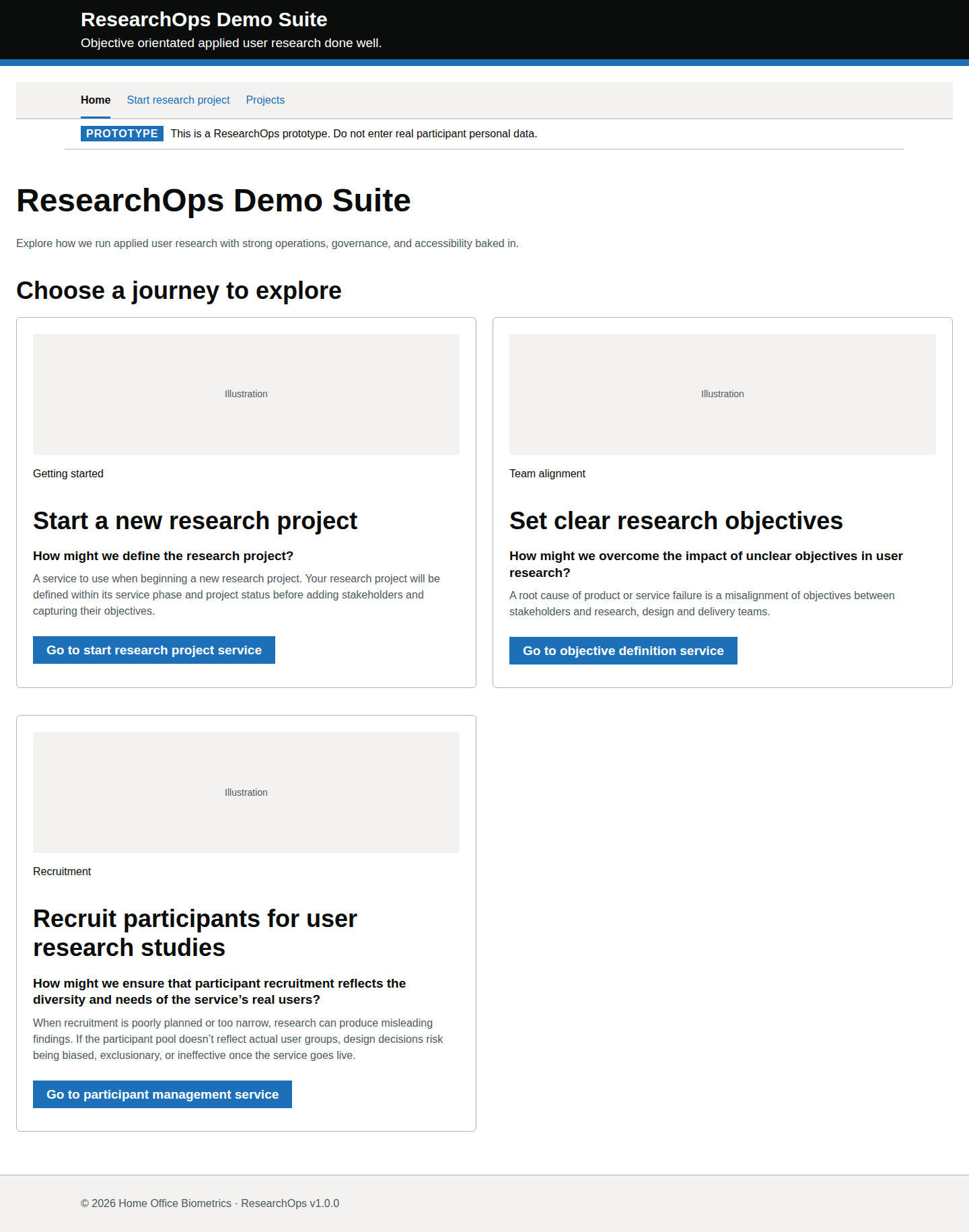
ResearchOps landing page.

Default state

captured · https://researchops.pages.dev/

Initial loaded page state.

Screenshot evidenceRoute-level Cucumber evidenceState-level acceptance criteriaAccessibility evidenceDesign-risk notes
What this screen state should support
Bespoke criteria Format: Gherkin acceptance criteria
Feature: Access the ResearchOps home page

  As a user researcher
  I want to access the ResearchOps home page
  So that I can choose the right ResearchOps journey for my work

  Background:
    Given I am a user researcher
    When I visit the ResearchOps home page

  Scenario: View the ResearchOps service identity
    Then I should see the service name "ResearchOps Demo Suite"
    And I should see the tagline "Objective orientated applied user research done well."
    And I should see the page heading "ResearchOps Demo Suite"
    And I should see introductory text that says "Use ResearchOps to structure applied user research with operations, governance and accessibility baked in."

  Scenario: Understand that the service is a prototype
    Then I should see a prototype banner
    And the banner should say "This is a ResearchOps prototype. Do not enter real participant personal data."

  Scenario: Navigate using the primary navigation
    Then I should see primary navigation links for:
      | Home |
      | Start research project |
      | Projects |
    And the "Home" navigation item should be shown as the current page

  Scenario: Start with a research project
    Then I should see guidance headed "Start by creating a research project"
    And I should see text explaining that "A project gives you somewhere to hold studies, participants, sessions, notes, evidence, insights and recommendations."
    And I should see text explaining that "Create the project first. Later parts of the service become useful once the research work has somewhere to live."
    And the primary call to action should be "Start a research project"

  Scenario: Move to project creation
    Given I can see the "Start a research project" call to action
    When I select "Start a research project"
    Then I should be taken to the start research project service

  Scenario: Understand the ResearchOps lifecycle
    Then I should see a section called "How ResearchOps supports a research project"
    And I should see text explaining that "ResearchOps follows the shape of a user research project. Start by creating a project. Then add studies, participants, sessions, notes, evidence, insights and recommendations as the work develops."
    And I should see text explaining that "This sequence is a mental model, not a set of first-visit shortcuts. It shows how the work becomes connected over time."
    And I should see text explaining that "Define the research work, service phase, team context and objectives."
    And I should see text explaining that "Plan a specific round of research within the project."
    And I should see text explaining that "Recruit and manage people taking part in the study."
    And I should see text explaining that "Schedule and run research sessions."
    And I should see text explaining that "Capture observations and structured session notes."
    And I should see text explaining that "Organise what was seen, heard or recorded."
    And I should see text explaining that "Analyse evidence into meaningful findings."
    And I should see text explaining that "Turn findings into decisions, actions and service improvements."

  Scenario: View the lifecycle sequence as a mental model
    Then I should see the lifecycle stages in this order:
      | Step | Stage | Purpose |
      | Step 1 of 8 | Project | Define the research work, service phase, team context and objectives. |
      | Step 2 of 8 | Study | Plan a specific round of research within the project. |
      | Step 3 of 8 | Participants | Recruit and manage people taking part in the study. |
      | Step 4 of 8 | Sessions | Schedule and run research sessions. |
      | Step 5 of 8 | Notes | Capture observations and structured session notes. |
      | Step 6 of 8 | Evidence | Organise what was seen, heard or recorded. |
      | Step 7 of 8 | Insights | Analyse evidence into meaningful findings. |
      | Step 8 of 8 | Recommendations | Turn findings into decisions, actions and service improvements. |
    And each stage should include a short explanation of what happens at that point

  Scenario: Avoid misleading lifecycle links
    Then lifecycle stages should be presented as orientation rather than as a menu
    And later lifecycle stages should not be presented as first-visit shortcuts
    And the page should make it clear that later work becomes useful after a project has been created

  Scenario: Review later ResearchOps tasks
    Then I should see a section called "What you can do after creating a project"
    And I should see text explaining that "These parts of ResearchOps are shown as orientation. They make more sense after a project record has been created."
    And I should see orientation cards for:
      | Task | Category | Availability |
      | Set clear research objectives | Team alignment | Available after project creation |
      | Recruit participants for user research studies | Recruitment | Available after study planning |
      | Turn research evidence into recommendations | Evidence and analysis | Available after sessions |

  Scenario: Understand the "Set clear research objectives" task
    Given I can see the "Set clear research objectives" orientation card
    Then I should see that it is "Available after project creation"
    And I should see the question "How might we overcome the impact of unclear objectives in user research?"
    And I should see supporting text that says "Use the project space to align stakeholder objectives with research, design and delivery work."
  Scenario: Understand the "Recruit participants for user research studies" task
    Given I can see the "Recruit participants for user research studies" orientation card
    Then I should see that it is "Available after study planning"
    And I should see the question "How might we ensure that participant recruitment reflects the diversity and needs of the service’s real users?"
    And I should see supporting text that says "Plan recruitment so findings are not biased, exclusionary or weakly connected to the service’s real users."
  Scenario: Understand the "Turn research evidence into recommendations" task
    Given I can see the "Turn research evidence into recommendations" orientation card
    Then I should see that it is "Available after sessions"
    And I should see the question "How might we keep evidence, insights and recommendations connected?"
    And I should see supporting text that says "Use structured notes and evidence trails to show how research findings lead to service decisions."
  Scenario: Use the lifecycle sequence on a mobile device
    Given I am viewing the home page on a mobile device
    Then the lifecycle sequence should remain readable
    And the stages should appear in the correct order
    And no content should require horizontal scrolling

  Scenario: Access the home page using a keyboard
    Given I am navigating with a keyboard
    Then I should be able to move focus through the primary navigation links
    And I should be able to move focus to "Start a research project"
    And I should be able to activate links, buttons and form controls without a mouse

  Scenario: Understand the page structure with assistive technology
    Then the page should have one clear main heading
    And the start guidance section should have a meaningful heading
    And the lifecycle should be marked up as an ordered sequence
    And each lifecycle stage should expose its name and explanation in a logical reading order
    And each orientation card should expose its title, supporting text and availability in a logical reading order

  Scenario: View footer information
    Then I should see the footer text "© 2026 Home Office Biometrics · ResearchOps v1.0.0"
Design-risk notes
Design risk
The landing page may look visually complete while failing to explain the safest route into research setup, evidence review or synthesis work.
Impact
User researchers could choose the wrong workflow, duplicate records or miss the intended evidence-to-insight traceability model.
Recommended change
Review the page against GOV.UK start-point conventions, link purpose, visible service identity and keyboard-accessible navigation.
Owner
UCD team
Status
Needs UCD review
Screenshot evidence
Desktop · captured · https://researchops.pages.dev/

Screenshot of Home in the Default state state for Desktop.
Home — Default state — Desktop
Screenshot evidence
Mobile · captured · https://researchops.pages.dev/

Screenshot of Home in the Default state state for Mobile.
Home — Default state — Mobile

Start research project

/pages/start/index.html

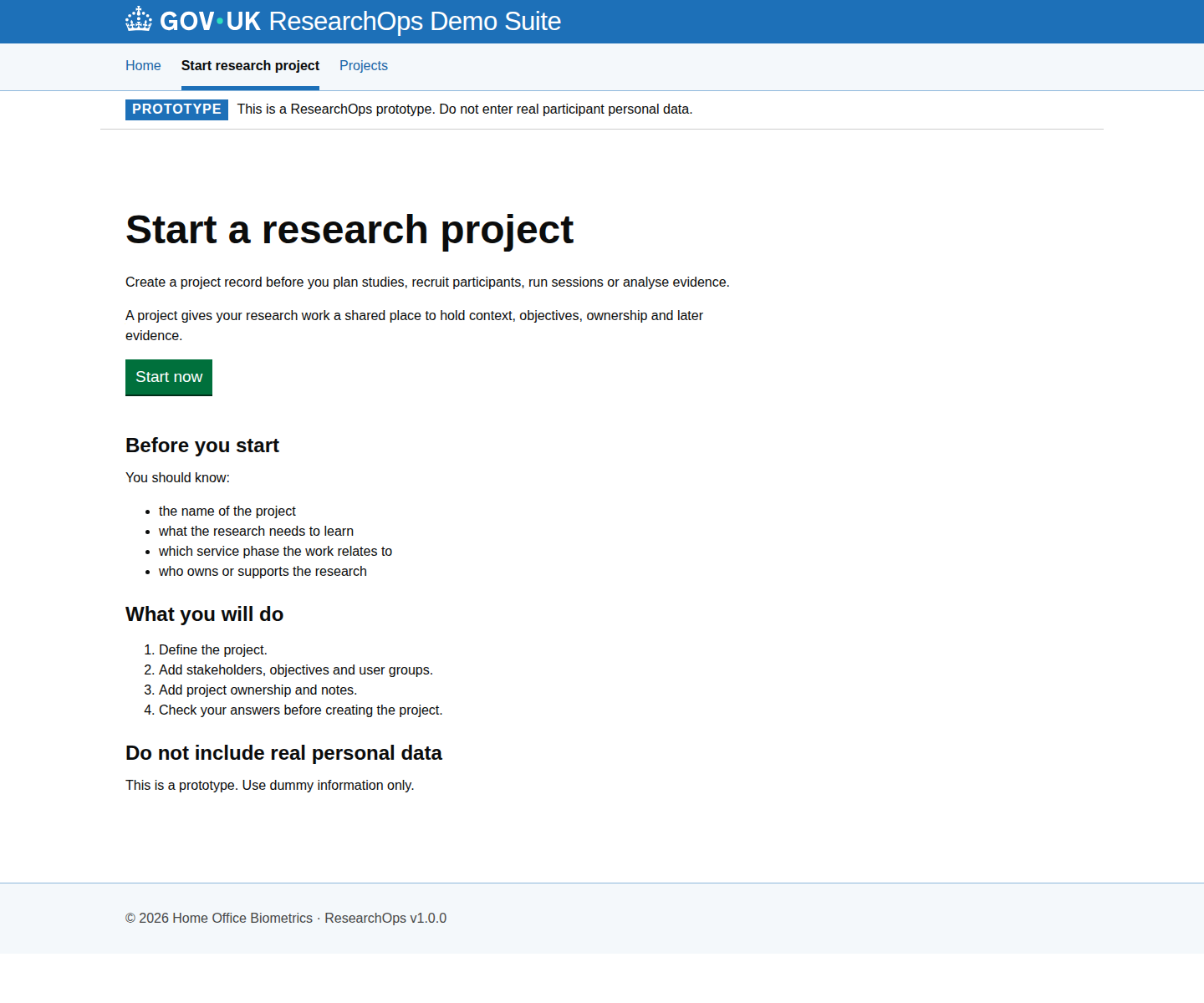
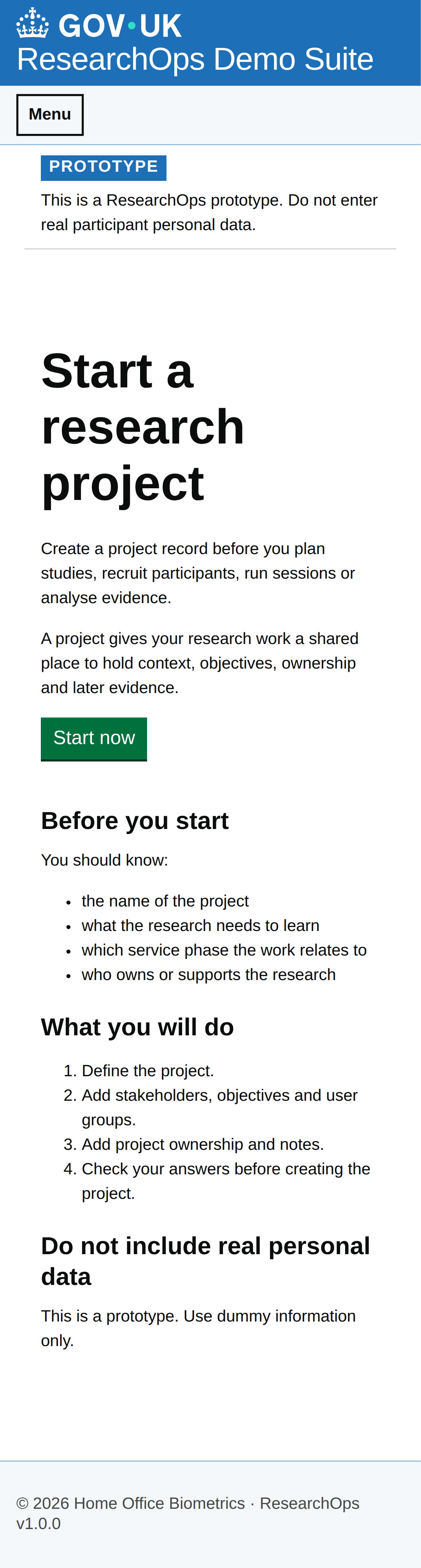
Start page for creating or beginning research project work.

Start research project — group-level review evidence

What this grouping should support

Applies once to the full grouping. State cards below contain only scenario-specific review evidence.

Gherkin acceptance criteria needs review
Feature: Start a new research project

  As a user researcher
  I want to define a project with clear context, objectives and ownership
  So that my team can start research work with shared intent and traceable setup information

  Scenario: Complete the guided project setup safely
    Then I should understand what project information is needed before I commit anything
    And I should be able to review the full setup before creating the project

  Scenario: Understand the guided process
    Then I should be guided through project definition, research framing, ownership and check-your-answers steps
Design-risk notes needs review
Design risk
The start-project journey is the commitment point for the ResearchOps evidence model. Weak framing can make later work appear traceable when the project context is weak.
Impact
If this is accepted without review, ResearchOps traceability, accessibility or user confidence may be weakened.
Recommended change
Review this evidence against ResearchOps intent, GOV.UK component conventions and WCAG 2.2 AA expectations.
Owner
UCD team
Status
Needs review

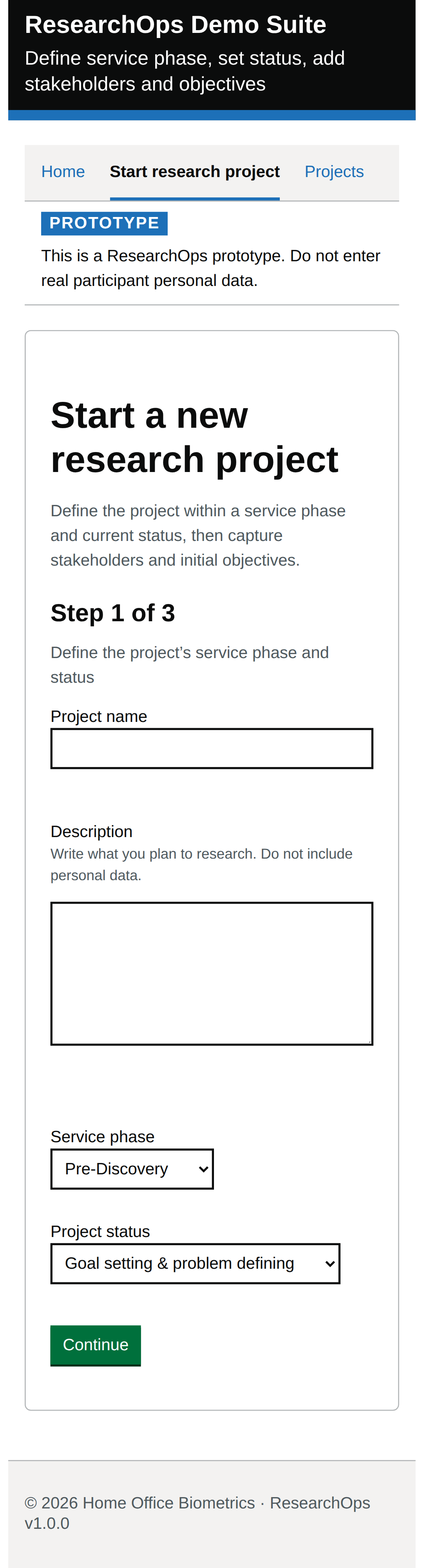
Default state

captured · https://researchops.pages.dev/pages/start/index.html

Initial loaded page state.

Screenshot evidenceState-level curated acceptance criteriaState-level curated design-risk notes
What this state should support
Curated criteria Format: Gherkin acceptance criteria
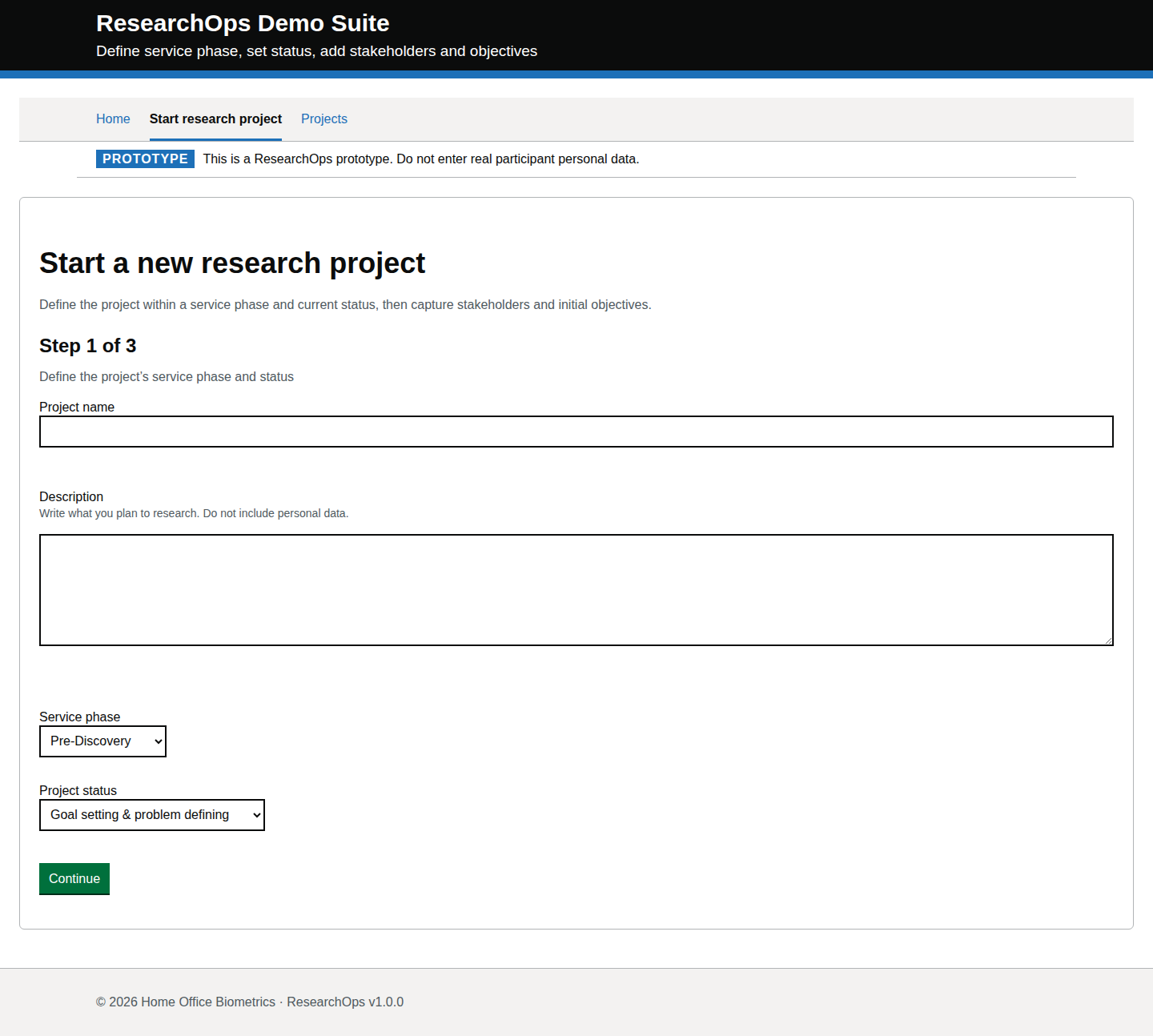
Feature: Start project default state

  Scenario: Complete Step 1 controls
    Then I should be able to enter the project name
    And I should be able to enter the project description
    And I should be able to select the service phase and project status
    And I should be able to continue without losing my answers
Design-risk notes
Design risk
The first state must make the core form controls clear and operable.
Impact
If this is accepted without review, ResearchOps traceability, accessibility or user confidence may be weakened.
Recommended change
Review this evidence against ResearchOps intent, GOV.UK component conventions and WCAG 2.2 AA expectations.
Owner
UCD team
Status
Needs review
Screenshot evidence

Desktop · captured · https://researchops.pages.dev/pages/start/index.html

Screenshot of Start research project in the Default state state for Desktop.
Start research project — Default state — Desktop
Screenshot evidence
Mobile · captured · https://researchops.pages.dev/pages/start/index.html

Screenshot of Start research project in the Default state state for Mobile.
Start research project — Default state — Mobile

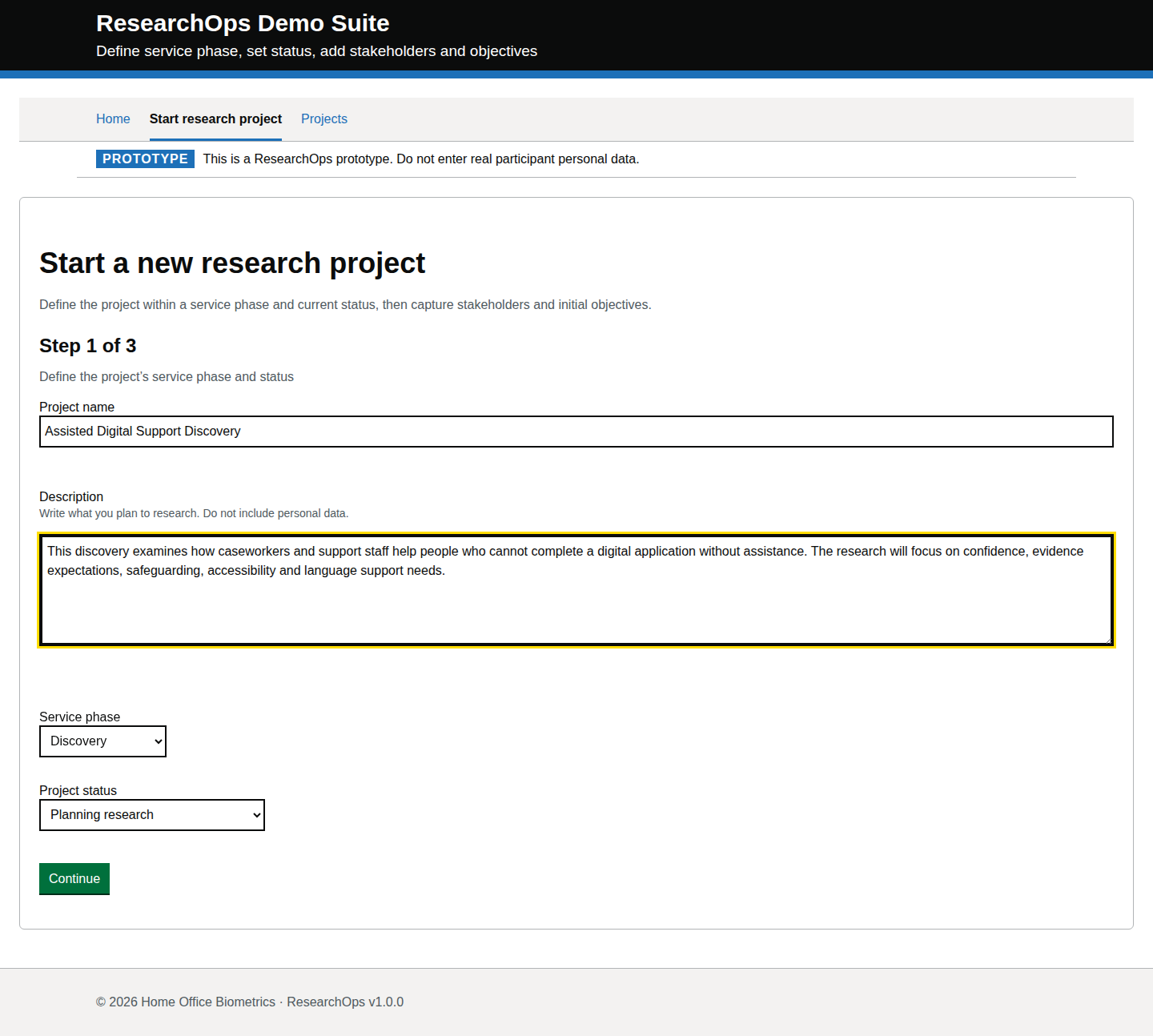
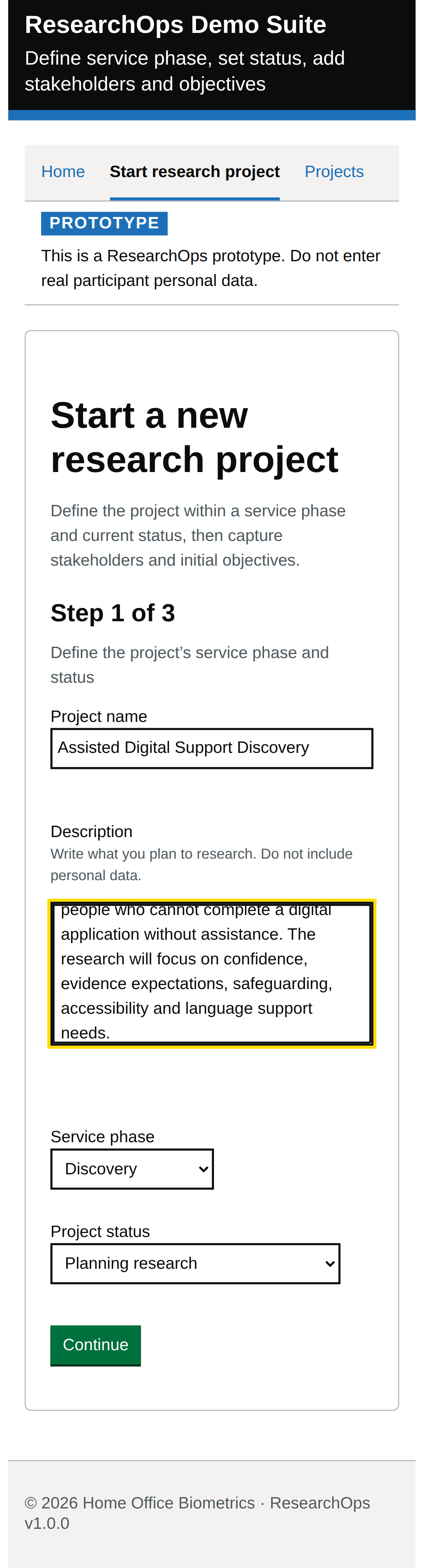
Step 1 completed with project definition

captured · https://researchops.pages.dev/pages/start/index.html

Project name, description, phase and status entered using believable discovery-stage dummy data.

Screenshot evidenceState-level curated acceptance criteriaState-level curated design-risk notes
What this state should support
Curated criteria Format: Gherkin acceptance criteria
Feature: Step 1 completed

  Scenario: Continue after defining the project
    Then my project definition should be retained
    And I should be able to go back or correct it without losing progress
Design-risk notes
Design risk
A completed first step must show progress without implying that the project is fully governed.
Impact
If this is accepted without review, ResearchOps traceability, accessibility or user confidence may be weakened.
Recommended change
Review this evidence against ResearchOps intent, GOV.UK component conventions and WCAG 2.2 AA expectations.
Owner
UCD team
Status
Needs review
Screenshot evidence
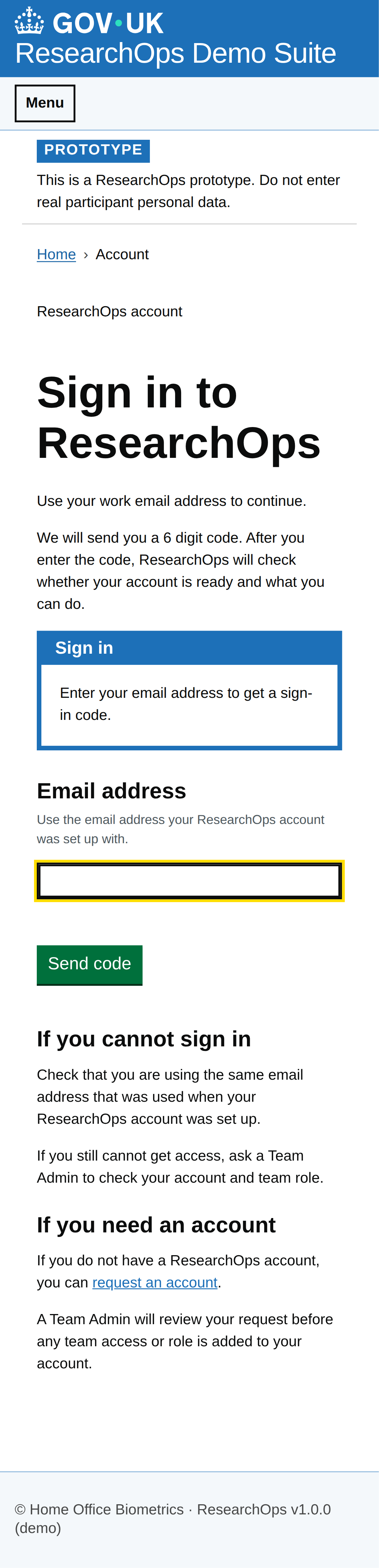
Desktop · captured · https://researchops.pages.dev/pages/start/index.html

Screenshot of Start research project in the Step 1 completed with project definition state for Desktop.
Start research project — Step 1 completed with project definition — Desktop
Screenshot evidence

Mobile · captured · https://researchops.pages.dev/pages/start/index.html

Screenshot of Start research project in the Step 1 completed with project definition state for Mobile.
Start research project — Step 1 completed with project definition — Mobile

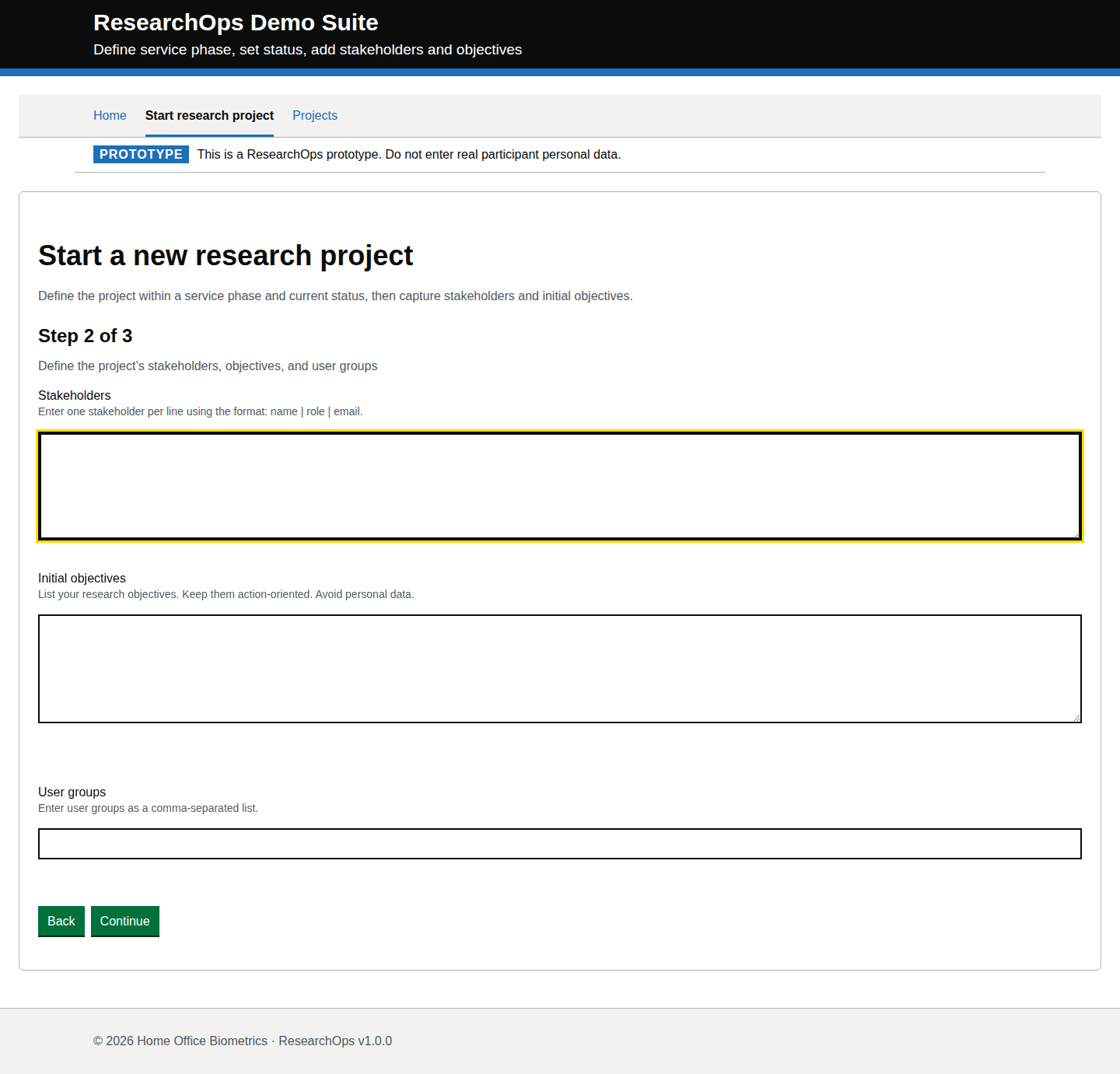
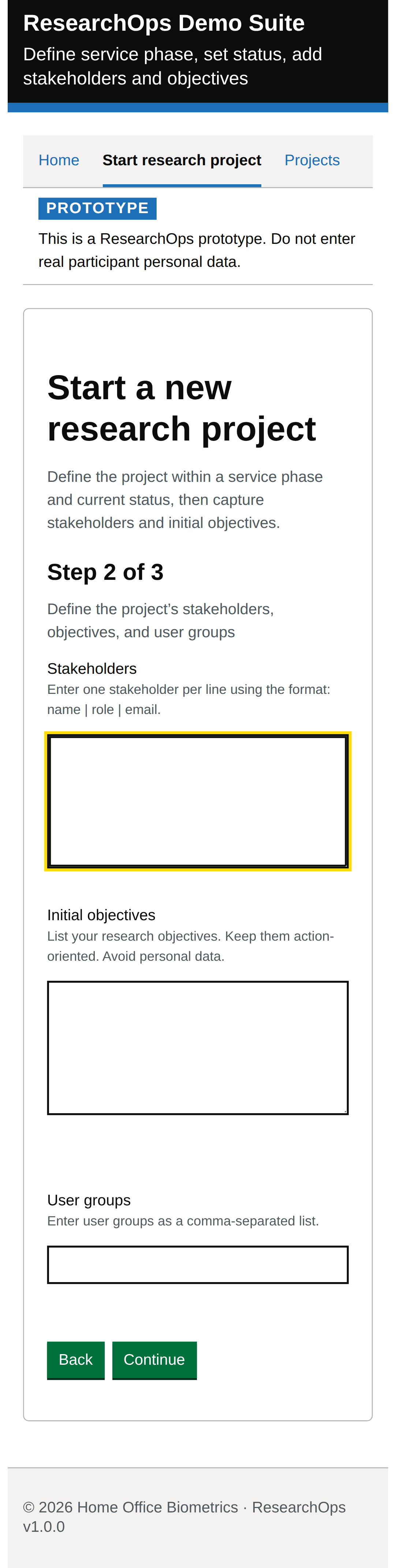
Step 2 default state

captured · https://researchops.pages.dev/pages/start/index.html

Second wizard step after a valid project definition has been entered on step 1.

Screenshot evidenceState-level curated acceptance criteriaState-level curated design-risk notes
What this state should support
Curated criteria Format: Gherkin acceptance criteria
Feature: Step 2 default state

  Scenario: Provide research framing context
    Then I should be able to enter stakeholders, objectives and user groups
    And each field should explain the planning information expected
Design-risk notes
Design risk
This state must ask for research framing in user-centred terms.
Impact
If this is accepted without review, ResearchOps traceability, accessibility or user confidence may be weakened.
Recommended change
Review this evidence against ResearchOps intent, GOV.UK component conventions and WCAG 2.2 AA expectations.
Owner
UCD team
Status
Needs review
Screenshot evidence

Desktop · captured · https://researchops.pages.dev/pages/start/index.html

Screenshot of Start research project in the Step 2 default state state for Desktop.
Start research project — Step 2 default state — Desktop
Screenshot evidence
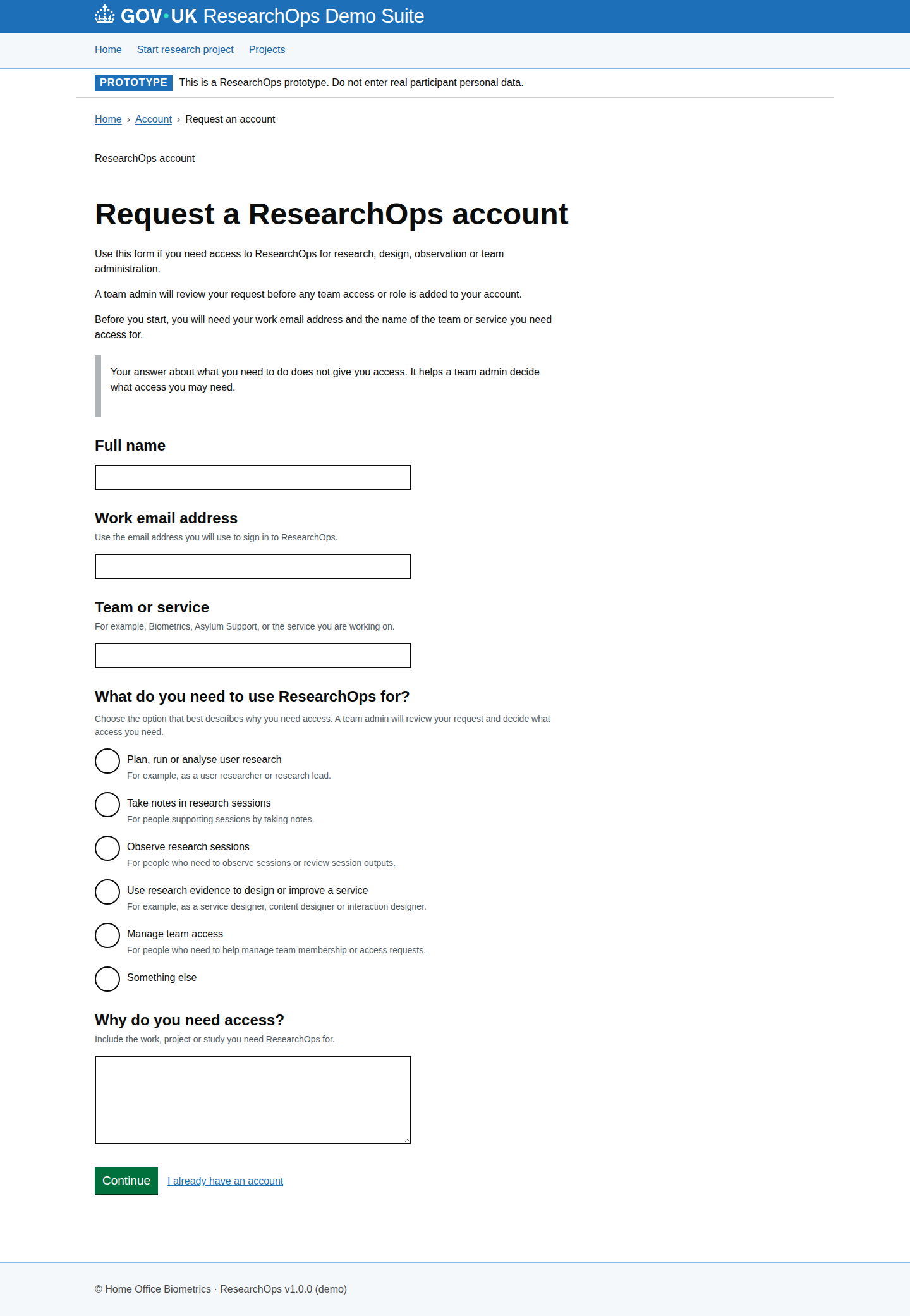
Mobile · captured · https://researchops.pages.dev/pages/start/index.html

Screenshot of Start research project in the Step 2 default state state for Mobile.
Start research project — Step 2 default state — Mobile

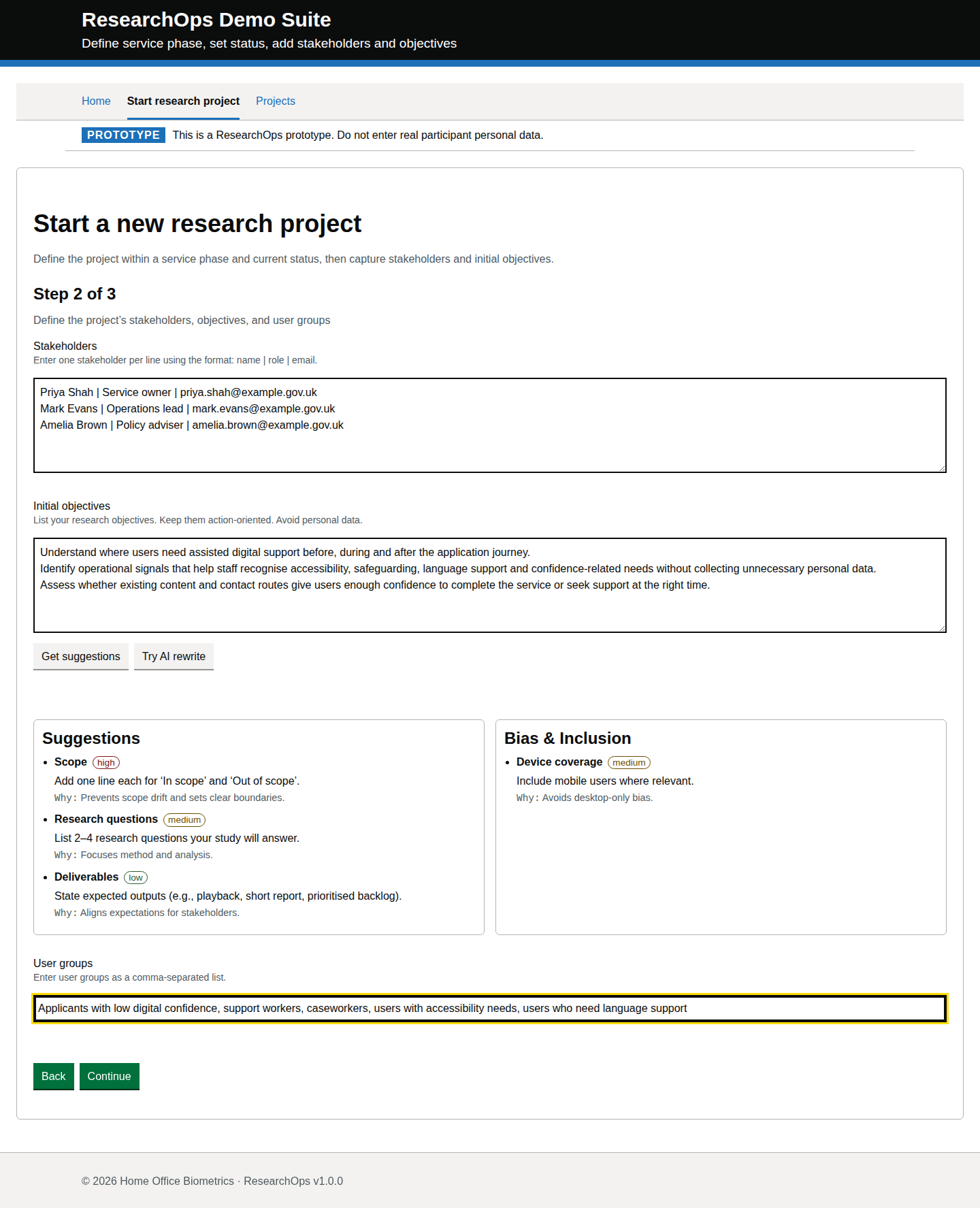
Step 2 completed with researcher-authored context

captured · https://researchops.pages.dev/pages/start/index.html

Stakeholders, objectives and user groups entered with realistic planning data before continuing to the next step.

Screenshot evidenceState-level curated acceptance criteriaState-level curated design-risk notes
What this state should support
Curated criteria Format: Gherkin acceptance criteria
Feature: Step 2 completed with researcher-authored context

  Scenario: Continue with researcher-authored wording
    Then my wording should be retained
    And the service should not imply that automated rewriting is required
Design-risk notes
Design risk
Researcher-authored wording must remain a complete and trusted path.
Impact
If this is accepted without review, ResearchOps traceability, accessibility or user confidence may be weakened.
Recommended change
Review this evidence against ResearchOps intent, GOV.UK component conventions and WCAG 2.2 AA expectations.
Owner
UCD team
Status
Needs review
Screenshot evidence

Desktop · captured · https://researchops.pages.dev/pages/start/index.html

Screenshot of Start research project in the Step 2 completed with researcher-authored context state for Desktop.
Start research project — Step 2 completed with researcher-authored context — Desktop
Screenshot evidence

Mobile · captured · https://researchops.pages.dev/pages/start/index.html

Screenshot of Start research project in the Step 2 completed with researcher-authored context state for Mobile.
Start research project — Step 2 completed with researcher-authored context — Mobile

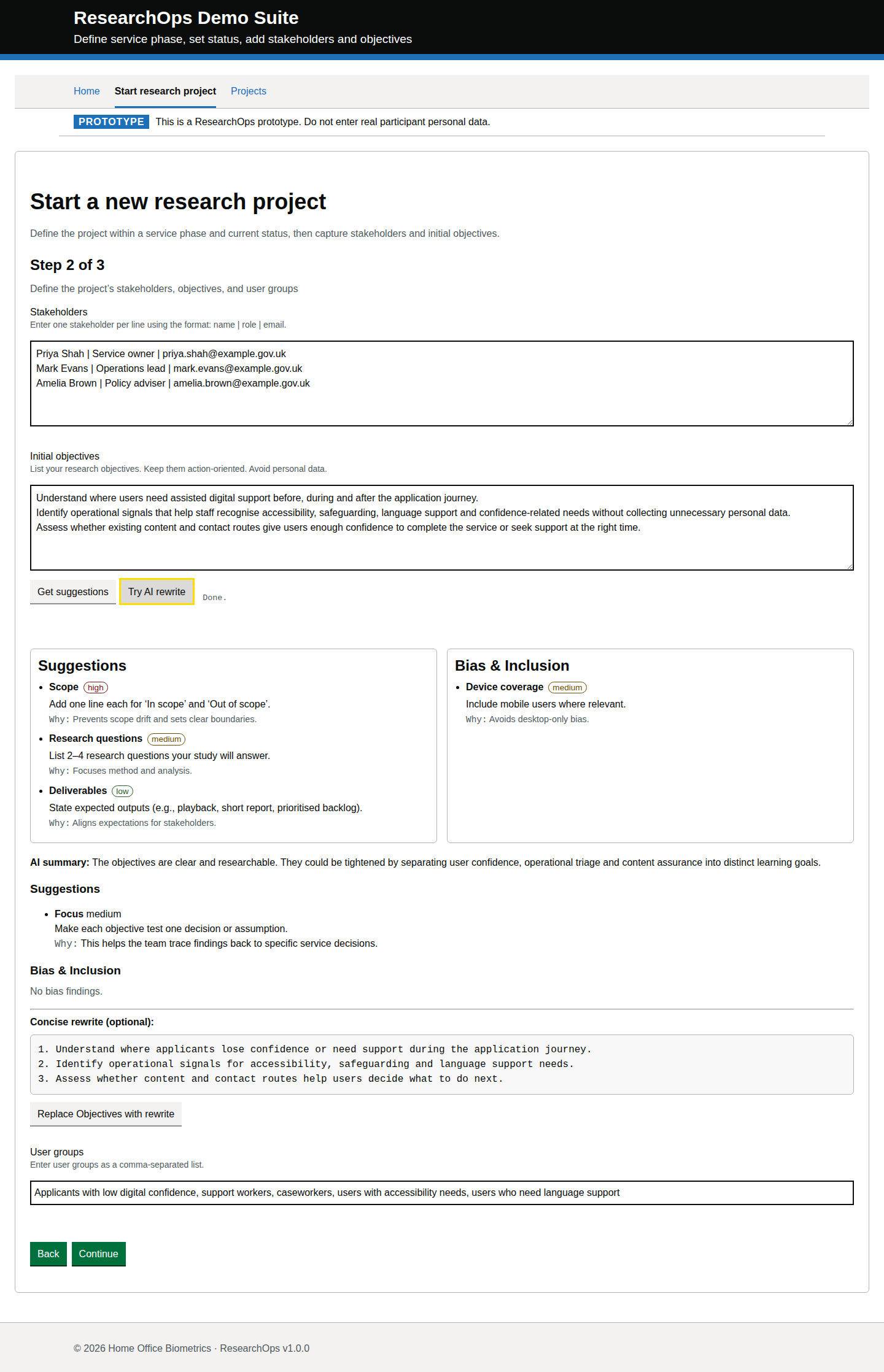
Step 2 AI rewrite shown

captured · https://researchops.pages.dev/pages/start/index.html

Objectives meet the AI assistance threshold and the objectives AI rewrite panel is shown using a deterministic mocked response.

Screenshot evidenceState-level curated acceptance criteriaState-level curated design-risk notes
What this state should support
Curated criteria Format: Gherkin acceptance criteria
Feature: Step 2 assisted rewrite shown

  Scenario: Use assisted wording deliberately
    Then assistance should only run after an explicit user action
    And I should remain able to reject, amend or ignore suggested wording
Design-risk notes
Design risk
Assisted wording creates provenance and accountability risk unless suggestions are optional and under user control.
Impact
If this is accepted without review, ResearchOps traceability, accessibility or user confidence may be weakened.
Recommended change
Review this evidence against ResearchOps intent, GOV.UK component conventions and WCAG 2.2 AA expectations.
Owner
UCD team
Status
Needs review
Screenshot evidence

Desktop · captured · https://researchops.pages.dev/pages/start/index.html

Screenshot of Start research project in the Step 2 AI rewrite shown state for Desktop.
Start research project — Step 2 AI rewrite shown — Desktop
Screenshot evidence
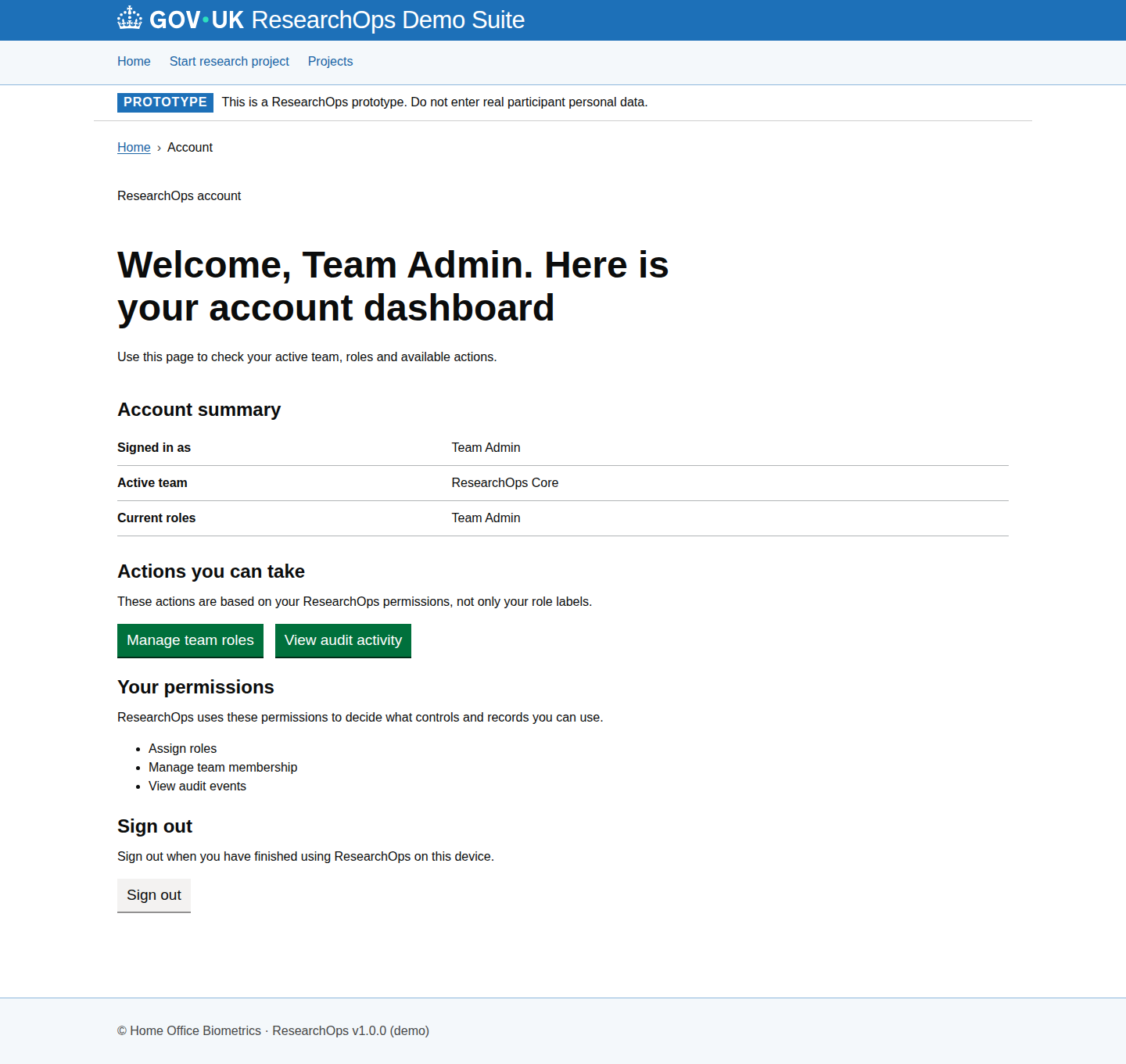
Mobile · captured · https://researchops.pages.dev/pages/start/index.html

Screenshot of Start research project in the Step 2 AI rewrite shown state for Mobile.
Start research project — Step 2 AI rewrite shown — Mobile

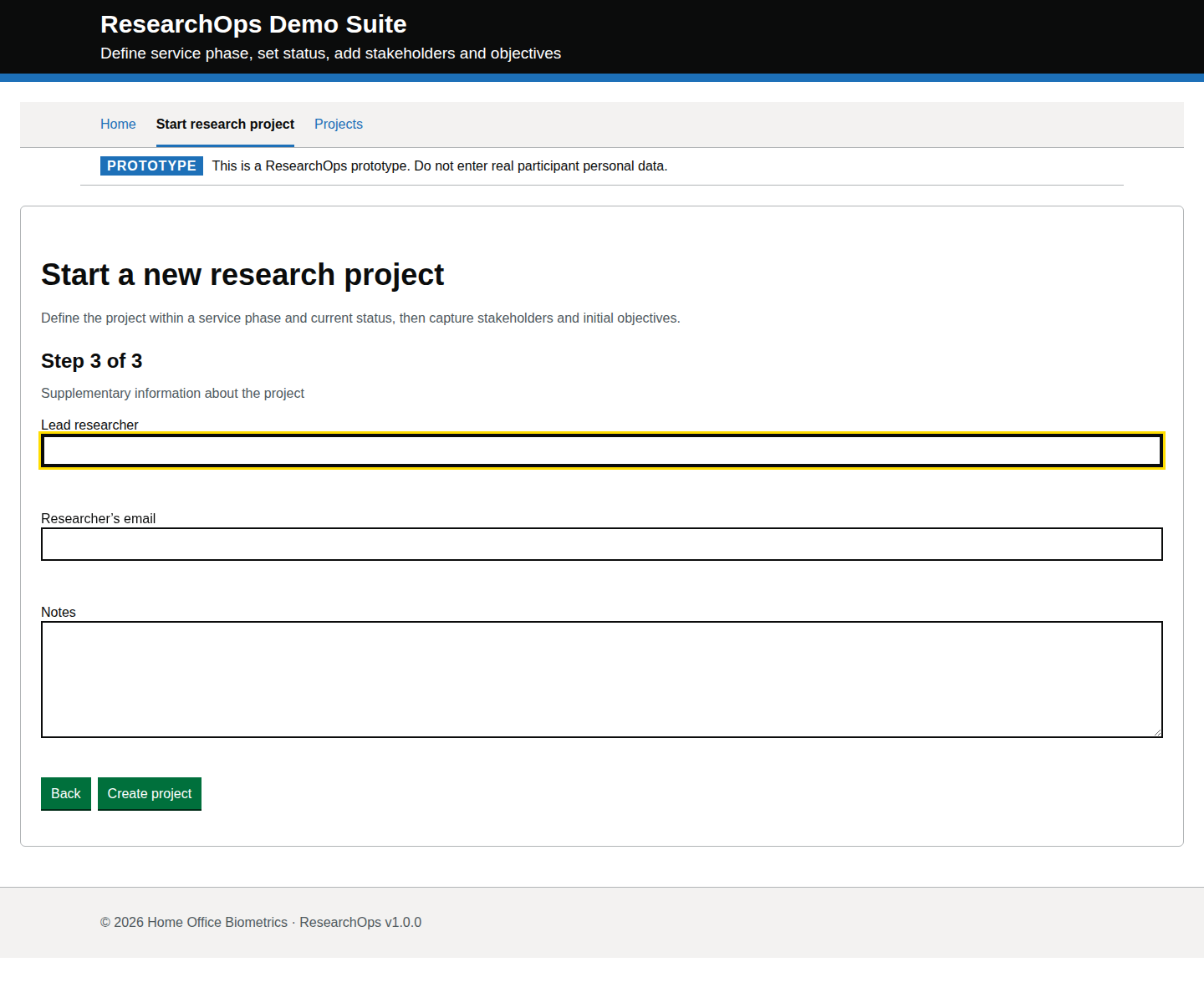
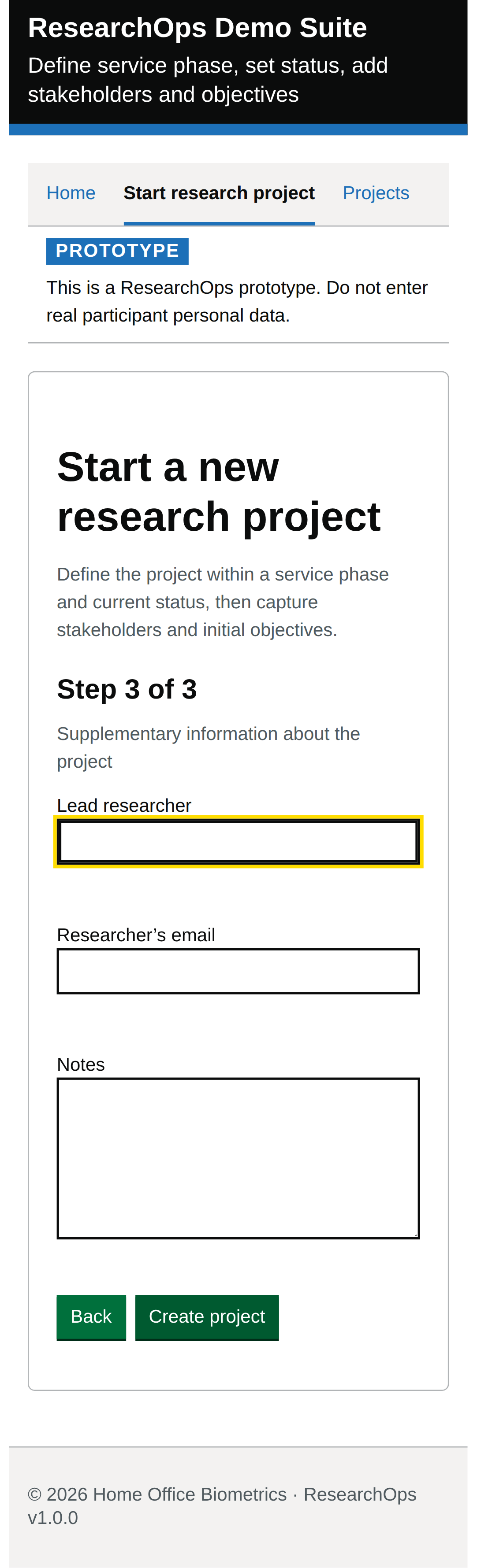
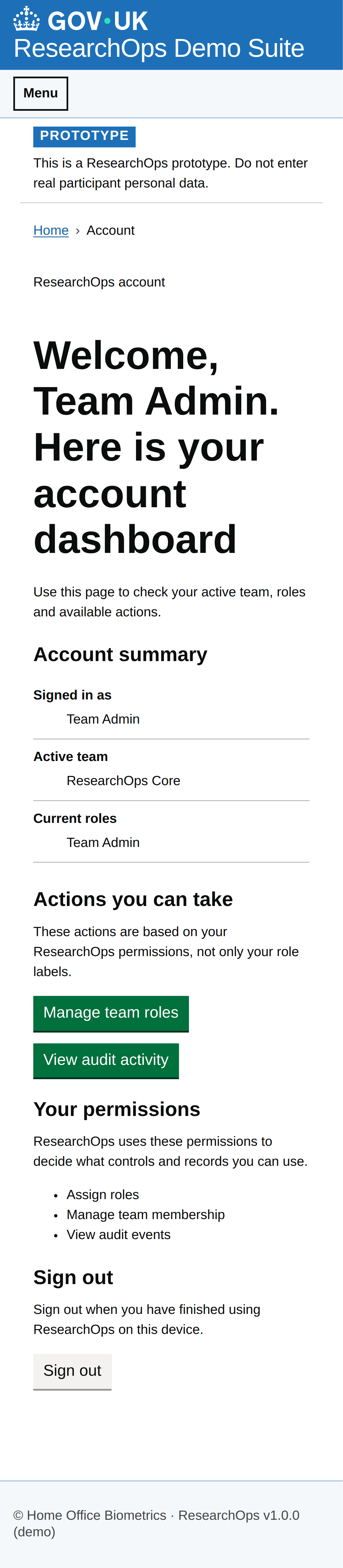
Step 3 default state

captured · https://researchops.pages.dev/pages/start/index.html

Final data-entry step after the project definition, stakeholders, objectives and user groups have been entered.

Screenshot evidenceState-level curated acceptance criteriaState-level curated design-risk notes
What this state should support
Curated criteria Format: Gherkin acceptance criteria
Feature: Step 3 default state

  Scenario: Add ownership and notes safely
    Then I should be able to enter ownership and planning notes
    And the service should not encourage unnecessary personal data capture
Design-risk notes
Design risk
The notes step can become a privacy leakage point if broad free-text capture is not bounded.
Impact
If this is accepted without review, ResearchOps traceability, accessibility or user confidence may be weakened.
Recommended change
Review this evidence against ResearchOps intent, GOV.UK component conventions and WCAG 2.2 AA expectations.
Owner
UCD team
Status
Needs review
Screenshot evidence
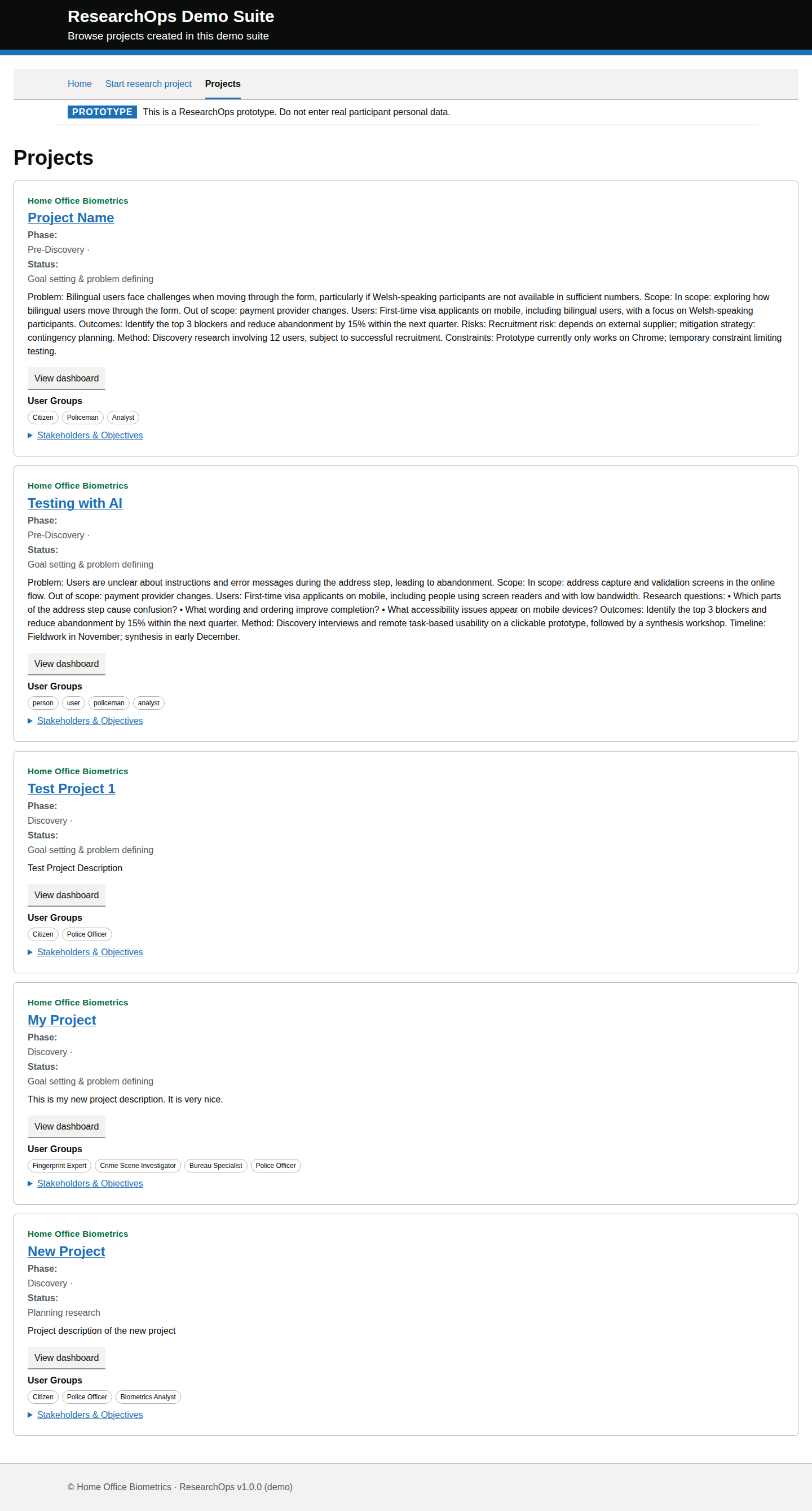
Desktop · captured · https://researchops.pages.dev/pages/start/index.html

Screenshot of Start research project in the Step 3 default state state for Desktop.
Start research project — Step 3 default state — Desktop
Screenshot evidence

Mobile · captured · https://researchops.pages.dev/pages/start/index.html

Screenshot of Start research project in the Step 3 default state state for Mobile.
Start research project — Step 3 default state — Mobile

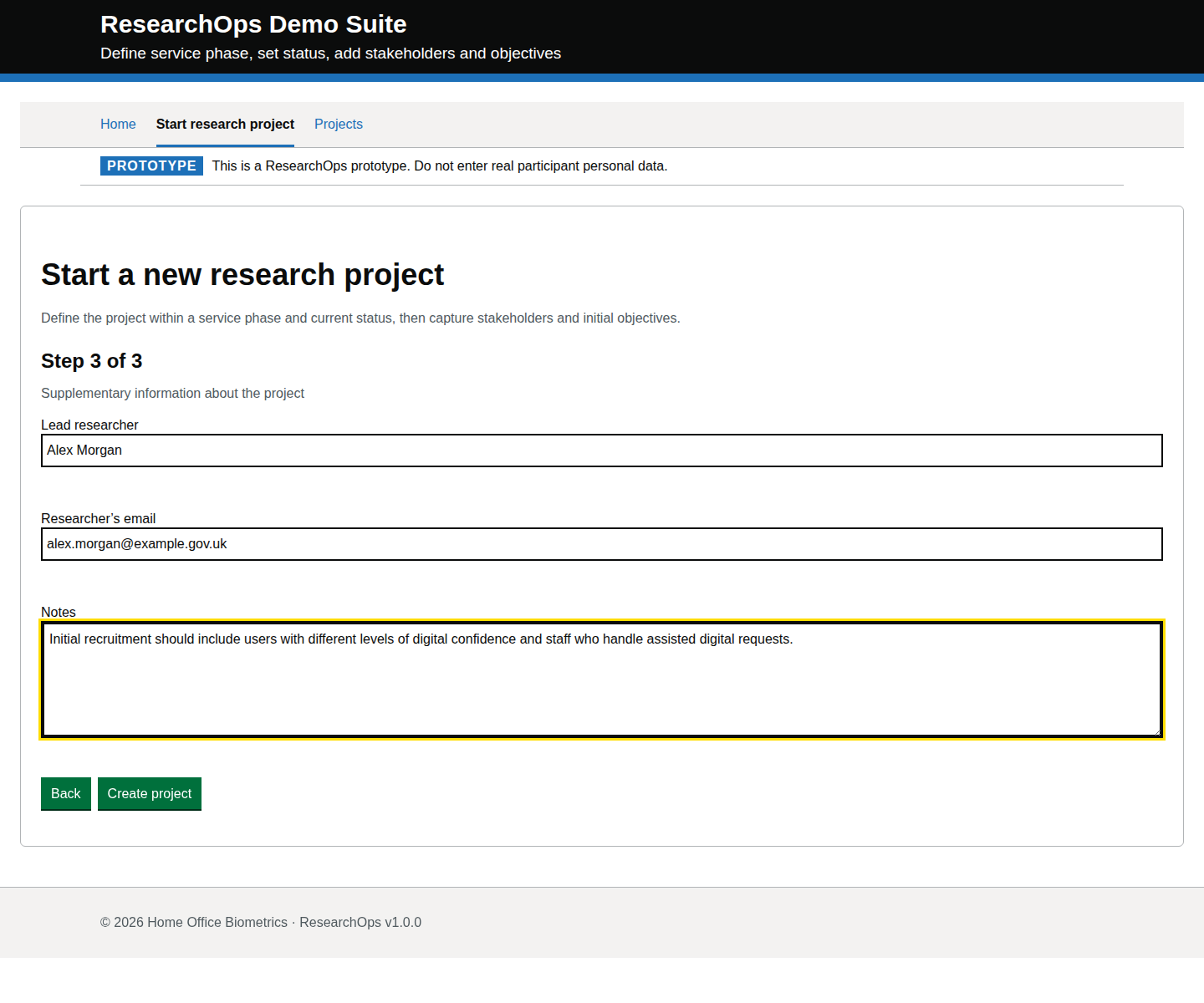
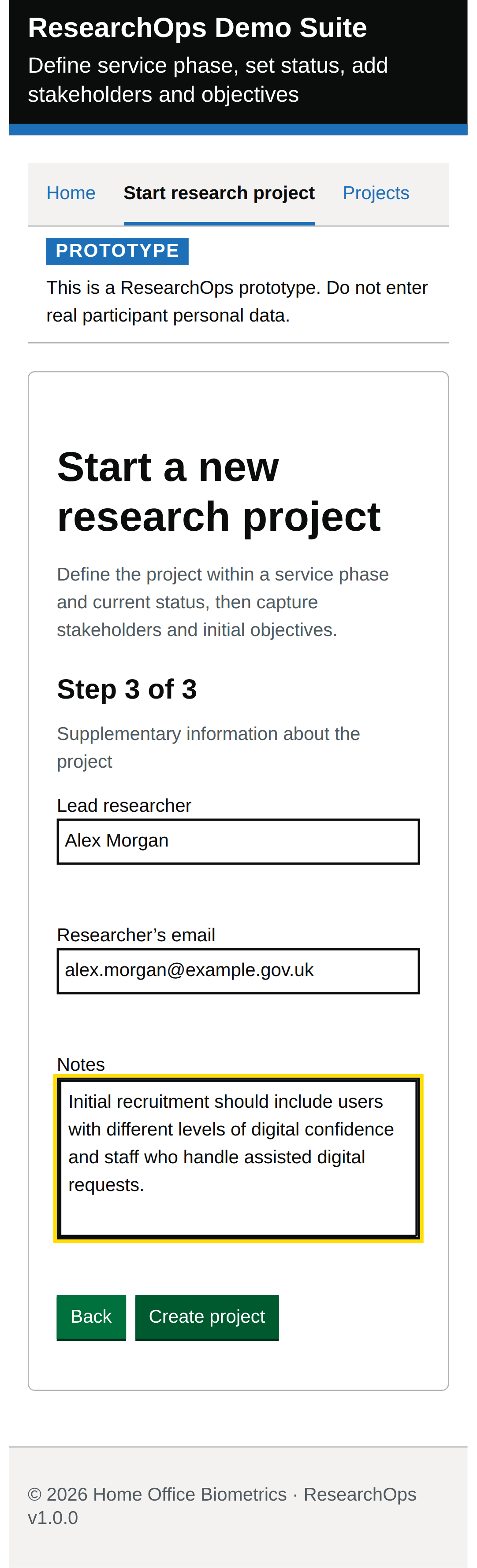
Step 3 completed before check answers

captured · https://researchops.pages.dev/pages/start/index.html

Lead researcher, email and project notes entered on the final data-entry step before the check-your-answers review.

Screenshot evidenceState-level curated acceptance criteriaState-level curated design-risk notes
What this state should support
Curated criteria Format: Gherkin acceptance criteria
Feature: Step 3 completed before check answers

  Scenario: Move toward review
    Then my answers should remain available on the review step
    And I should still be able to correct earlier answers
Design-risk notes
Design risk
Correction routes must remain available until the project is created.
Impact
If this is accepted without review, ResearchOps traceability, accessibility or user confidence may be weakened.
Recommended change
Review this evidence against ResearchOps intent, GOV.UK component conventions and WCAG 2.2 AA expectations.

Owner
UCD team
Status
Needs review
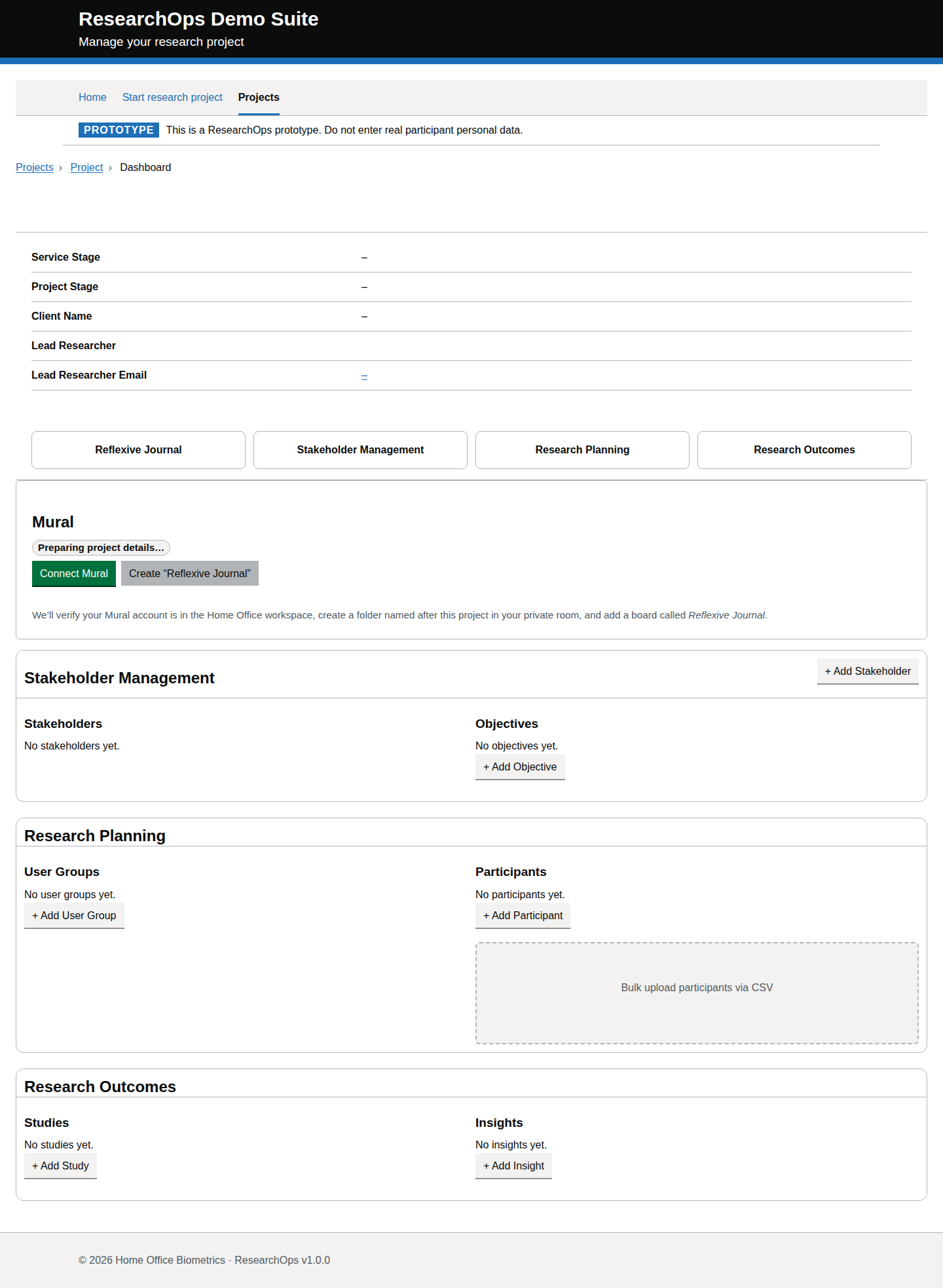
Screenshot evidence
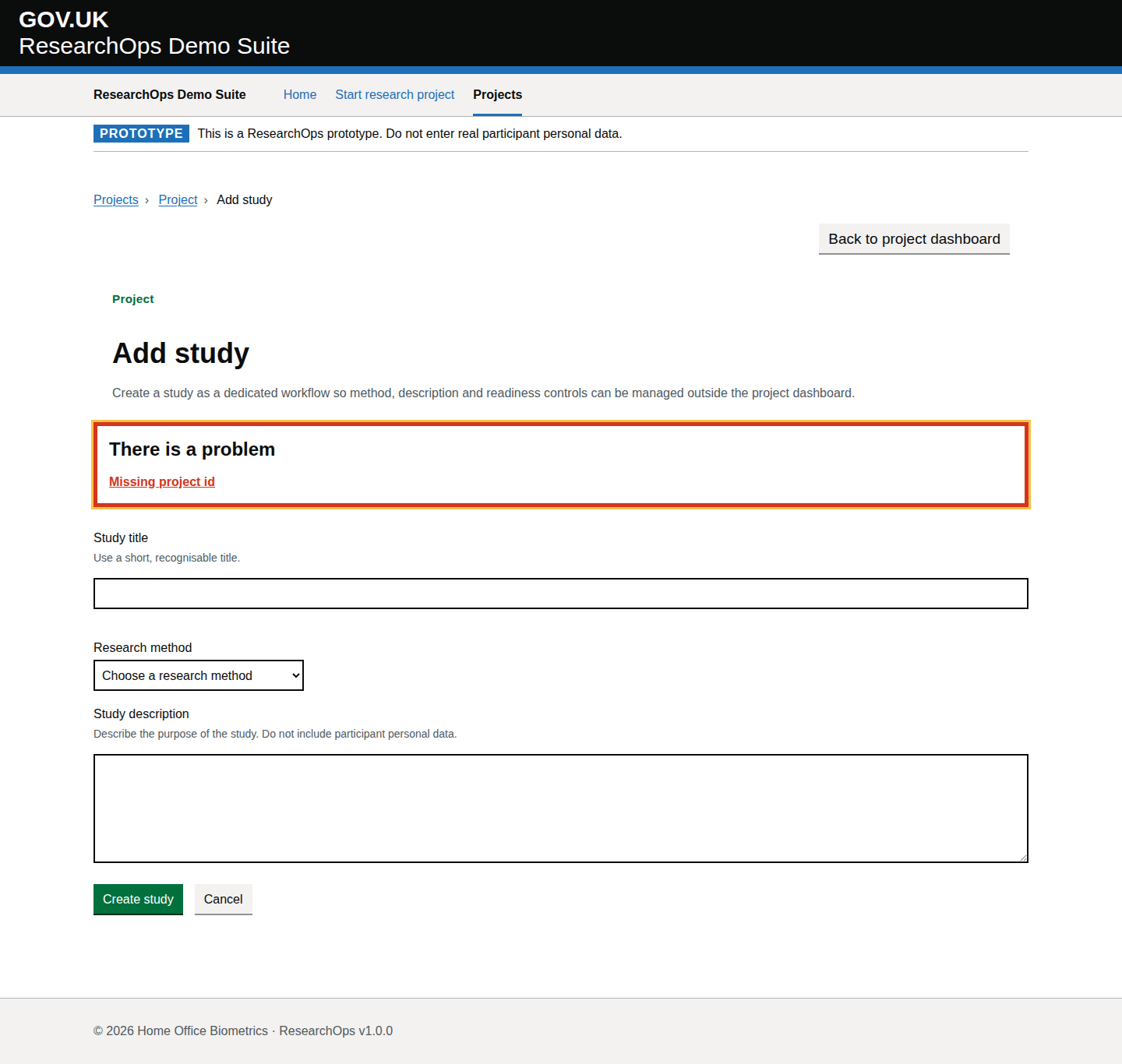
Desktop · captured · https://researchops.pages.dev/pages/start/index.html

Screenshot of Start research project in the Step 3 completed before check answers state for Desktop.
Start research project — Step 3 completed before check answers — Desktop
Screenshot evidence
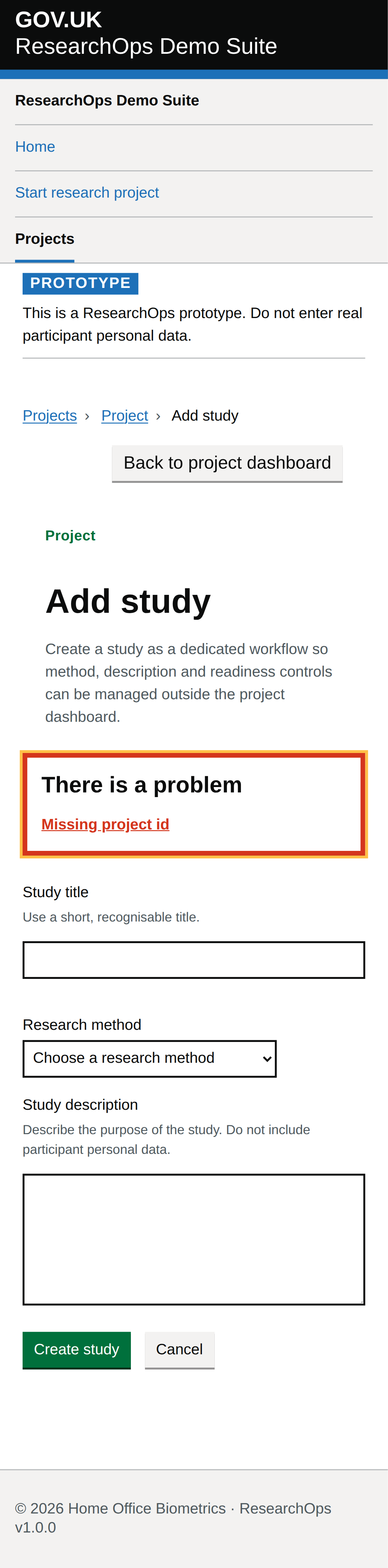
Mobile · captured · https://researchops.pages.dev/pages/start/index.html

Screenshot of Start research project in the Step 3 completed before check answers state for Mobile.
Start research project — Step 3 completed before check answers — Mobile

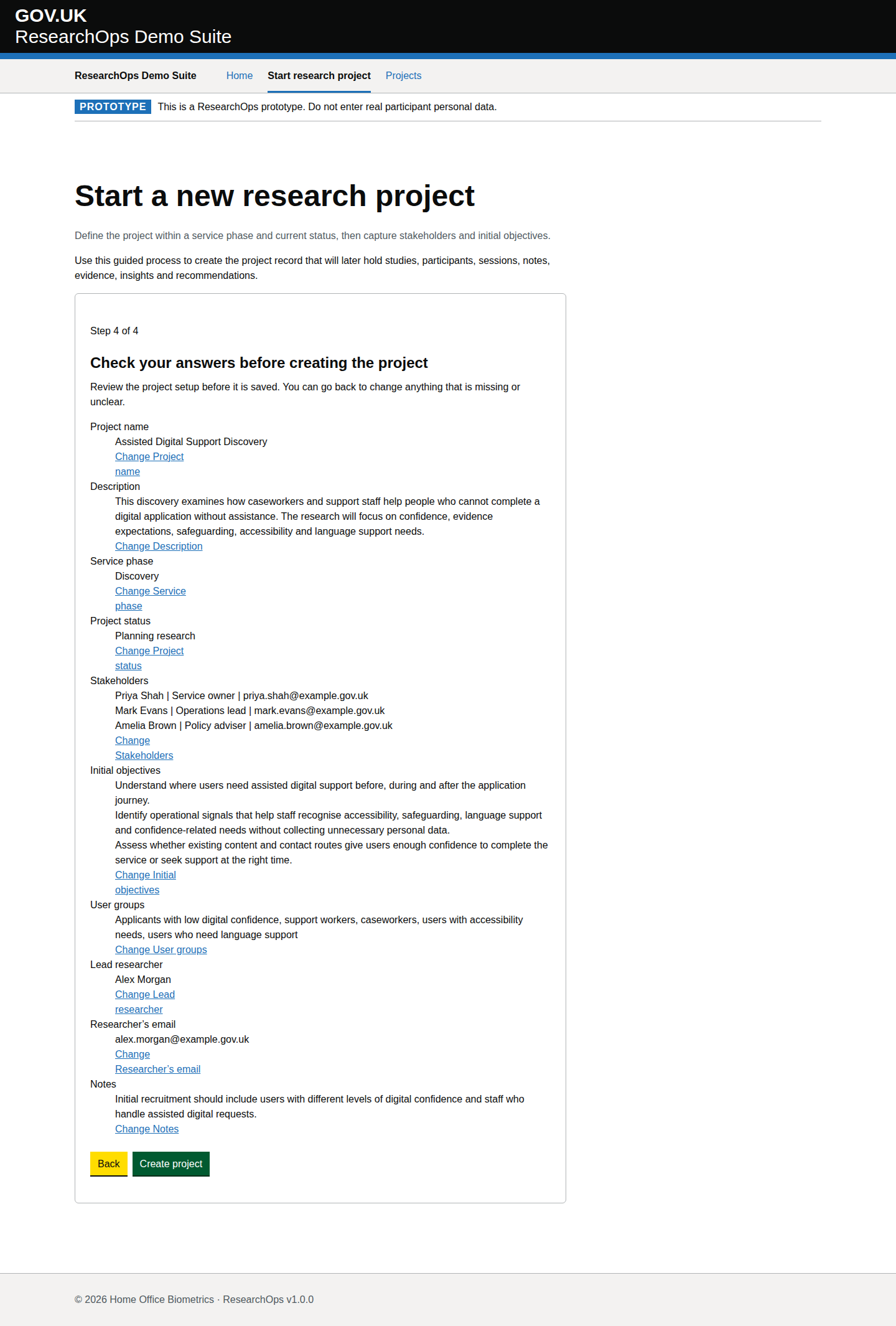
Step 4 check your answers before create project

captured · https://researchops.pages.dev/pages/start/index.html

Check-your-answers step summarising the project definition, research framing, ownership and notes before project creation is submitted.

Screenshot evidenceState-level curated acceptance criteriaState-level curated design-risk notes
What this state should support
Curated criteria Format: Gherkin acceptance criteria
Feature: Check answers before creating the project

  Scenario: Review before committing
    Then I should be able to identify and change inaccurate answers
    And I should understand that creating the project commits the setup information
Design-risk notes
Design risk
The check-answers state is the final safeguard against weak or incorrect project records.
Impact
If this is accepted without review, ResearchOps traceability, accessibility or user confidence may be weakened.
Recommended change
Review this evidence against ResearchOps intent, GOV.UK component conventions and WCAG 2.2 AA expectations.
Owner
UCD team
Status
Needs review
Screenshot evidence

Desktop · captured · https://researchops.pages.dev/pages/start/index.html

Screenshot of Start research project in the Step 4 check your answers before create project state for Desktop.
Start research project — Step 4 check your answers before create project — Desktop
Screenshot evidence
Mobile · captured · https://researchops.pages.dev/pages/start/index.html

Screenshot of Start research project in the Step 4 check your answers before create project state for Mobile.
Start research project — Step 4 check your answers before create project — Mobile

Projects

Projects

/pages/projects/index.html

Project list page.

Default state

captured · https://researchops.pages.dev/pages/projects/index.html

Initial loaded page state.

Screenshot evidenceRoute-level Cucumber evidenceState-level acceptance criteriaAccessibility evidenceDesign-risk notes
What this screen state should support
Needs review Format: Gherkin acceptance criteria
Feature: Review research projects

  As a user researcher
  I want to review existing research projects
  So that I can find the right project and continue the right ResearchOps task

  Background:
    Given I am a user researcher
    When I visit the projects page

  Scenario: View the Projects page identity
    Then I should see the service name "ResearchOps Demo Suite"
    And I should see the page heading "Projects"
    And I should see introductory text that says "Review research projects created in ResearchOps."
    And I should see supporting text that says "Open a project dashboard to manage studies, participants, sessions, notes, evidence, insights and recommendations."

  Scenario: Understand that the service is a prototype
    Then I should see a prototype banner
    And the banner should say "This is a ResearchOps prototype. Do not enter real participant personal data."

  Scenario: Navigate using the primary navigation
    Then I should see primary navigation links for:
      | Home |
      | Start research project |
      | Projects |
    And the "Projects" navigation item should be shown as the current page

  Scenario: Start a new project from the Projects page
    Then I should see the primary action "Start a research project"
    When I select "Start a research project"
    Then I should be taken to the start research project service

  Scenario: Understand the project list
    Then I should see a section called "Research projects"
    And I should see text explaining that "Projects are shown with the newest created project first."
    And I should see loading text that says "Loading projects." until project records are ready
    And project records should be presented newest first when they load

  Scenario: Review loaded project records
    When project records load successfully
    Then each project card should expose:
      | Project organisation |
      | Project title |
      | Phase |
      | Status |
      | Description |
      | View dashboard |
      | User groups |
      | Stakeholders and objectives |
    And each project card should provide a dashboard link for continuing work on that project

  Scenario: Open a project dashboard
    Given project records have loaded
    When I select "View dashboard" for a project
    Then I should be taken to that project dashboard
    And the selected project should be identified by its project ID

  Scenario: Recover when there are no projects yet
    When no project records are available
    Then I should see a status message headed "No projects yet"
    And I should see text explaining that "Create a research project to hold studies, participants, sessions, notes, evidence, insights and recommendations."
    And I should be able to select "Start a research project"

  Scenario: Recover when project records cannot load
    When project records cannot be loaded
    Then I should see an alert headed "Could not load projects"
    And I should see text explaining that "Project records could not be loaded. Try again, or start a new project if you need to continue setting up research work."
    And I should be able to select "Start a research project" so I can continue setting up research work

  Scenario: Use the page without JavaScript
    Given JavaScript is not available
    Then I should see fallback guidance headed "Project records need JavaScript to load"
    And I should see text explaining that "You can still start a new research project from this page."
    And I should still be able to select "Start a research project"

  Scenario: Access the Projects page using a keyboard
    Given I am navigating with a keyboard
    Then I should be able to move focus to the main content
    And I should be able to move focus through the primary navigation links
    And I should be able to move focus to "Start a research project"
    And I should be able to activate project dashboard links without a mouse

  Scenario: Understand the page structure with assistive technology
    Then the page should have one clear main heading
    And the project list should be labelled by "Research projects"
    And the project list should announce loading, empty and error-state changes politely or as an alert as appropriate
    And the project list should expose when it is busy loading project records
    And each project card should expose its heading, metadata, user groups, stakeholders and objectives in a logical reading order

  Scenario: Use the Projects page on a mobile device
    Then the page introduction, project list, project cards, empty state and error state should remain readable
    And no content should require horizontal scrolling

  Scenario: View footer information
    Then I should see the footer text "© 2026 Home Office Biometrics · ResearchOps v1.0.0"
Design-risk notes
Design risk
The project list may not make project status, ownership and next actions clear enough for a user researcher returning to active work.
Impact
Users may open the wrong project or miss whether a project is ready for study, participant or synthesis activity.
Recommended change
Check that the list uses GOV.UK table/list conventions, meaningful link text, visible status language and realistic project records.
Owner
UCD team
Status
Needs UCD review
Screenshot evidence

Desktop · captured · https://researchops.pages.dev/pages/projects/index.html

Screenshot of Projects in the Default state state for Desktop.
Projects — Default state — Desktop
Screenshot evidence
Mobile · captured · https://researchops.pages.dev/pages/projects/index.html

Screenshot of Projects in the Default state state for Mobile.
Projects — Default state — Mobile

Project dashboard

/pages/project-dashboard/index.html

Project dashboard page.

Project dashboard with operational project context

captured · https://researchops.pages.dev/pages/project-dashboard/?id=recVisualProject001

Dashboard captured with a deterministic project ID, project metadata, linked stakeholders and study context.

Screenshot evidenceRoute-level Cucumber evidenceState-level acceptance criteriaAccessibility evidenceDesign-risk notes
What this screen state should support
Needs review Format: Gherkin acceptance criteria
Feature: Review a research project dashboard

  As a user researcher
  I want to review the status, evidence and next actions for a research project
  So that I can coordinate research activity across the team

  Background:
    Given I am a user researcher
    When I visit the project dashboard

  Scenario: Understand the page purpose
    Then I should see content that supports project dashboard page
    And I should understand what ResearchOps task I can complete from this page

  Scenario: Use "Project dashboard with operational project context" in the ResearchOps journey
    Given I am using the project dashboard
    Then I should understand the research value of this part of the journey
    And I should see that dashboard captured with a deterministic project ID, project metadata, linked stakeholders and study context
    And I should be given enough service context to decide what to do next

  Scenario: Complete the interaction needed for this ResearchOps task
    Given I am ready to continue this ResearchOps journey
    Then I should see "Assisted Digital Support Discovery"
    Then I should be able to continue the ResearchOps journey with confidence

  Scenario: Use this part of the journey accessibly
    Then the page should have one clear main heading
    And headings, labels and controls should be exposed in a logical reading order
    And I should be able to move through the available controls using a keyboard
    And I should be able to activate links, buttons and form controls without a mouse
Design-risk notes
Design risk
The dashboard can appear operational while actions, study readiness and project context are not grounded in a real project ID.
Impact
Users may create studies, participants or outcomes against the wrong project or lose confidence in the platform state.
Recommended change
Capture this page with a deterministic project ID, linked studies and operational content, then review action routing and GOV.UK component use.
Owner
UCD team
Status
Needs UCD review
Screenshot evidence

Desktop · captured · https://researchops.pages.dev/pages/project-dashboard/?id=recVisualProject001

Screenshot of Project dashboard in the Project dashboard with operational project context state for Desktop.
Project dashboard — Project dashboard with operational project context — Desktop
Screenshot evidence
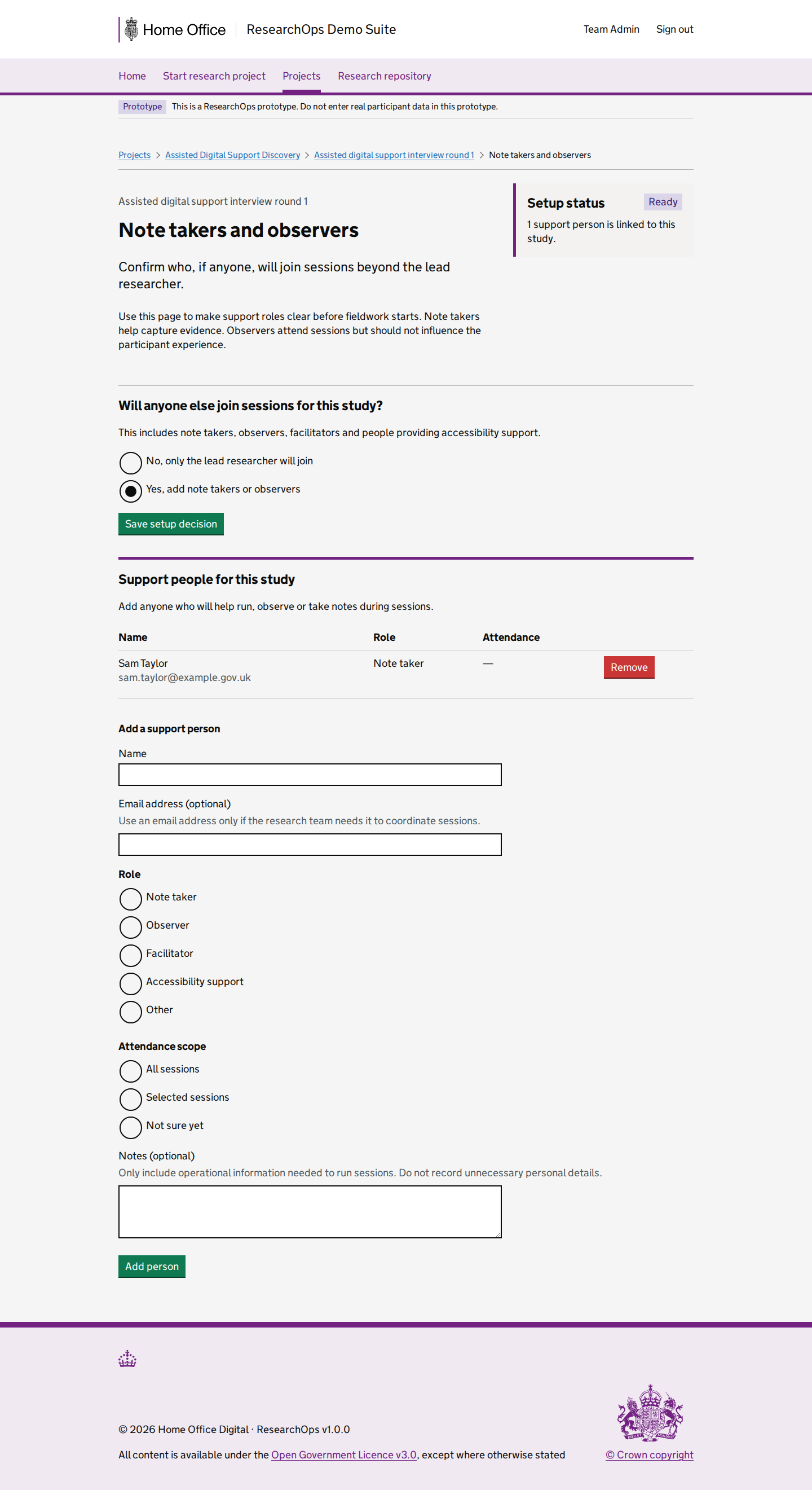
Mobile · captured · https://researchops.pages.dev/pages/project-dashboard/?id=recVisualProject001

Screenshot of Project dashboard in the Project dashboard with operational project context state for Mobile.
Project dashboard — Project dashboard with operational project context — Mobile

Add study

/pages/study/new/index.html

Create a study from the project dashboard action workflow.

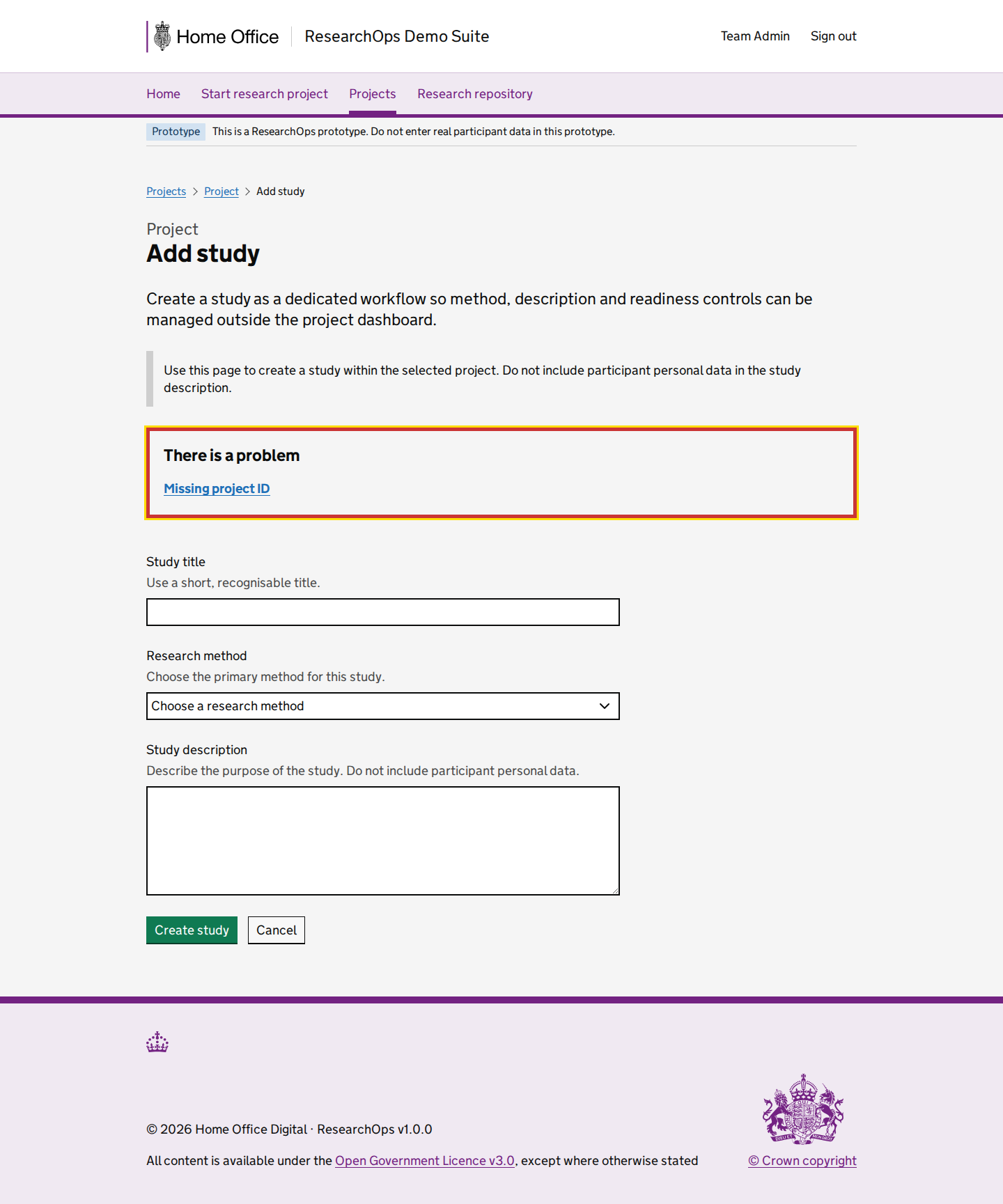
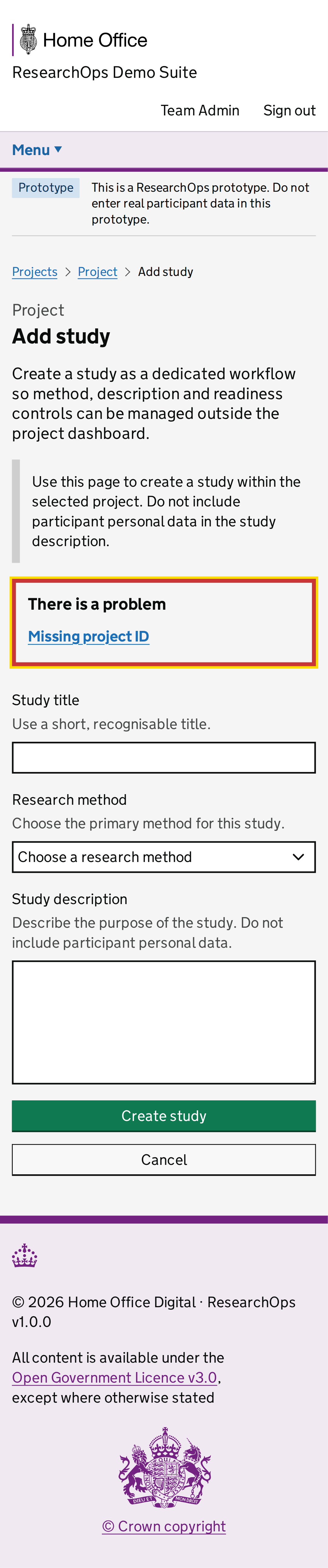
Add study with parent project context

captured · https://researchops.pages.dev/pages/study/new/?pid=recVisualProject001

Add-study workflow captured with the parent project ID present in the URL so project relationship and return routes can be reviewed.

Screenshot evidenceRoute-level Cucumber evidenceState-level acceptance criteriaAccessibility evidenceDesign-risk notes
What this screen state should support
Needs review Format: Gherkin acceptance criteria
Feature: Add a study to a research project

  As a user researcher
  I want to add a study to the correct project
  So that study planning remains traceable to the project context

  Background:
    Given I am a user researcher
    When I visit the add study journey

  Scenario: Understand the page purpose
    Then I should see content that supports create a study from the project dashboard action workflow
    And I should understand what ResearchOps task I can complete from this page

  Scenario: Use "Add study with parent project context" in the ResearchOps journey
    Given I am using the add study journey
    Then I should understand the research value of this part of the journey
    And I should see that add-study workflow captured with the parent project ID present in the URL so project relationship and return routes can be reviewed
    And I should be given enough service context to decide what to do next

  Scenario: Complete the interaction needed for this ResearchOps task
    Given I am ready to continue this ResearchOps journey
    Then I should see "Add study"
    Then I should be able to continue the ResearchOps journey with confidence

  Scenario: Use this part of the journey accessibly
    Then the page should have one clear main heading
    And headings, labels and controls should be exposed in a logical reading order
    And I should be able to move through the available controls using a keyboard
    And I should be able to activate links, buttons and form controls without a mouse
Design-risk notes
Design risk
The add-study workflow may not preserve the parent project context clearly enough through the form.
Impact
A study could be created without a traceable project relationship, weakening downstream planning and synthesis.
Recommended change
Validate the form with a project-scoped URL, clear heading context, GOV.UK form groups, accessible errors and a safe return route.
Owner
UCD team
Status
Needs UCD review
Screenshot evidence

Desktop · captured · https://researchops.pages.dev/pages/study/new/?pid=recVisualProject001

Screenshot of Add study in the Add study with parent project context state for Desktop.
Add study — Add study with parent project context — Desktop
Screenshot evidence
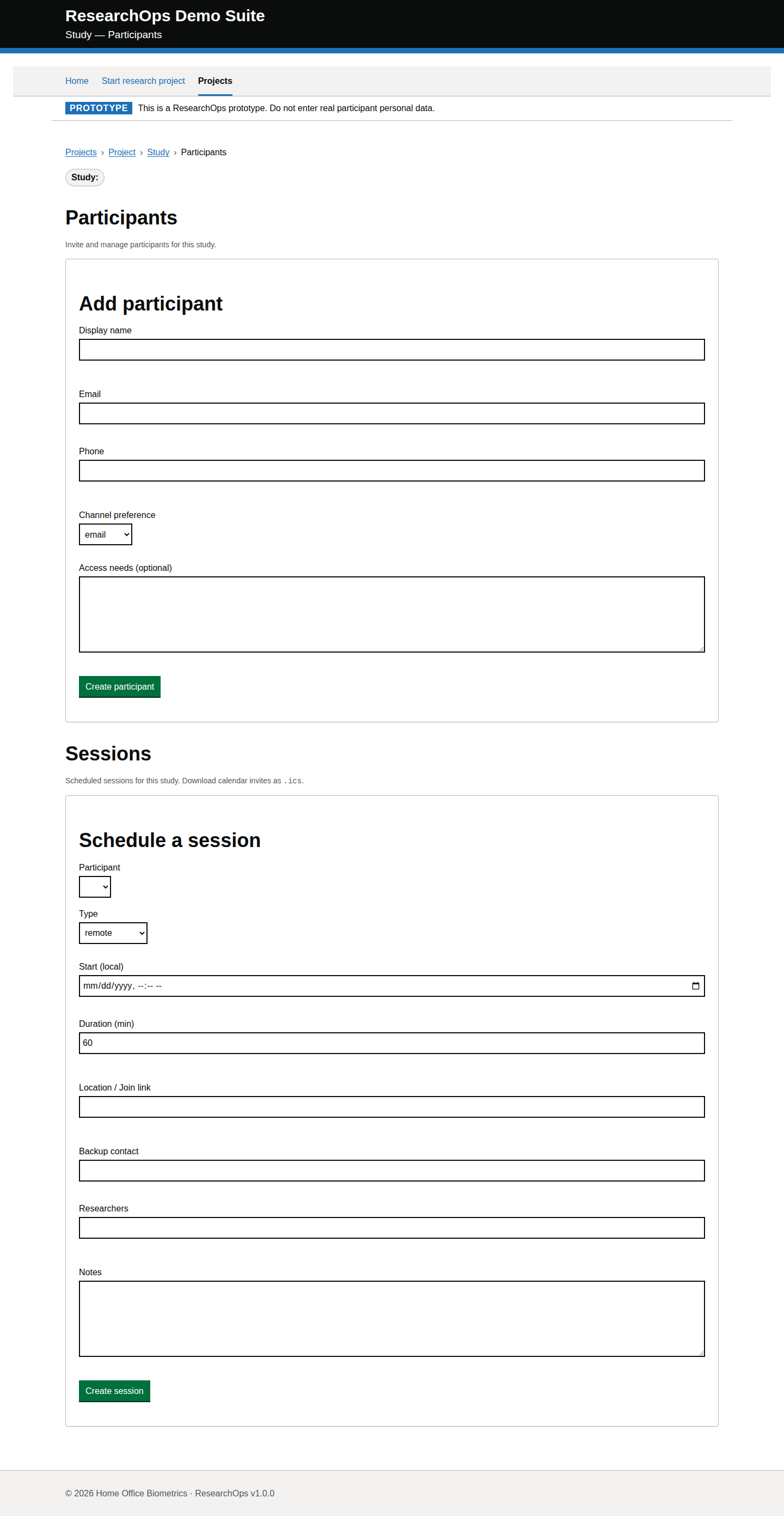
Mobile · captured · https://researchops.pages.dev/pages/study/new/?pid=recVisualProject001

Screenshot of Add study in the Add study with parent project context state for Mobile.
Add study — Add study with parent project context — Mobile

Add participant

/pages/project-dashboard/participants/index.html

Add a study-linked participant from the project dashboard action workflow.

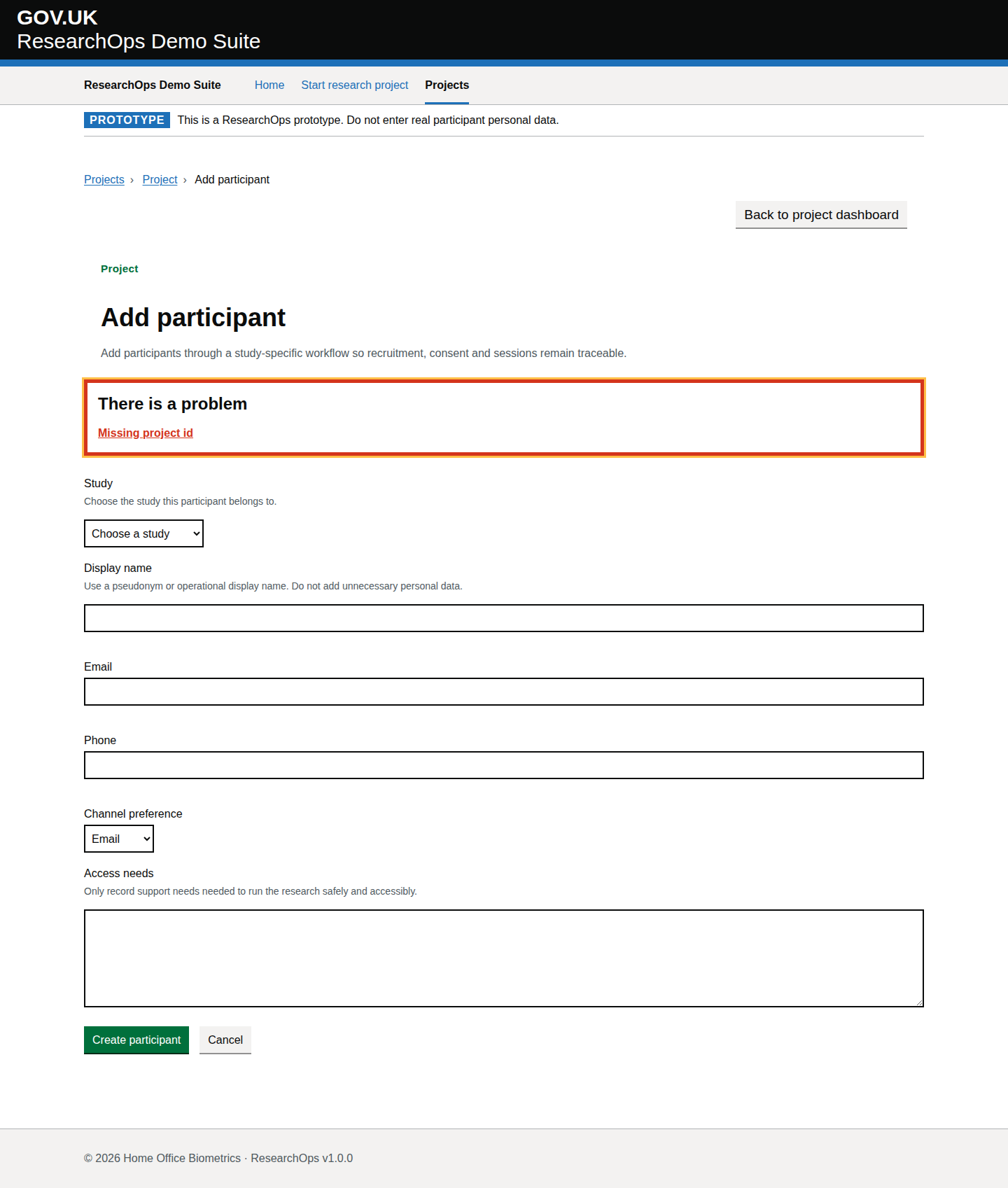
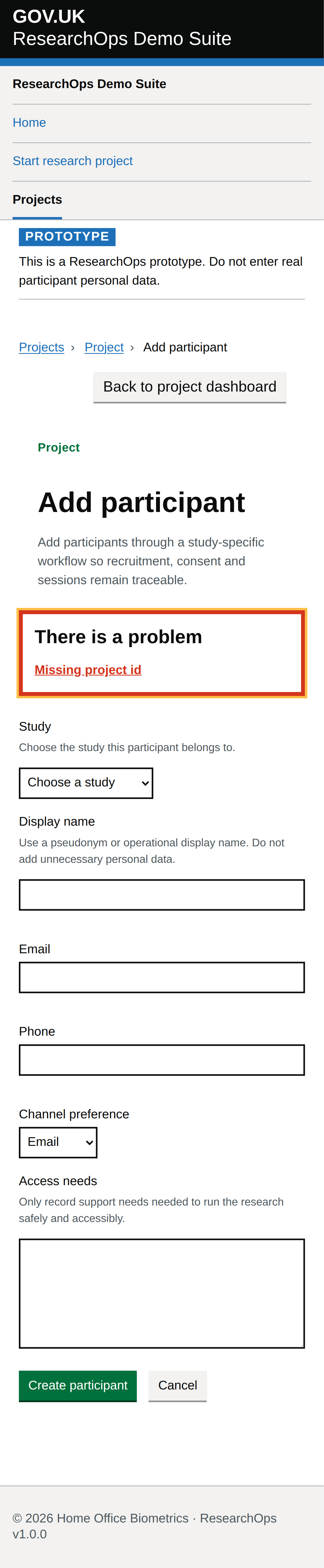
Add participant with parent project context

captured · https://researchops.pages.dev/pages/project-dashboard/participants/?id=recVisualProject001

Participant workflow captured with the project ID present so privacy copy, project ownership and study-linking context can be evaluated.

Screenshot evidenceRoute-level Cucumber evidenceState-level acceptance criteriaAccessibility evidenceDesign-risk notes
What this screen state should support
Needs review Format: Gherkin acceptance criteria
Feature: Add a participant to a research project

  As a user researcher
  I want to add a participant from the correct project context
  So that recruitment records are connected to the right research work

  Background:
    Given I am a user researcher
    When I visit the add participant journey

  Scenario: Understand the page purpose
    Then I should see content that supports add a study-linked participant from the project dashboard action workflow
    And I should understand what ResearchOps task I can complete from this page

  Scenario: Use "Add participant with parent project context" in the ResearchOps journey
    Given I am using the add participant journey
    Then I should understand the research value of this part of the journey
    And I should see that participant workflow captured with the project ID present so privacy copy, project ownership and study-linking context can be evaluated
    And I should be given enough service context to decide what to do next

  Scenario: Complete the interaction needed for this ResearchOps task
    Given I am ready to continue this ResearchOps journey
    Then I should see "Add participant"
    Then I should be able to continue the ResearchOps journey with confidence

  Scenario: Use this part of the journey accessibly
    Then the page should have one clear main heading
    And headings, labels and controls should be exposed in a logical reading order
    And I should be able to move through the available controls using a keyboard
    And I should be able to activate links, buttons and form controls without a mouse
Design-risk notes
Design risk
The participant workflow may invite participant data entry without enough study and project context.
Impact
Participant records could be attached to the wrong research activity or collect more personal data than the prototype stance allows.
Recommended change
Capture with a project-scoped URL and review labels, privacy copy, required-field errors and navigation back to the owning project.
Owner
UCD team
Status
Needs UCD review
Screenshot evidence

Desktop · captured · https://researchops.pages.dev/pages/project-dashboard/participants/?id=recVisualProject001

Screenshot of Add participant in the Add participant with parent project context state for Desktop.
Add participant — Add participant with parent project context — Desktop
Screenshot evidence
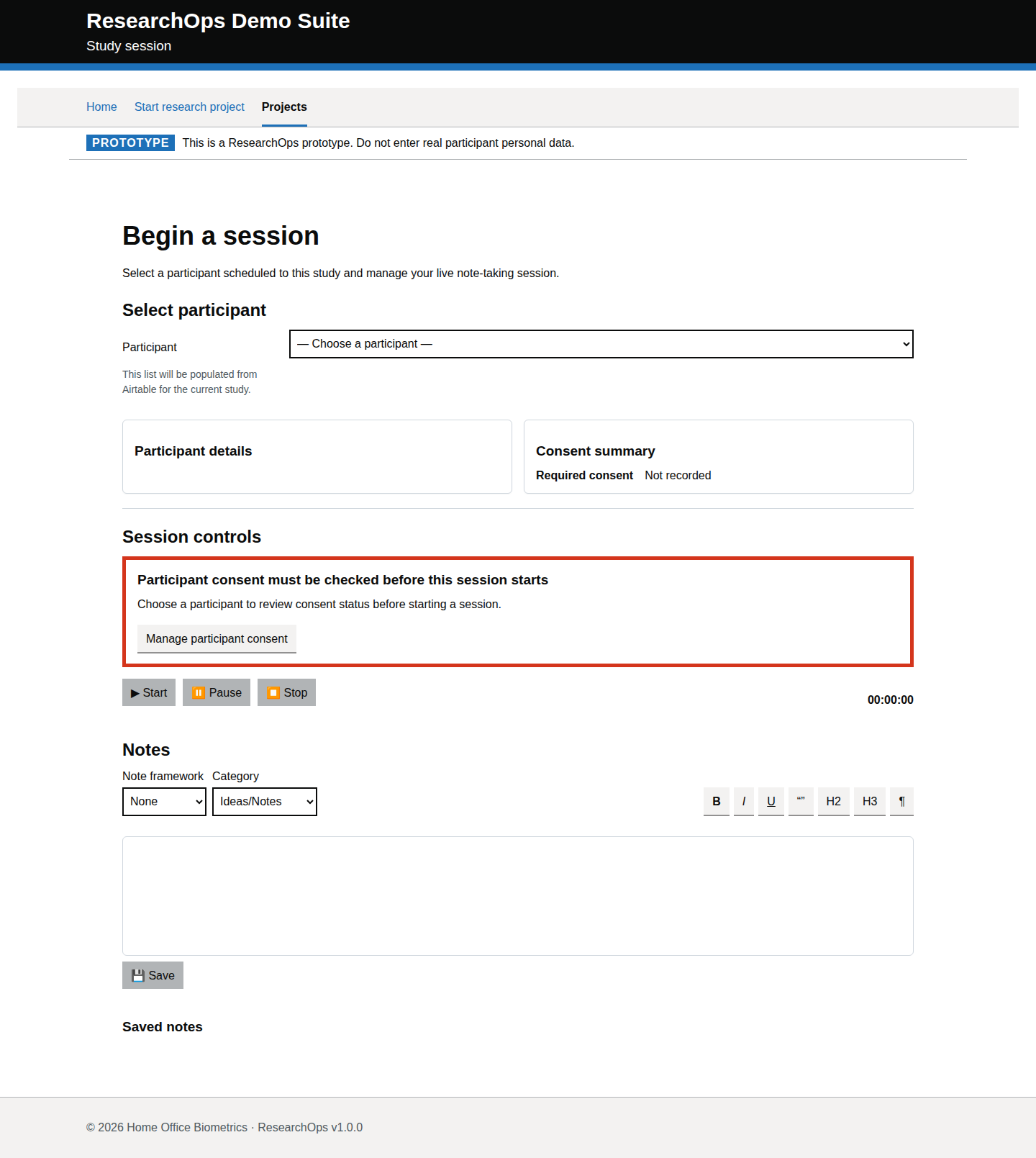
Mobile · captured · https://researchops.pages.dev/pages/project-dashboard/participants/?id=recVisualProject001

Screenshot of Add participant in the Add participant with parent project context state for Mobile.
Add participant — Add participant with parent project context — Mobile

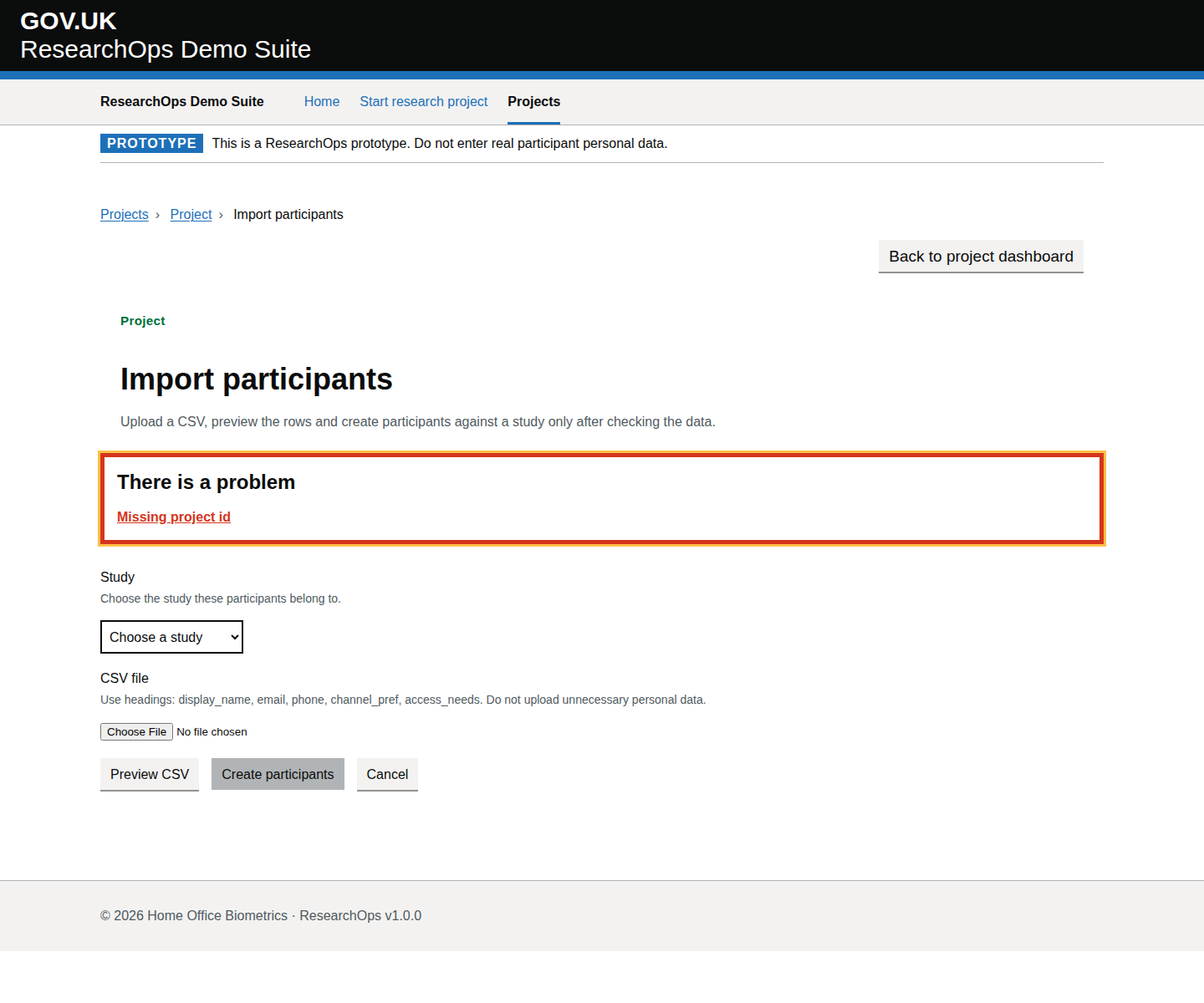
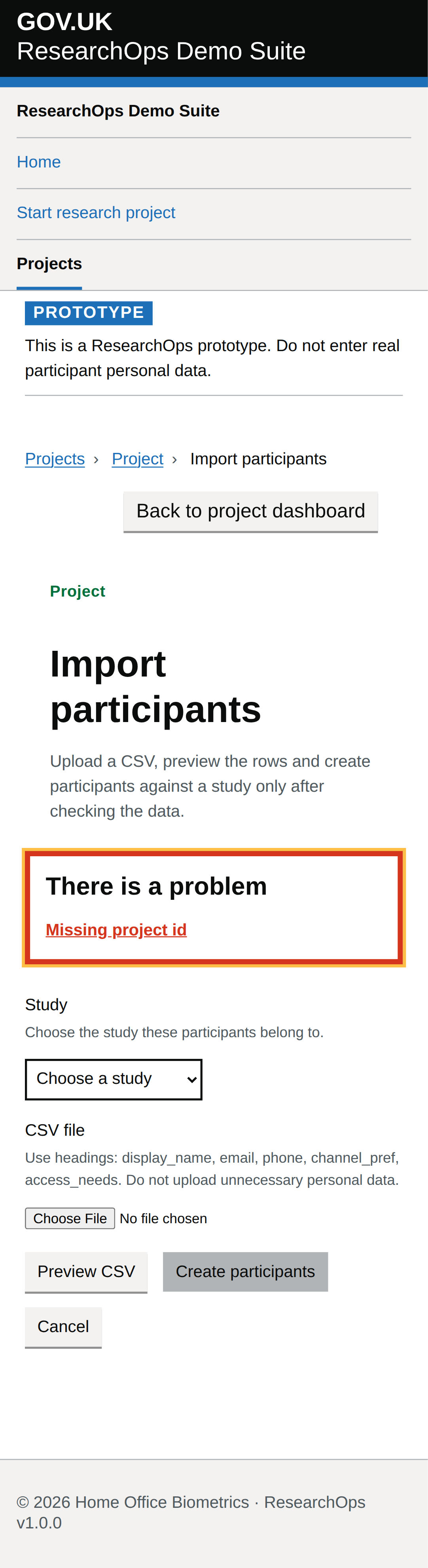
Import participants

/pages/project-dashboard/participants/import/index.html

Import study-linked participants from CSV from the project dashboard action workflow.

Import participants with parent project context

captured · https://researchops.pages.dev/pages/project-dashboard/participants/import/?id=recVisualProject001

CSV import workflow captured with the project ID present so file-upload guidance, privacy warnings and bulk-error recovery can be reviewed.

Screenshot evidenceRoute-level Cucumber evidenceState-level acceptance criteriaAccessibility evidenceDesign-risk notes
What this screen state should support
Needs review Format: Gherkin acceptance criteria
Feature: Import participants for a research project

  As a user researcher
  I want to import participant records with clear project context and safe guidance
  So that bulk participant setup does not weaken privacy, consent or traceability

  Background:
    Given I am a user researcher
    When I visit the import participants journey

  Scenario: Understand the page purpose
    Then I should see content that supports import study-linked participants from CSV from the project dashboard action workflow
    And I should understand what ResearchOps task I can complete from this page

  Scenario: Use "Import participants with parent project context" in the ResearchOps journey
    Given I am using the import participants journey
    Then I should understand the research value of this part of the journey
    And I should see that cSV import workflow captured with the project ID present so file-upload guidance, privacy warnings and bulk-error recovery can be reviewed
    And I should be given enough service context to decide what to do next

  Scenario: Complete the interaction needed for this ResearchOps task
    Given I am ready to continue this ResearchOps journey
    Then I should see "Import participants"
    Then I should be able to continue the ResearchOps journey with confidence

  Scenario: Use this part of the journey accessibly
    Then the page should have one clear main heading
    And headings, labels and controls should be exposed in a logical reading order
    And I should be able to move through the available controls using a keyboard
    And I should be able to activate links, buttons and form controls without a mouse
Design-risk notes
Design risk
The import workflow may make bulk participant upload look safer or more complete than it is.
Impact
Bulk upload mistakes can create consent, scheduling and data-minimisation risks at scale.
Recommended change
Review file-upload markup, CSV guidance, error recovery, privacy warnings and project context before treating the state as acceptable.
Owner
UCD team
Status
Needs UCD review
Screenshot evidence
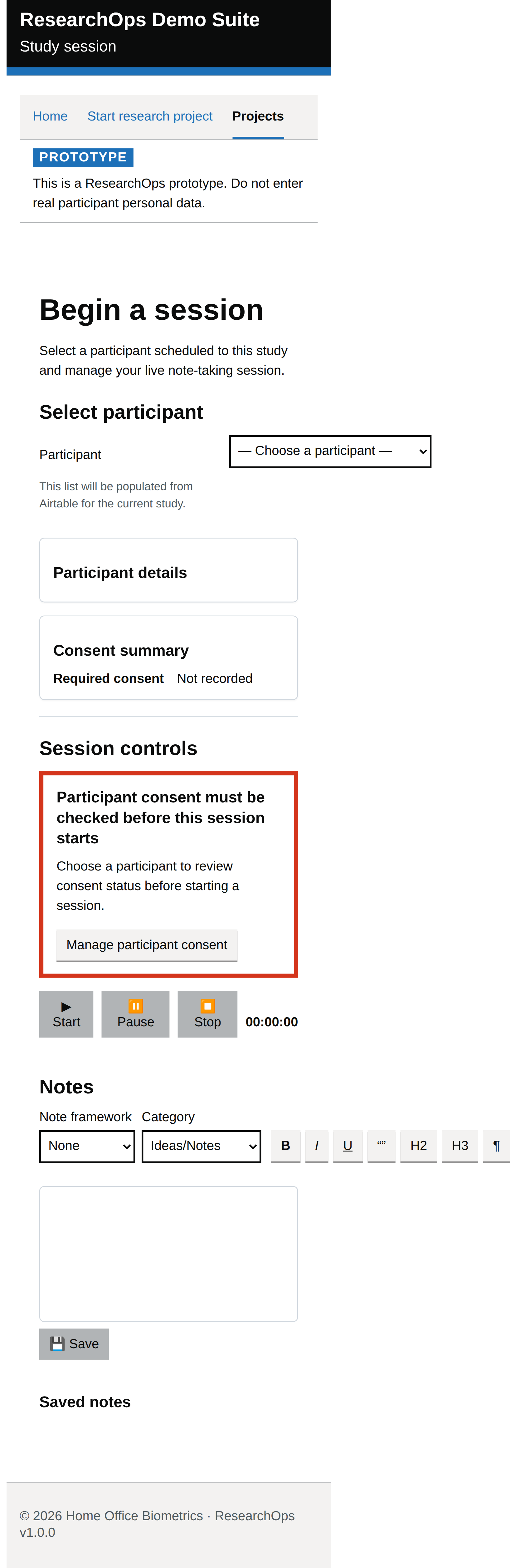
Desktop · captured · https://researchops.pages.dev/pages/project-dashboard/participants/import/?id=recVisualProject001

Screenshot of Import participants in the Import participants with parent project context state for Desktop.
Import participants — Import participants with parent project context — Desktop
Screenshot evidence
Mobile · captured · https://researchops.pages.dev/pages/project-dashboard/participants/import/?id=recVisualProject001

Screenshot of Import participants in the Import participants with parent project context state for Mobile.
Import participants — Import participants with parent project context — Mobile

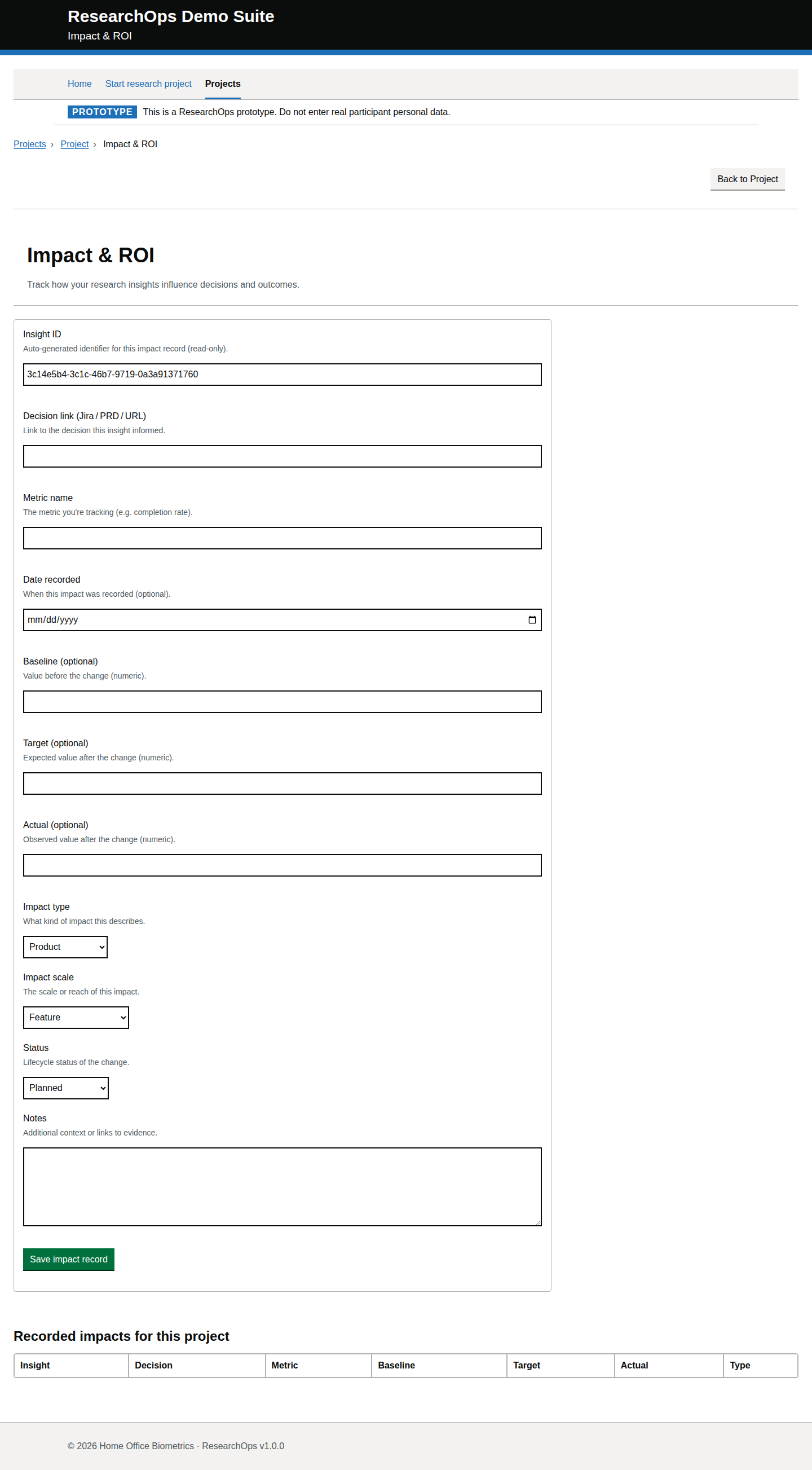
Project outcomes

/pages/projects/outcomes/index.html

Outcomes page for project-level findings and outputs.

Project outcomes with project context

captured · https://researchops.pages.dev/pages/projects/outcomes/?id=recVisualProject001

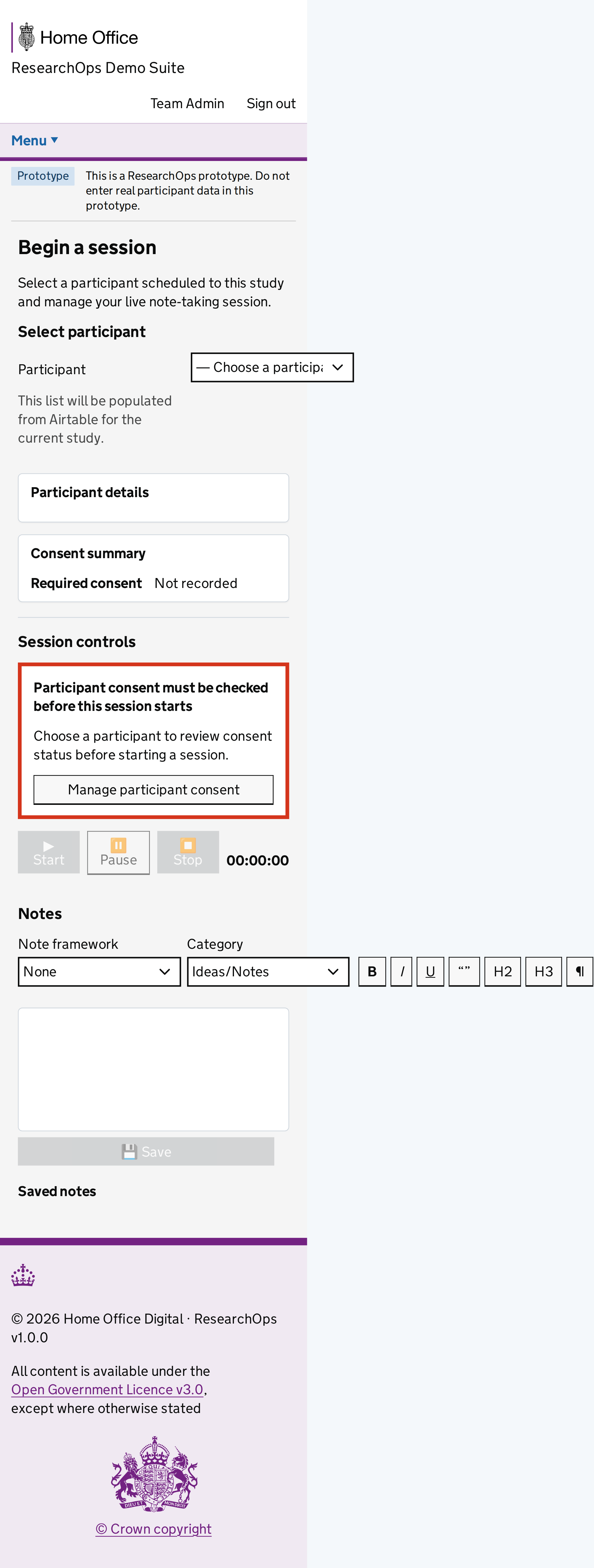
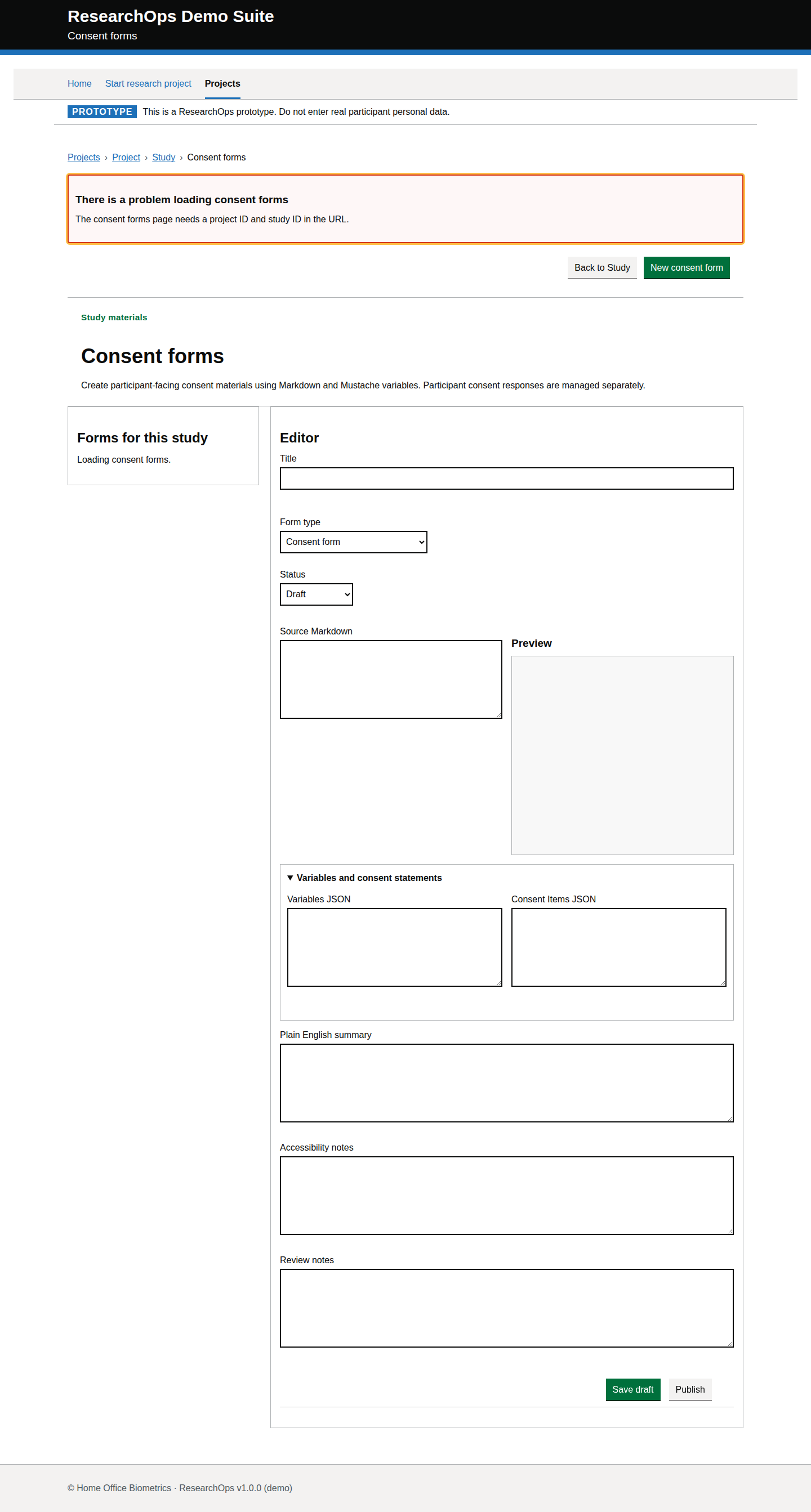
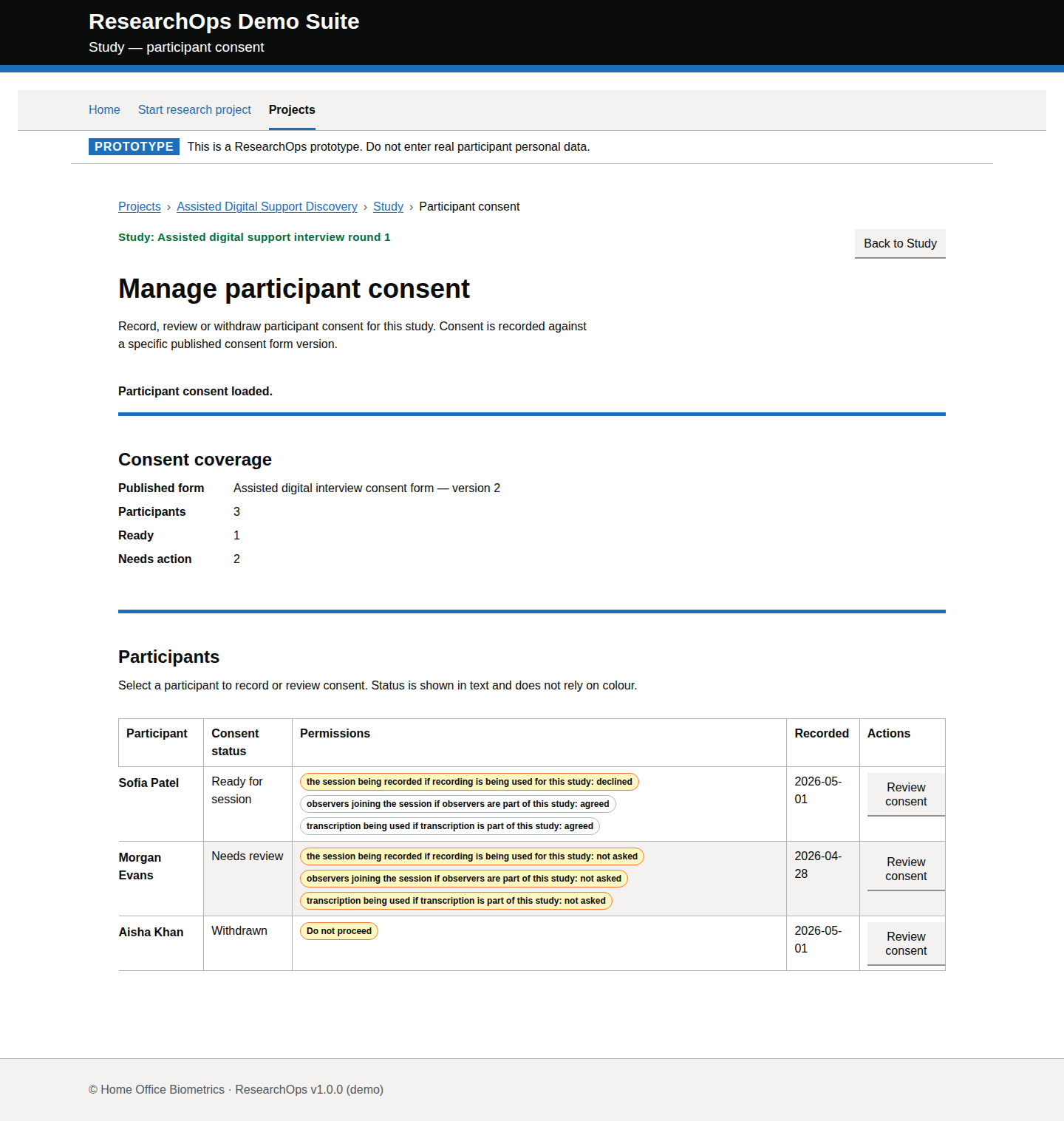
Outcomes page captured with a deterministic project ID so traceability from evidence to recommendations can be evaluated.
Screenshot evidenceRoute-level Cucumber evidenceState-level acceptance criteriaAccessibility evidenceDesign-risk notes
What this screen state should support
Needs review Format: Gherkin acceptance criteria
Feature: Manage project outcomes

  As a user researcher
  I want to review findings, outputs and decisions for a project
  So that I can keep research outcomes traceable to evidence and recommendations
  Background:
    Given I am a user researcher
    When I visit the project outcomes page

  Scenario: Understand the page purpose
    Then I should see content that supports outcomes page for project-level findings and outputs
    And I should understand what ResearchOps task I can complete from this page

  Scenario: Use "Project outcomes with project context" in the ResearchOps journey
    Given I am using the project outcomes page
    Then I should understand the research value of this part of the journey
    And I should see that outcomes page captured with a deterministic project ID so traceability from evidence to recommendations can be evaluated

    And I should be given enough service context to decide what to do next

  Scenario: Complete the interaction needed for this ResearchOps task
    Given I am ready to continue this ResearchOps journey
    Then I should see "Impact & ROI"
    Then I should be able to continue the ResearchOps journey with confidence
  Scenario: Use this part of the journey accessibly
    Then the page should have one clear main heading
    And headings, labels and controls should be exposed in a logical reading order
    And I should be able to move through the available controls using a keyboard
    And I should be able to activate links, buttons and form controls without a mouse
Design-risk notes
Design risk
Outcomes can be presented as conclusions without enough visible connection to evidence, insights and recommendations.
Impact
Teams may over-trust weak findings or lose the audit trail between evidence and delivery decisions.

Recommended change
Evaluate whether outcomes use GOV.UK summary/list patterns and make evidence provenance, status and next actions visible.
Owner
UCD team
Status
Needs UCD review
Screenshot evidence
Desktop · captured · https://researchops.pages.dev/pages/projects/outcomes/?id=recVisualProject001

Screenshot of Project outcomes in the Project outcomes with project context state for Desktop.
Project outcomes — Project outcomes with project context — Desktop
Screenshot evidence
Mobile · captured · https://researchops.pages.dev/pages/projects/outcomes/?id=recVisualProject001
Screenshot of Project outcomes in the Project outcomes with project context state for Mobile.
Project outcomes — Project outcomes with project context — Mobile

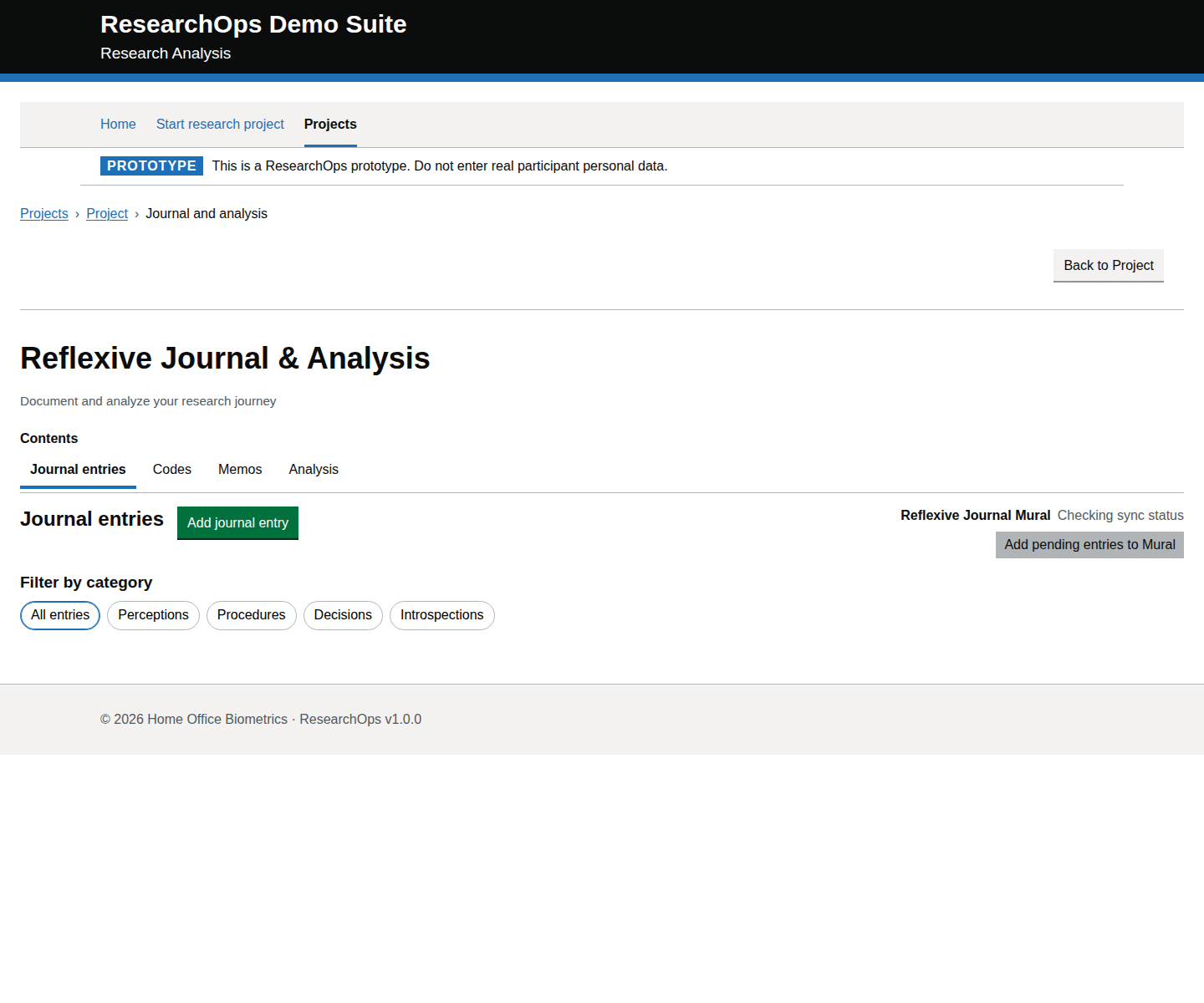
Project journals

/pages/projects/journals/index.html

Reflexive journal page.

Project journals with project context

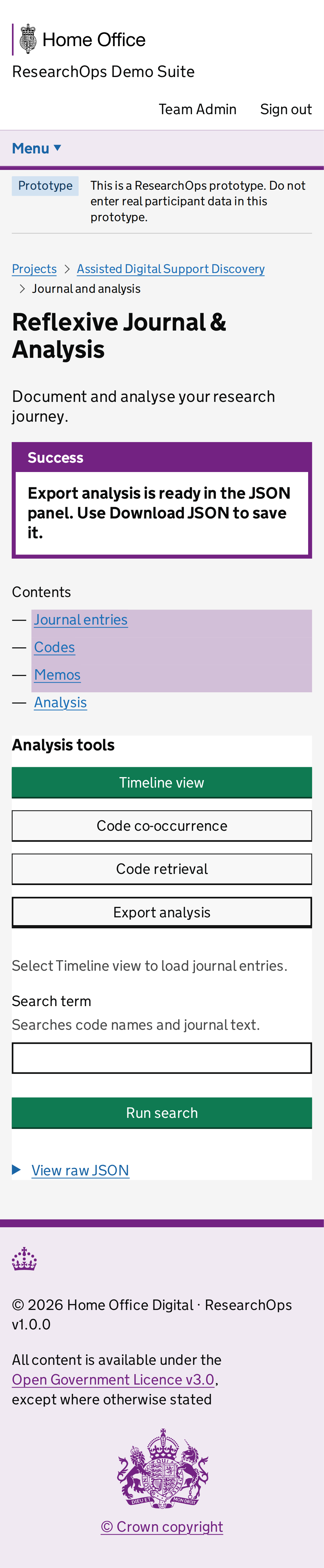
captured · https://researchops.pages.dev/pages/projects/journals/?id=recVisualProject001

Reflexive journal page captured with project context so assumptions, decisions and researcher influence can be reviewed against project work.

Screenshot evidenceRoute-level Cucumber evidenceState-level acceptance criteriaAccessibility evidenceDesign-risk notes
What this screen state should support
Needs review Format: Gherkin acceptance criteria
Feature: Capture reflexive journal entries

  As a user researcher
  I want to capture reflexive notes during a project
  So that I can make assumptions, decisions and researcher influence visible

  Background:
    Given I am a user researcher
    When I visit the project journals page

  Scenario: Understand the page purpose
    Then I should see content that supports reflexive journal page
    And I should understand what ResearchOps task I can complete from this page

  Scenario: Use "Project journals with project context" in the ResearchOps journey
    Given I am using the project journals page
    Then I should understand the research value of this part of the journey
    And I should see that reflexive journal page captured with project context so assumptions, decisions and researcher influence can be reviewed against project work
    And I should be given enough service context to decide what to do next

  Scenario: Complete the interaction needed for this ResearchOps task
    Given I am ready to continue this ResearchOps journey
    Then I should see "Reflexive Journal & Analysis"
    Then I should be able to continue the ResearchOps journey with confidence

  Scenario: Use this part of the journey accessibly
    Then the page should have one clear main heading
    And headings, labels and controls should be exposed in a logical reading order
    And I should be able to move through the available controls using a keyboard
    And I should be able to activate links, buttons and form controls without a mouse
Design-risk notes
Design risk
Reflexive journal states may look like generic notes rather than a deliberate record of assumptions, decisions and researcher influence.
Impact
The team may miss bias, decision provenance or safeguarding reflections that should inform synthesis.
Recommended change
Review category labels, empty states, entry creation, privacy guidance and traceability back to project context.
Owner
UCD team
Status
Needs UCD review
Screenshot evidence

Desktop · captured · https://researchops.pages.dev/pages/projects/journals/?id=recVisualProject001

Screenshot of Project journals in the Project journals with project context state for Desktop.
Project journals — Project journals with project context — Desktop
Screenshot evidence

Mobile · captured · https://researchops.pages.dev/pages/projects/journals/?id=recVisualProject001

Screenshot of Project journals in the Project journals with project context state for Mobile.
Project journals — Project journals with project context — Mobile

Study

Study overview

/pages/study/index.html

Study overview and readiness controls.

Study overview with readiness context

captured · https://researchops.pages.dev/pages/study/?pid=recVisualProject001&sid=recVisualStudy001

Study overview captured with project and study IDs, participants, guides, consent forms and consent records present.

Screenshot evidenceRoute-level Cucumber evidenceState-level acceptance criteriaAccessibility evidenceDesign-risk notes
What this screen state should support
Needs review Format: Gherkin acceptance criteria
Feature: Review study readiness

  As a user researcher
  I want to review a study and its readiness controls
  So that I can prepare research activity before sessions begin

  Background:
    Given I am a user researcher
    When I visit the study overview page

  Scenario: Understand the page purpose
    Then I should see content that supports study overview and readiness controls
    And I should understand what ResearchOps task I can complete from this page

  Scenario: Use "Study overview with readiness context" in the ResearchOps journey
    Given I am using the study overview page
    Then I should understand the research value of this part of the journey
    And I should see that study overview captured with project and study IDs, participants, guides, consent forms and consent records present
    And I should be given enough service context to decide what to do next

  Scenario: Complete the interaction needed for this ResearchOps task
    Given I am ready to continue this ResearchOps journey
    Then I should see "Assisted digital support interview round 1"
    Then I should be able to continue the ResearchOps journey with confidence

  Scenario: Use this part of the journey accessibly
    Then the page should have one clear main heading
    And headings, labels and controls should be exposed in a logical reading order
    And I should be able to move through the available controls using a keyboard
    And I should be able to activate links, buttons and form controls without a mouse
Design-risk notes
Design risk
The study overview may show readiness controls without enough realistic setup data to prove the session gate works.
Impact
Researchers could start sessions before guides, consent materials, participants or participant consent are ready.
Recommended change
Capture with project and study IDs, mocked readiness data and visible links to guides, participants, consent and synthesis.
Owner
UCD team
Status
Needs UCD review
Screenshot evidence

Desktop · captured · https://researchops.pages.dev/pages/study/?pid=recVisualProject001&sid=recVisualStudy001

Screenshot of Study overview in the Study overview with readiness context state for Desktop.
Study overview — Study overview with readiness context — Desktop
Screenshot evidence

Mobile · captured · https://researchops.pages.dev/pages/study/?pid=recVisualProject001&sid=recVisualStudy001

Screenshot of Study overview in the Study overview with readiness context state for Mobile.
Study overview — Study overview with readiness context — Mobile

Discussion guides

/pages/study/guides/index.html

Discussion guide list and editor page.

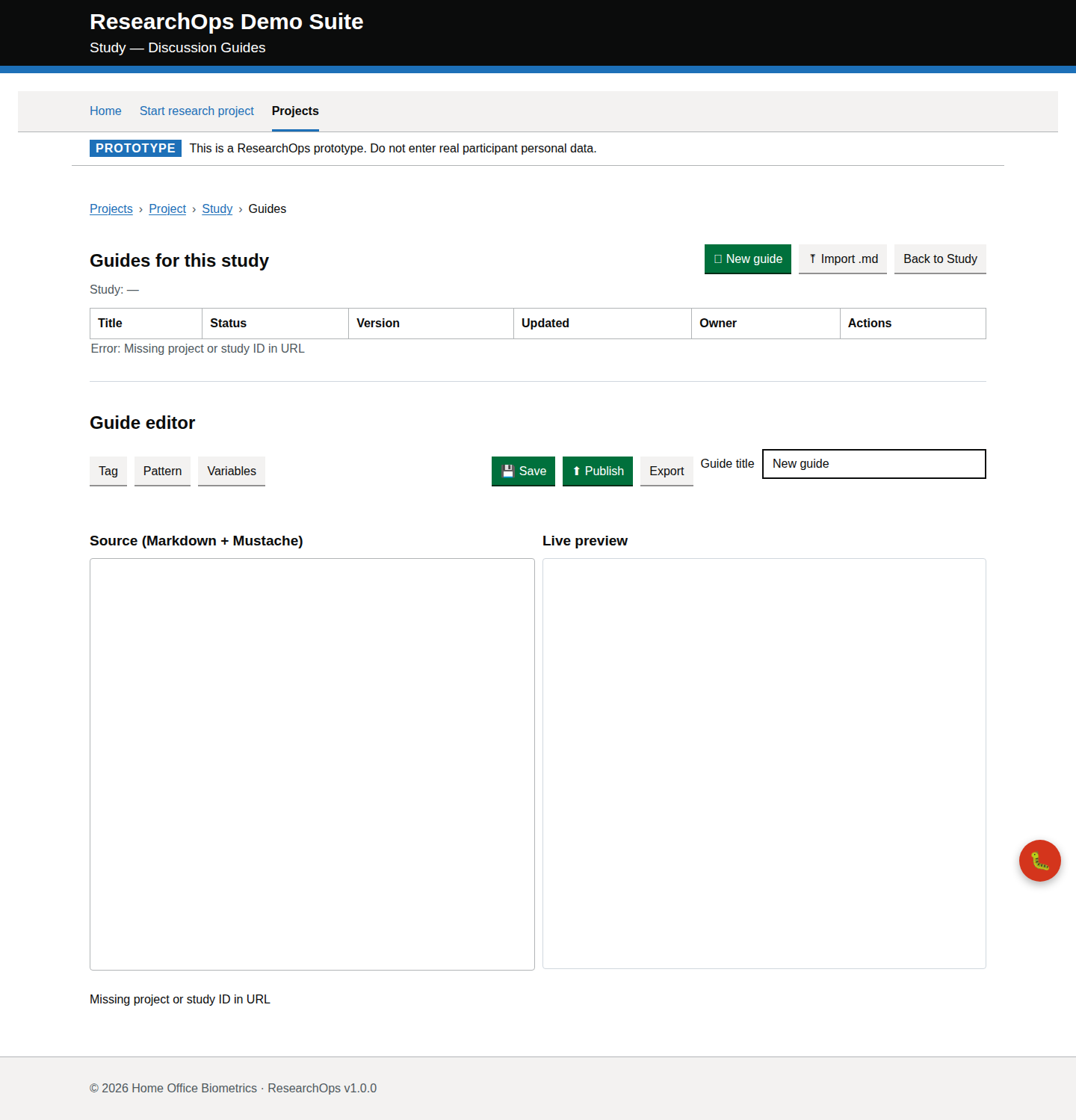
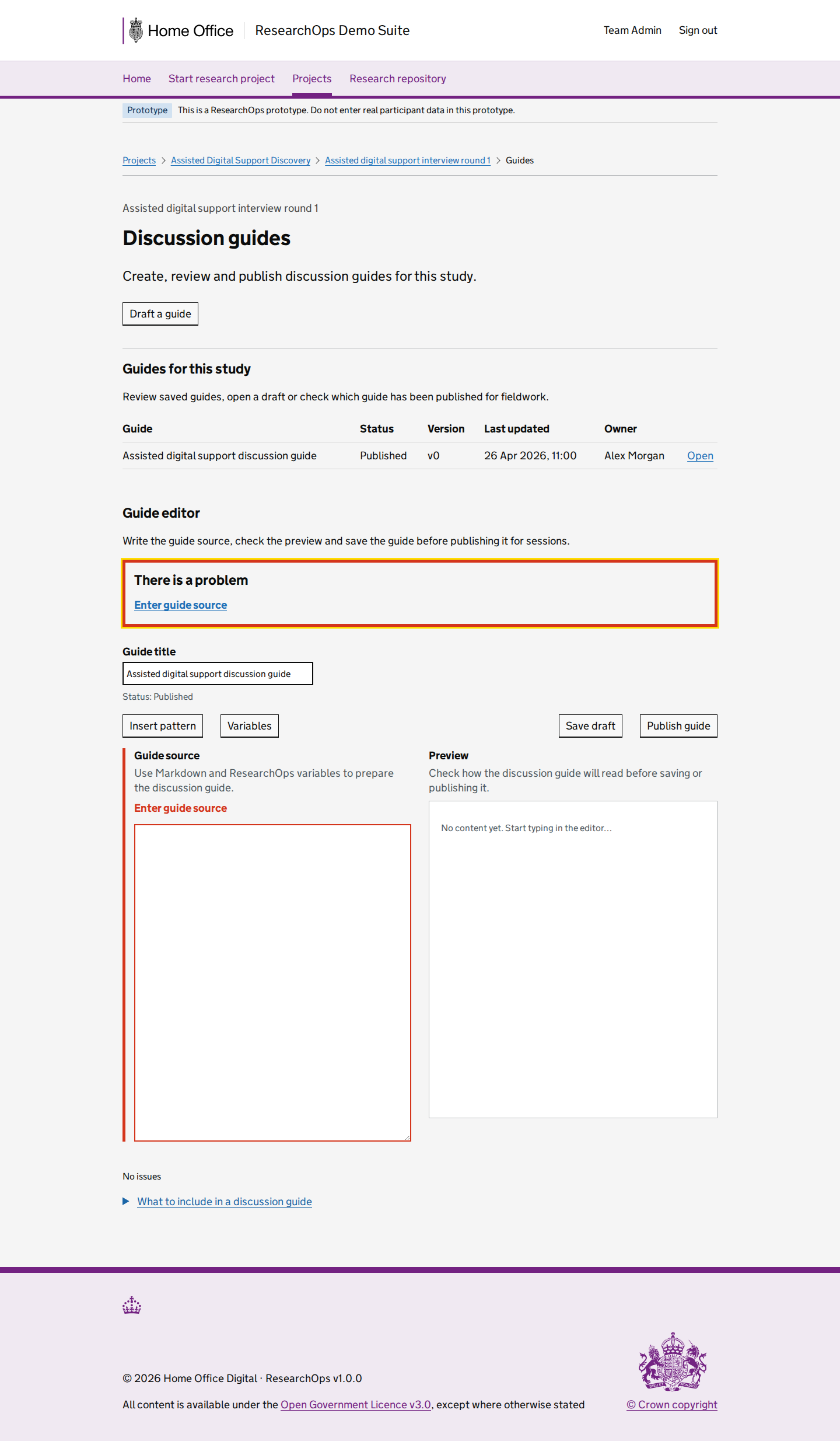
Discussion guides with study context

captured · https://researchops.pages.dev/pages/study/guides/?pid=recVisualProject001&sid=recVisualStudy001

Discussion guides page captured with project and study IDs so list, editor and publication context can be reviewed.

Screenshot evidenceRoute-level Cucumber evidenceState-level acceptance criteriaAccessibility evidenceDesign-risk notes
What this screen state should support
Needs review Format: Gherkin acceptance criteria
Feature: Manage discussion guides

  As a user researcher
  I want to create, review and organise discussion guides for a study
  So that sessions are run with consistent and purposeful research prompts

  Background:
    Given I am a user researcher
    When I visit the discussion guides page

  Scenario: Understand the page purpose
    Then I should see content that supports discussion guide list and editor page
    And I should understand what ResearchOps task I can complete from this page

  Scenario: Use "Discussion guides with study context" in the ResearchOps journey
    Given I am using the discussion guides page
    Then I should understand the research value of this part of the journey
    And I should see that discussion guides page captured with project and study IDs so list, editor and publication context can be reviewed
    And I should be given enough service context to decide what to do next

  Scenario: Complete the interaction needed for this ResearchOps task
    Given I am ready to continue this ResearchOps journey
    Then I should see "Guides for this study"
    Then I should be able to continue the ResearchOps journey with confidence

  Scenario: Use this part of the journey accessibly
    Then the page should have one clear main heading
    And headings, labels and controls should be exposed in a logical reading order
    And I should be able to move through the available controls using a keyboard
    And I should be able to activate links, buttons and form controls without a mouse
Design-risk notes
Design risk
Discussion guide management may not make draft, published and reusable guide states clear enough.
Impact
Inconsistent or unapproved guides can affect research quality and comparability across sessions.
Recommended change
Review editor/list structure, heading hierarchy, save/publish affordances and GOV.UK button/link treatment.
Owner
UCD team
Status
Needs UCD review
Screenshot evidence

Desktop · captured · https://researchops.pages.dev/pages/study/guides/?pid=recVisualProject001&sid=recVisualStudy001

Screenshot of Discussion guides in the Discussion guides with study context state for Desktop.
Discussion guides — Discussion guides with study context — Desktop
Screenshot evidence

Mobile · captured · https://researchops.pages.dev/pages/study/guides/?pid=recVisualProject001&sid=recVisualStudy001

Screenshot of Discussion guides in the Discussion guides with study context state for Mobile.
Discussion guides — Discussion guides with study context — Mobile

Participants

/pages/study/participants/index.html

Participants page for a study.

Study participants with participant records

captured · https://researchops.pages.dev/pages/study/participants/?pid=recVisualProject001&sid=recVisualStudy001

Participants page captured with study-scoped participant records so recruitment, scheduling and consent readiness can be reviewed.

Screenshot evidenceRoute-level Cucumber evidenceState-level acceptance criteriaAccessibility evidenceDesign-risk notes
What this screen state should support
Needs review Format: Gherkin acceptance criteria
Feature: Manage study participants

  As a user researcher
  I want to review and manage participants for a study
  So that recruitment and session planning reflect the study needs

  Background:
    Given I am a user researcher
    When I visit the participants page

  Scenario: Understand the page purpose
    Then I should see content that supports participants page for a study
    And I should understand what ResearchOps task I can complete from this page

  Scenario: Use "Study participants with participant records" in the ResearchOps journey
    Given I am using the participants page
    Then I should understand the research value of this part of the journey
    And I should see that participants page captured with study-scoped participant records so recruitment, scheduling and consent readiness can be reviewed
    And I should be given enough service context to decide what to do next

  Scenario: Complete the interaction needed for this ResearchOps task
    Given I am ready to continue this ResearchOps journey
    Then I should see "Participants"
    Then I should be able to continue the ResearchOps journey with confidence

  Scenario: Use this part of the journey accessibly
    Then the page should have one clear main heading
    And headings, labels and controls should be exposed in a logical reading order
    And I should be able to move through the available controls using a keyboard
    And I should be able to activate links, buttons and form controls without a mouse
Design-risk notes
Design risk
The participants view may not distinguish recruitment, scheduling and consent readiness clearly.
Impact
Research teams may invite or schedule participants before consent or safeguarding requirements are understood.
Recommended change
Capture with study-scoped participant fixtures and review table/list semantics, status tags, filters and keyboard access.
Owner
UCD team
Status
Needs UCD review
Screenshot evidence

Desktop · captured · https://researchops.pages.dev/pages/study/participants/?pid=recVisualProject001&sid=recVisualStudy001

Screenshot of Participants in the Study participants with participant records state for Desktop.
Participants — Study participants with participant records — Desktop
Screenshot evidence

Mobile · captured · https://researchops.pages.dev/pages/study/participants/?pid=recVisualProject001&sid=recVisualStudy001

Screenshot of Participants in the Study participants with participant records state for Mobile.
Participants — Study participants with participant records — Mobile

Study session

/pages/study/session/index.html

Session running and note capture page.

Study session with project and study context

captured · https://researchops.pages.dev/pages/study/session/?pid=recVisualProject001&sid=recVisualStudy001

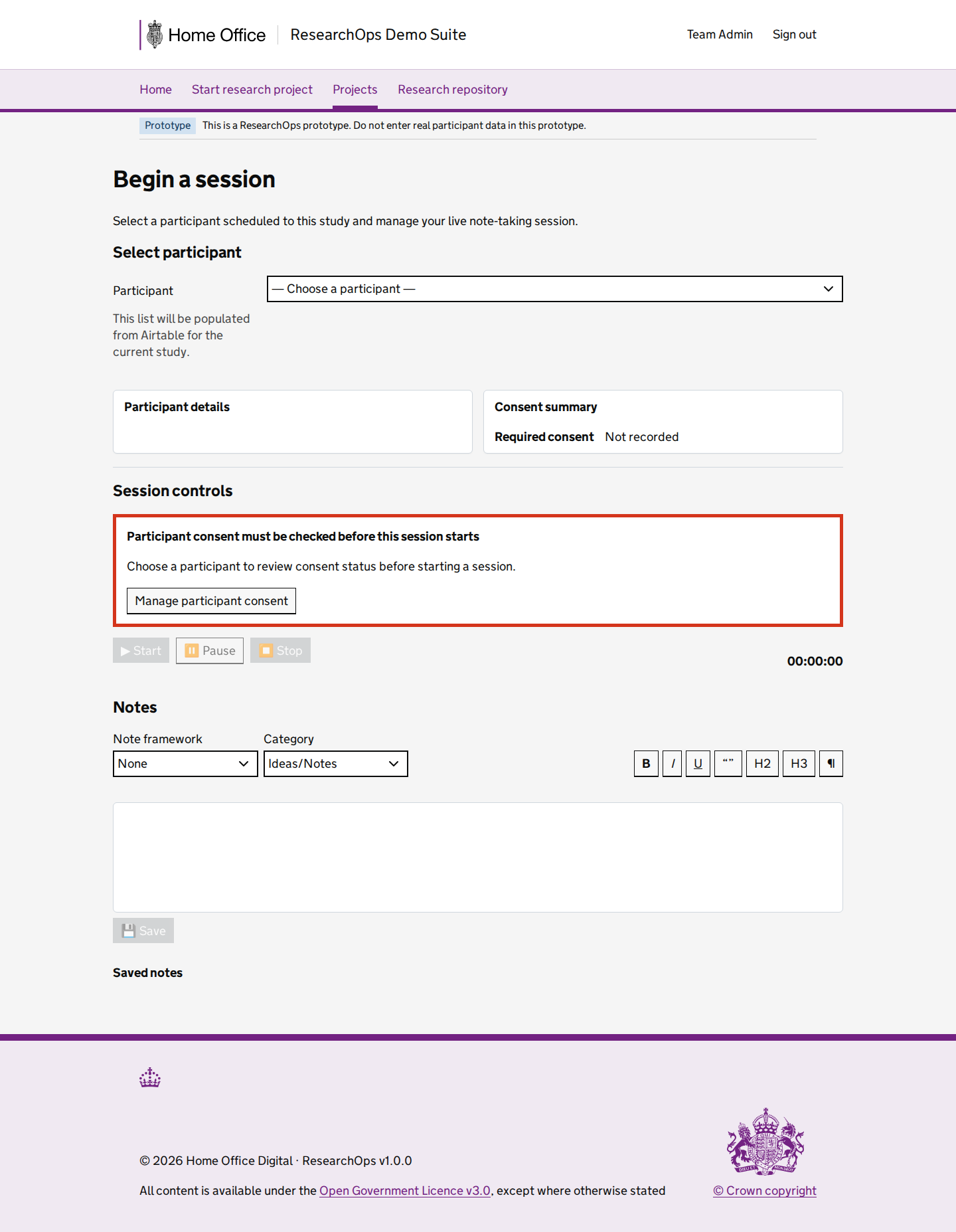
Session workspace captured with project and study IDs so participant, consent and note-capture readiness can be reviewed.

Screenshot evidenceRoute-level Cucumber evidenceState-level acceptance criteriaAccessibility evidenceDesign-risk notes
What this screen state should support
Needs review Format: Gherkin acceptance criteria
Feature: Run a research session

  As a user researcher
  I want to run a research session and capture notes
  So that session evidence is recorded consistently and safely

  Background:
    Given I am a user researcher
    When I visit the study session page

  Scenario: Understand the page purpose
    Then I should see content that supports session running and note capture page
    And I should understand what ResearchOps task I can complete from this page

  Scenario: Use "Study session with project and study context" in the ResearchOps journey
    Given I am using the study session page
    Then I should understand the research value of this part of the journey
    And I should see that session workspace captured with project and study IDs so participant, consent and note-capture readiness can be reviewed
    And I should be given enough service context to decide what to do next

  Scenario: Complete the interaction needed for this ResearchOps task
    Given I am ready to continue this ResearchOps journey
    Then I should see "Begin a session"
    Then I should be able to continue the ResearchOps journey with confidence

  Scenario: Use this part of the journey accessibly
    Then the page should have one clear main heading
    And headings, labels and controls should be exposed in a logical reading order
    And I should be able to move through the available controls using a keyboard
    And I should be able to activate links, buttons and form controls without a mouse
Design-risk notes
Design risk
The session workspace may imply that a session can start without clear participant, consent and study readiness context.
Impact
Unsafe session starts can create consent, safeguarding and evidence-quality risks.
Recommended change
Review session controls, timing, note structure, consent visibility and keyboard operation against GOV.UK and WCAG expectations.
Owner
UCD team
Status
Needs UCD review
Screenshot evidence

Desktop · captured · https://researchops.pages.dev/pages/study/session/?pid=recVisualProject001&sid=recVisualStudy001

Screenshot of Study session in the Study session with project and study context state for Desktop.
Study session — Study session with project and study context — Desktop
Screenshot evidence

Mobile · captured · https://researchops.pages.dev/pages/study/session/?pid=recVisualProject001&sid=recVisualStudy001

Screenshot of Study session in the Study session with project and study context state for Mobile.
Study session — Study session with project and study context — Mobile

Utilities

Notes

/pages/notes/index.html

Notes page.

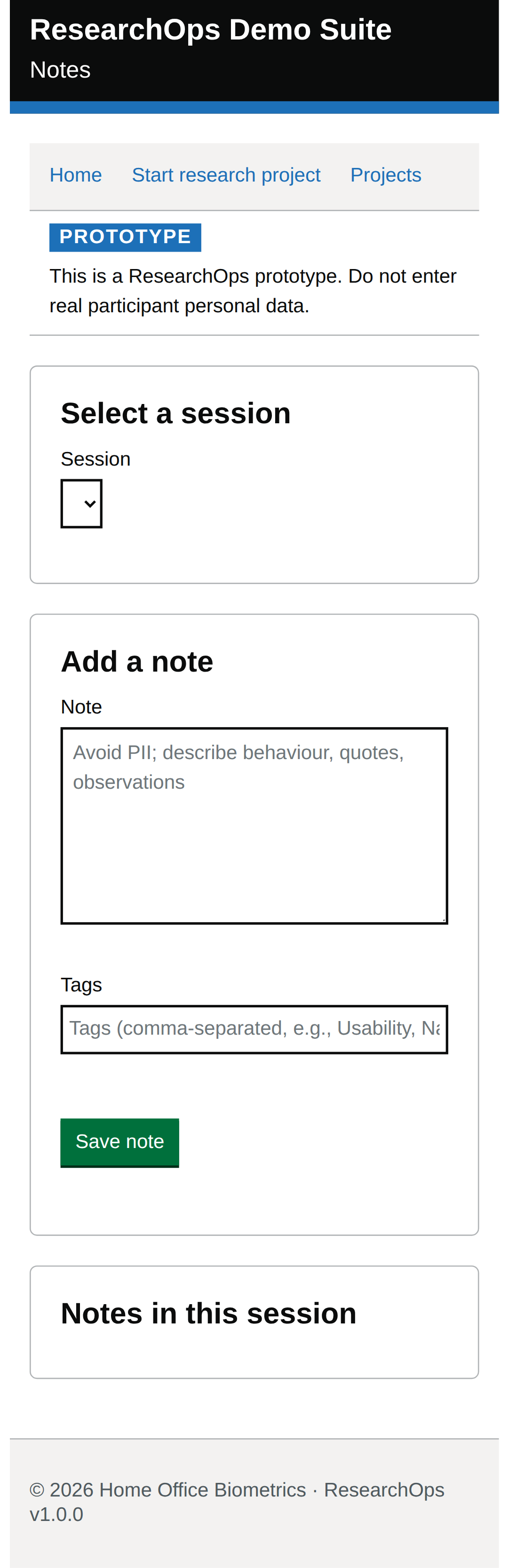
Default state

captured · https://researchops.pages.dev/pages/notes/index.html

Initial loaded page state.

Screenshot evidenceRoute-level Cucumber evidenceState-level acceptance criteriaAccessibility evidenceDesign-risk notes
What this screen state should support
Needs review Format: Gherkin acceptance criteria
Feature: Capture research notes

  As a user researcher
  I want to capture and review research notes
  So that evidence can be used later for synthesis and decisions

  Background:
    Given I am a user researcher
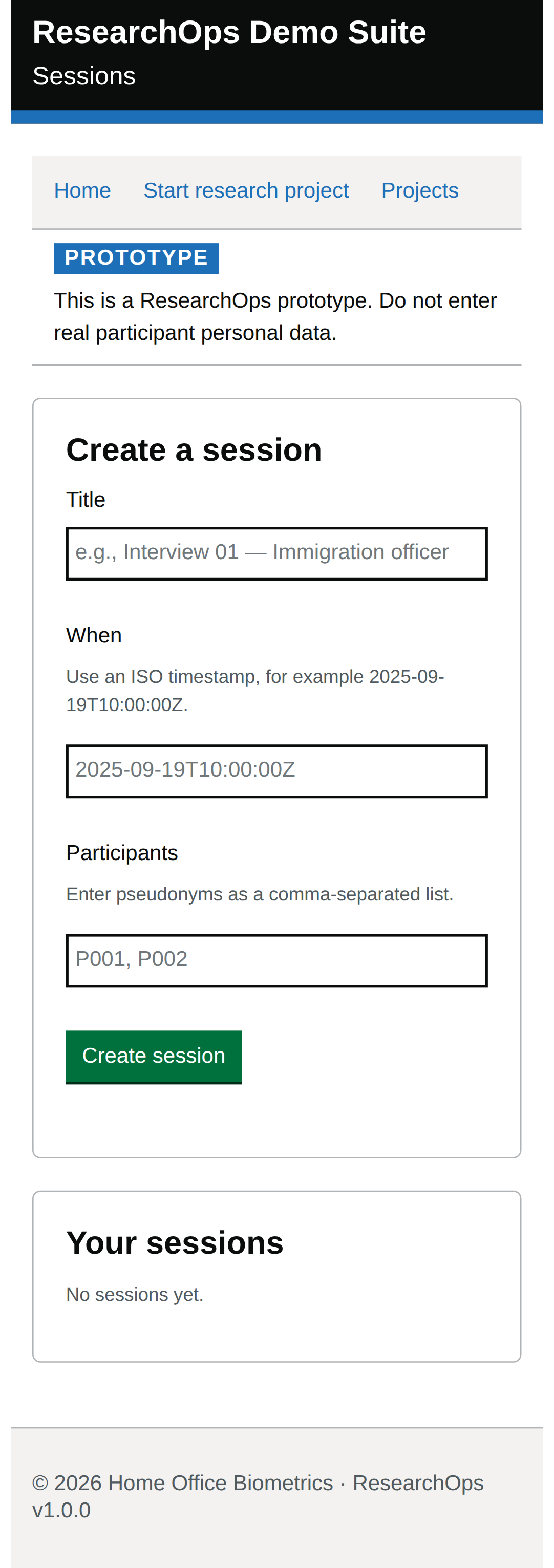
    When I visit the notes page

  Scenario: Understand the page purpose
    Then I should see content that supports notes page
    And I should understand what ResearchOps task I can complete from this page

  Scenario: Use "Default state" in the ResearchOps journey
    Given I am using the notes page
    Then I should understand the research value of this part of the journey
    And I should see that initial loaded page state
    And I should be given enough service context to decide what to do next

  Scenario: Understand the default view
    Then I should understand what ResearchOps task this page supports
    And I should be able to choose an appropriate next action for my work

  Scenario: Use this part of the journey accessibly
    Then the page should have one clear main heading
    And headings, labels and controls should be exposed in a logical reading order
    And I should be able to move through the available controls using a keyboard
    And I should be able to activate links, buttons and form controls without a mouse
Design-risk notes
Design risk
Notes may be captured without enough context about session, study, source and later synthesis use.
Impact
Evidence can become hard to trace, compare or safely reuse.
Recommended change
Review note metadata, source context, privacy guidance, save feedback and accessible form behaviour.
Owner
UCD team
Status
Needs UCD review
Screenshot evidence

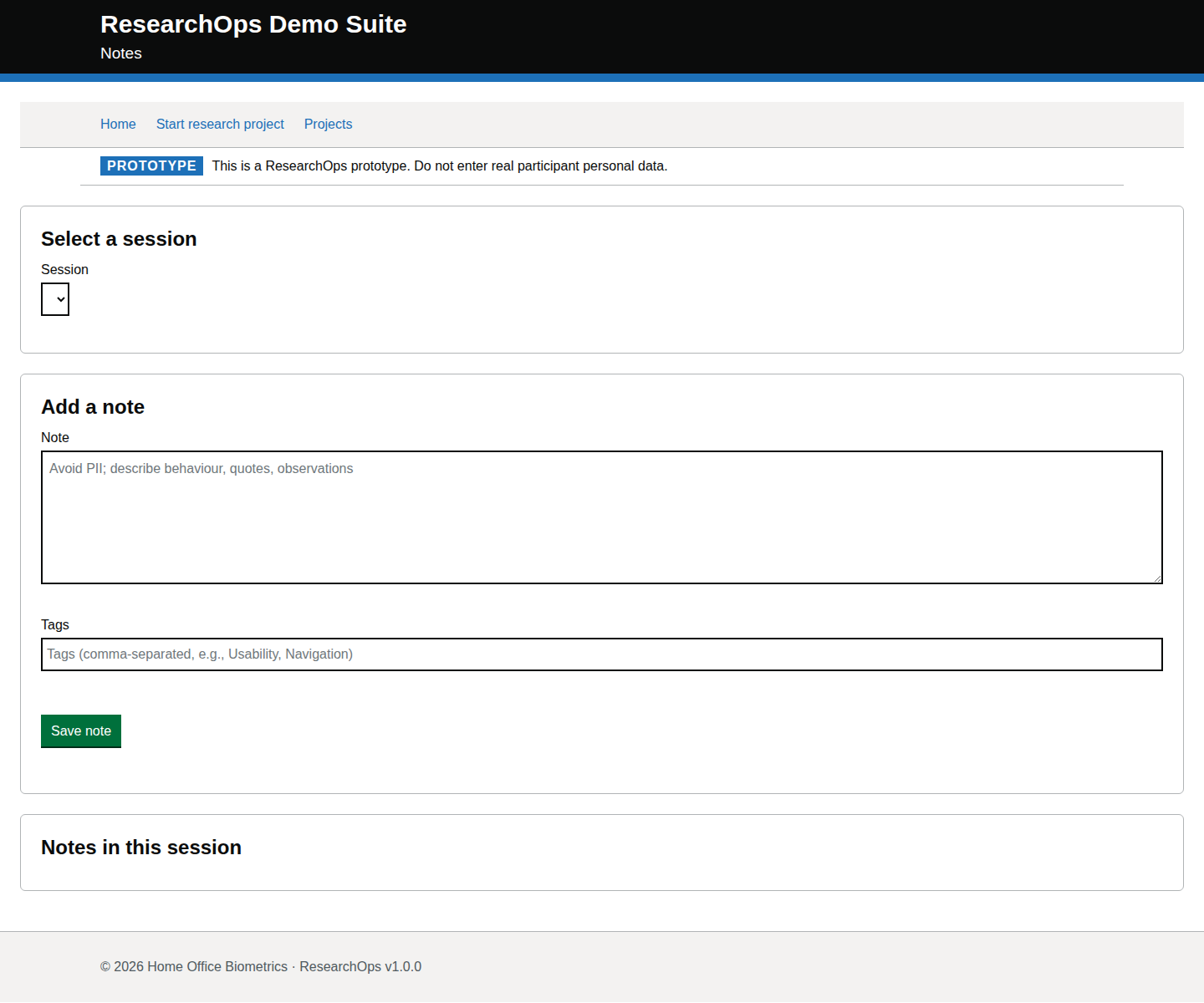
Desktop · captured · https://researchops.pages.dev/pages/notes/index.html

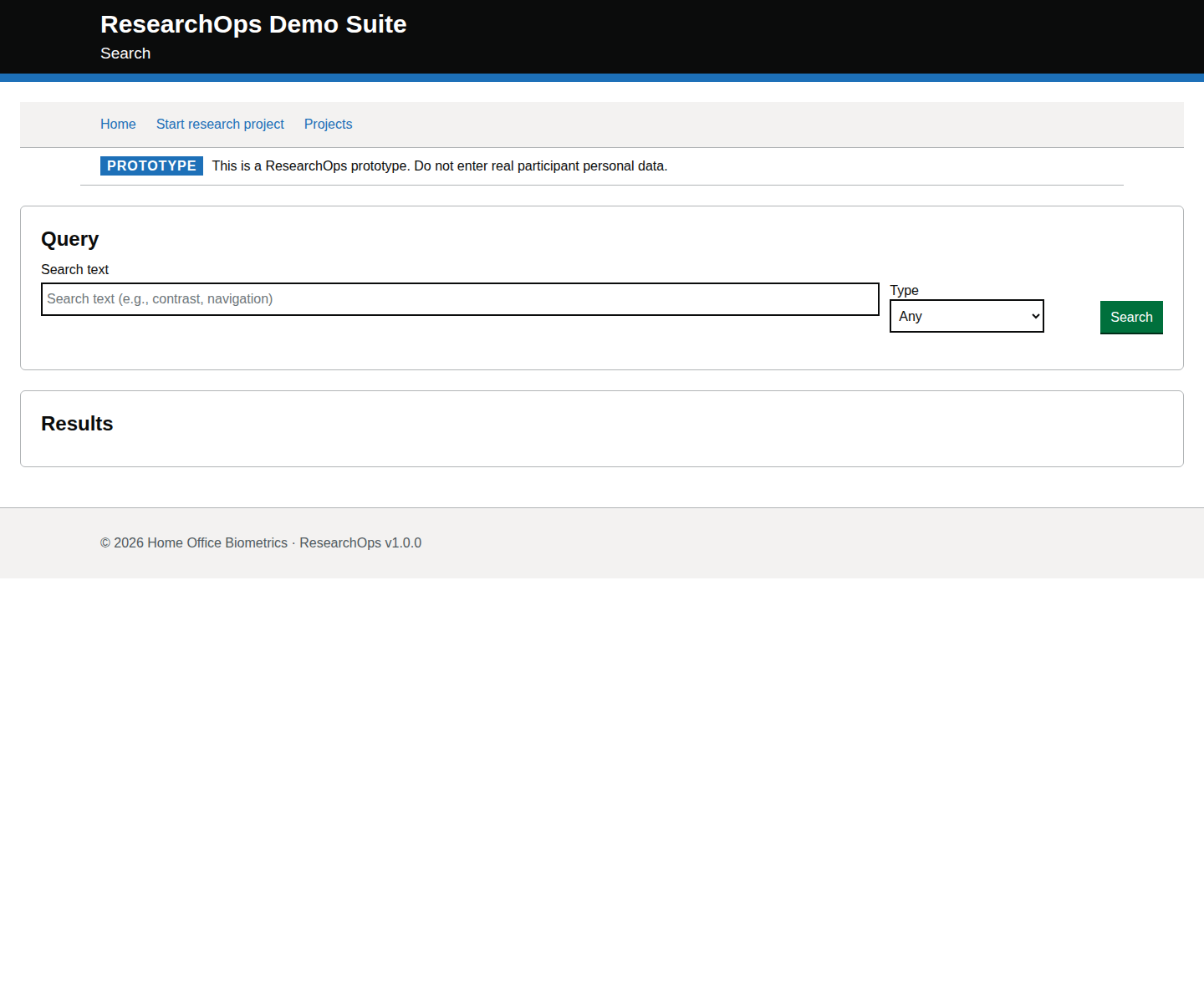
Screenshot of Notes in the Default state state for Desktop.
Notes — Default state — Desktop
Screenshot evidence

Mobile · captured · https://researchops.pages.dev/pages/notes/index.html

Screenshot of Notes in the Default state state for Mobile.
Notes — Default state — Mobile

Sessions

/pages/sessions/index.html

Sessions list page.

Default state

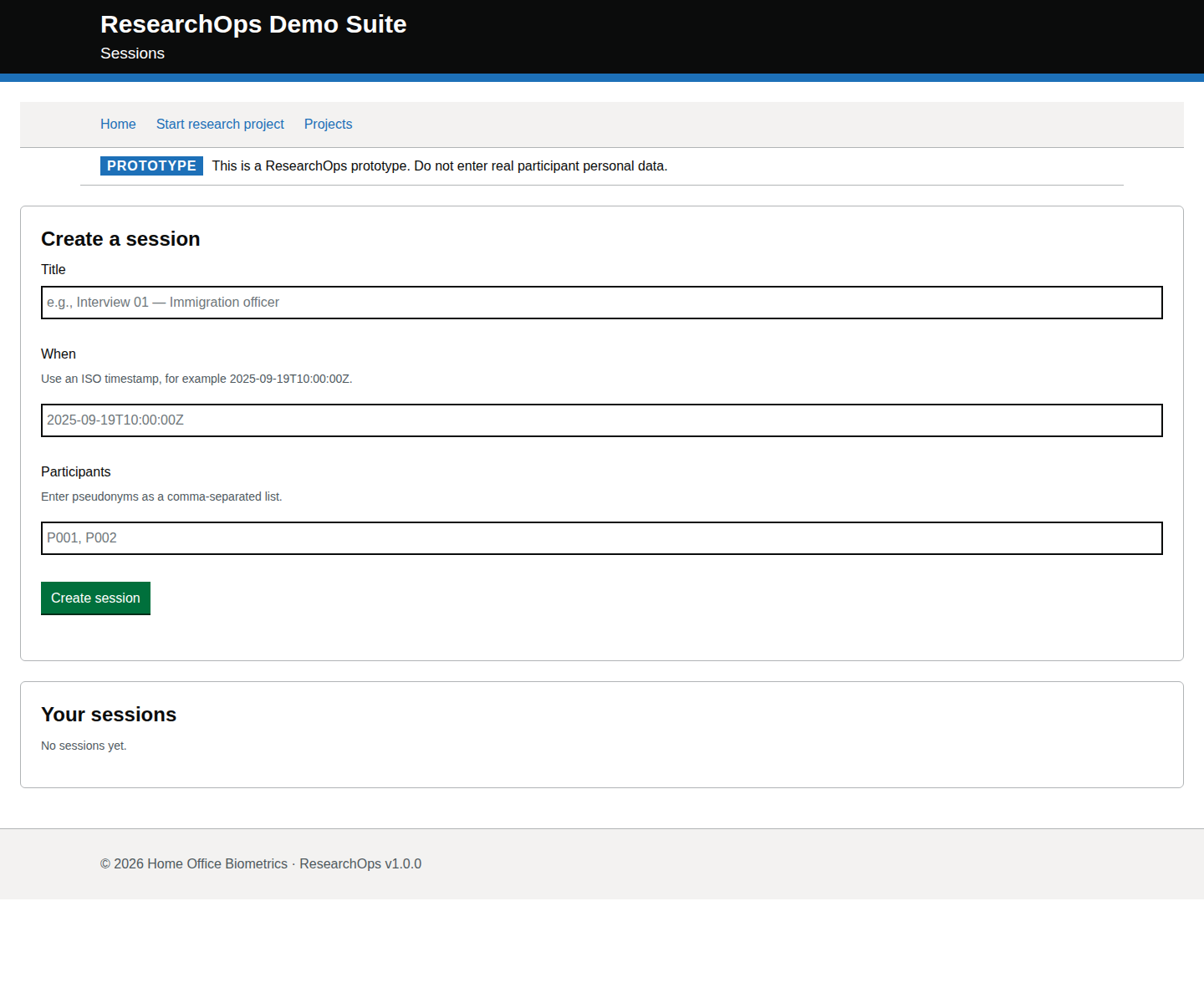
captured · https://researchops.pages.dev/pages/sessions/index.html

Initial loaded page state.

Screenshot evidenceRoute-level Cucumber evidenceState-level acceptance criteriaAccessibility evidenceDesign-risk notes
What this screen state should support
Needs review Format: Gherkin acceptance criteria
Feature: Review research sessions

  As a user researcher
  I want to review scheduled and completed research sessions
  So that I can coordinate session delivery and follow-up activity

  Background:
    Given I am a user researcher
    When I visit the sessions page

  Scenario: Understand the page purpose
    Then I should see content that supports sessions list page
    And I should understand what ResearchOps task I can complete from this page

  Scenario: Use "Default state" in the ResearchOps journey
    Given I am using the sessions page
    Then I should understand the research value of this part of the journey
    And I should see that initial loaded page state
    And I should be given enough service context to decide what to do next

  Scenario: Understand the default view
    Then I should understand what ResearchOps task this page supports
    And I should be able to choose an appropriate next action for my work

  Scenario: Use this part of the journey accessibly
    Then the page should have one clear main heading
    And headings, labels and controls should be exposed in a logical reading order
    And I should be able to move through the available controls using a keyboard
    And I should be able to activate links, buttons and form controls without a mouse
Design-risk notes
Design risk
Sessions may look schedulable without showing readiness, consent and follow-up obligations.
Impact
Research activity could be coordinated from incomplete or misleading operational data.
Recommended change
Review status language, date/time presentation, participant context, and links into the session workspace.
Owner
UCD team
Status
Needs UCD review
Screenshot evidence

Desktop · captured · https://researchops.pages.dev/pages/sessions/index.html

Screenshot of Sessions in the Default state state for Desktop.
Sessions — Default state — Desktop
Screenshot evidence

Mobile · captured · https://researchops.pages.dev/pages/sessions/index.html

Screenshot of Sessions in the Default state state for Mobile.
Sessions — Default state — Mobile

Analysis

Study synthesis

/pages/synthesize/index.html

Study-scoped evidence grouping and theme creation page.

Study synthesis — group-level review evidence

What this grouping should support

Applies once to the full grouping. State cards below contain only scenario-specific review evidence.

Gherkin acceptance criteria needs review
Feature: Synthesize research evidence

  As a user researcher
  I want to group evidence and create traceable themes
  So that insights and recommendations remain connected to source evidence

  Scenario: Maintain traceability from evidence to theme
    Then I should be able to review evidence provenance before grouping it
    And created themes should remain connected to their source evidence

  Scenario: Prevent unsupported theme creation
    Then I should be prevented from creating a theme until evidence has been grouped
Design-risk notes needs review
Design risk
The analysis journey is central to ResearchOps traceability. Weak evidence-to-theme links can make recommendations appear stronger than the evidence supports.
Impact
If this is accepted without review, ResearchOps traceability, accessibility or user confidence may be weakened.
Recommended change
Review this evidence against ResearchOps intent, GOV.UK component conventions and WCAG 2.2 AA expectations.
Owner
UCD team
Status
Needs review

Missing study ID error state

captured · https://researchops.pages.dev/pages/synthesize/index.html

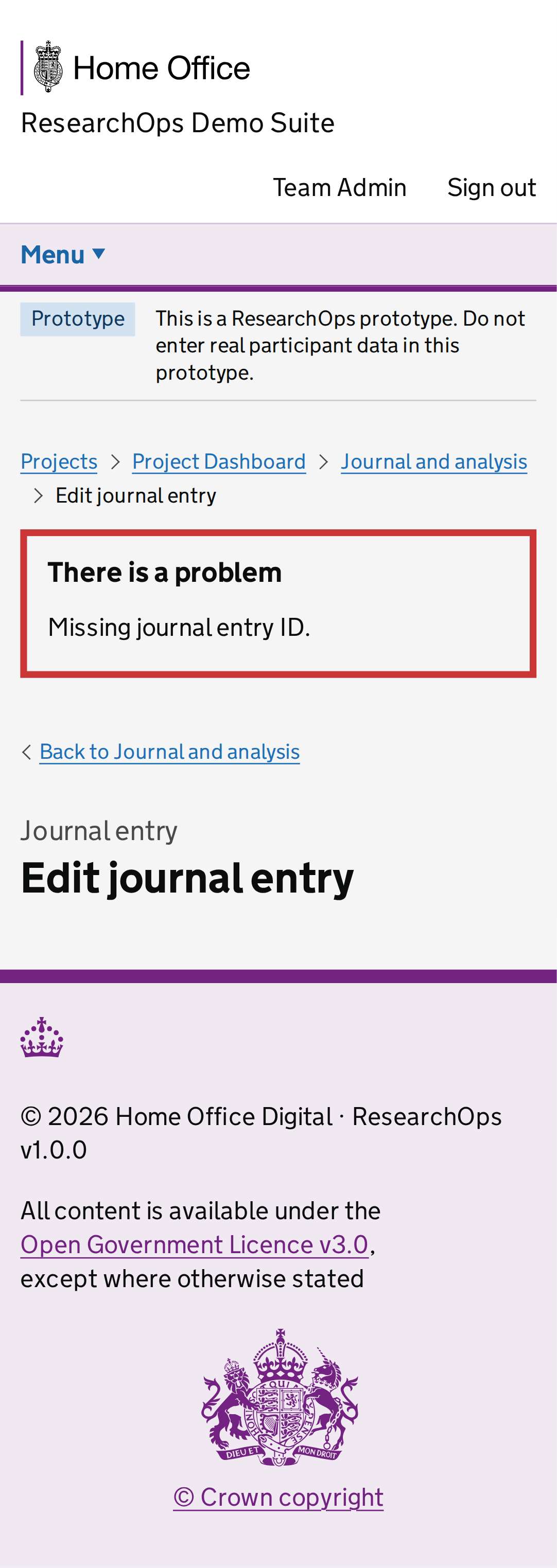
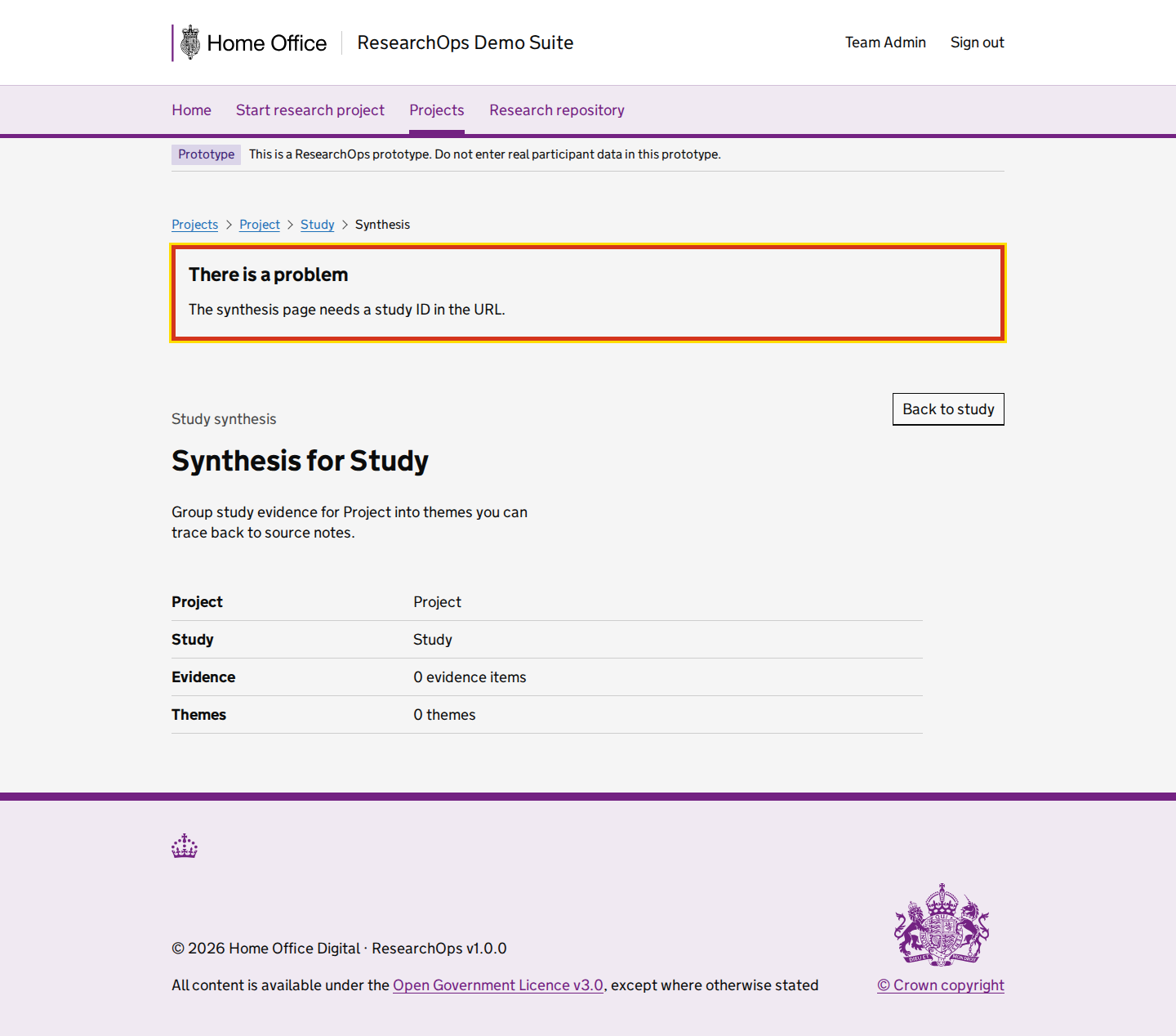
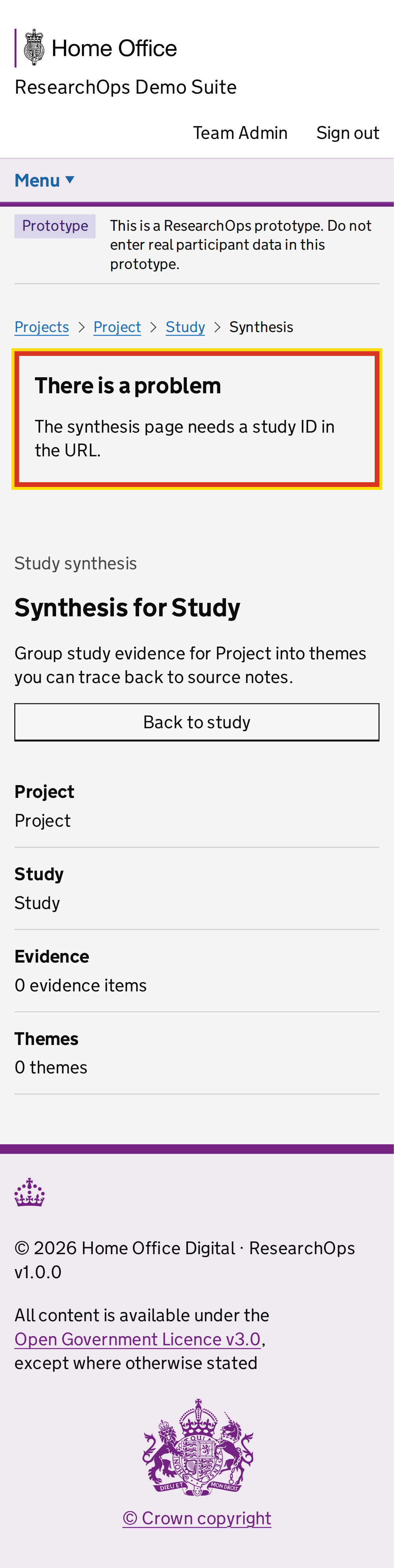
Synthesis loaded without a study ID; the page shows the blocking route-context error.

Screenshot evidenceState-level curated acceptance criteriaState-level curated design-risk notes
What this state should support
Curated criteria Format: Gherkin acceptance criteria
Feature: Missing study ID error state

  Scenario: Recover from missing study context
    Then I should be told that synthesis cannot start
    And I should be able to return to a valid study context
Design-risk notes
Design risk
This should remain an explicit route-context error.
Impact
If this is accepted without review, ResearchOps traceability, accessibility or user confidence may be weakened.
Recommended change
Review this evidence against ResearchOps intent, GOV.UK component conventions and WCAG 2.2 AA expectations.
Owner
UCD team
Status
Needs review
Screenshot evidence

Desktop · captured · https://researchops.pages.dev/pages/synthesize/index.html

Screenshot of Study synthesis in the Missing study ID error state state for Desktop.
Study synthesis — Missing study ID error state — Desktop
Screenshot evidence

Mobile · captured · https://researchops.pages.dev/pages/synthesize/index.html

Screenshot of Study synthesis in the Missing study ID error state state for Mobile.
Study synthesis — Missing study ID error state — Mobile

Empty evidence state

captured · https://researchops.pages.dev/pages/synthesize/?pid=recVisualProject001&sid=recVisualStudy001

Study synthesis loaded with valid study context but no captured evidence notes. The page routes the researcher to evidence capture rather than showing synthesis controls.

Screenshot evidenceState-level curated acceptance criteriaState-level curated design-risk notes
What this state should support
Curated criteria Format: Gherkin acceptance criteria
Feature: Empty evidence state

  Scenario: Understand that no evidence is available
    Then I should understand that synthesis cannot proceed yet
    And the page should not imply that analysis is complete
Design-risk notes
Design risk
Absence of evidence must not be presented as an insight.
Impact
If this is accepted without review, ResearchOps traceability, accessibility or user confidence may be weakened.
Recommended change
Review this evidence against ResearchOps intent, GOV.UK component conventions and WCAG 2.2 AA expectations.
Owner
UCD team
Status
Needs review
Screenshot evidence

Desktop · captured · https://researchops.pages.dev/pages/synthesize/?pid=recVisualProject001&sid=recVisualStudy001

Screenshot of Study synthesis in the Empty evidence state state for Desktop.
Study synthesis — Empty evidence state — Desktop
Screenshot evidence

Mobile · captured · https://researchops.pages.dev/pages/synthesize/?pid=recVisualProject001&sid=recVisualStudy001

Screenshot of Study synthesis in the Empty evidence state state for Mobile.
Study synthesis — Empty evidence state — Mobile

Evidence available before working clusters

captured · https://researchops.pages.dev/pages/synthesize/?pid=recVisualProject001&sid=recVisualStudy001

Study synthesis with realistic evidence available. The first available task is creating a working cluster grouping; evidence selection remains hidden until a cluster exists.

Screenshot evidenceState-level curated acceptance criteriaState-level curated design-risk notes
What this state should support
Curated criteria Format: Gherkin acceptance criteria
Feature: Evidence available before working clusters

  Scenario: Review evidence before clustering
    Then I should review source evidence before grouping it
    And I should have enough provenance context to make a defensible analytical decision
Design-risk notes
Design risk
Available evidence should preserve provenance cues.
Impact
If this is accepted without review, ResearchOps traceability, accessibility or user confidence may be weakened.
Recommended change
Review this evidence against ResearchOps intent, GOV.UK component conventions and WCAG 2.2 AA expectations.
Owner
UCD team
Status
Needs review
Screenshot evidence

Desktop · captured · https://researchops.pages.dev/pages/synthesize/?pid=recVisualProject001&sid=recVisualStudy001

Screenshot of Study synthesis in the Evidence available before working clusters state for Desktop.
Study synthesis — Evidence available before working clusters — Desktop
Screenshot evidence

Mobile · captured · https://researchops.pages.dev/pages/synthesize/?pid=recVisualProject001&sid=recVisualStudy001

Screenshot of Study synthesis in the Evidence available before working clusters state for Mobile.
Study synthesis — Evidence available before working clusters — Mobile

Working cluster grouping created

captured · https://researchops.pages.dev/pages/synthesize/?pid=recVisualProject001&sid=recVisualStudy001

A researcher creates a provisional working cluster grouping before adding evidence. Evidence selection becomes available only after the cluster exists.

Screenshot evidenceState-level curated acceptance criteriaState-level curated design-risk notes
What this state should support
Curated criteria Format: Gherkin acceptance criteria
Feature: Working cluster grouping created

  Scenario: Treat a working cluster as provisional
    Then I should understand that the cluster is provisional
    And it should not be presented with the same authority as a final insight
Design-risk notes
Design risk
Working clusters must remain visibly provisional.
Impact
If this is accepted without review, ResearchOps traceability, accessibility or user confidence may be weakened.
Recommended change
Review this evidence against ResearchOps intent, GOV.UK component conventions and WCAG 2.2 AA expectations.
Owner
UCD team
Status
Needs review
Screenshot evidence

Desktop · captured · https://researchops.pages.dev/pages/synthesize/?pid=recVisualProject001&sid=recVisualStudy001

Screenshot of Study synthesis in the Working cluster grouping created state for Desktop.
Study synthesis — Working cluster grouping created — Desktop
Screenshot evidence

Mobile · captured · https://researchops.pages.dev/pages/synthesize/?pid=recVisualProject001&sid=recVisualStudy001

Screenshot of Study synthesis in the Working cluster grouping created state for Mobile.
Study synthesis — Working cluster grouping created — Mobile

Evidence added to working cluster grouping

captured · https://researchops.pages.dev/pages/synthesize/?pid=recVisualProject001&sid=recVisualStudy001

A researcher selects two evidence notes and adds them to an existing working cluster grouping. Theme creation becomes available after evidence is grouped.

Screenshot evidenceState-level curated acceptance criteriaState-level curated design-risk notes
What this state should support
Curated criteria Format: Gherkin acceptance criteria
Feature: Evidence added to working cluster grouping

  Scenario: Add evidence to a working cluster
    Then I should see what evidence belongs to the cluster
    And evidence movement should remain auditable
Design-risk notes
Design risk
Evidence movement should be auditable.
Impact
If this is accepted without review, ResearchOps traceability, accessibility or user confidence may be weakened.
Recommended change
Review this evidence against ResearchOps intent, GOV.UK component conventions and WCAG 2.2 AA expectations.
Owner
UCD team
Status
Needs review
Screenshot evidence

Desktop · captured · https://researchops.pages.dev/pages/synthesize/?pid=recVisualProject001&sid=recVisualStudy001

Screenshot of Study synthesis in the Evidence added to working cluster grouping state for Desktop.
Study synthesis — Evidence added to working cluster grouping — Desktop
Screenshot evidence

Mobile · captured · https://researchops.pages.dev/pages/synthesize/?pid=recVisualProject001&sid=recVisualStudy001

Screenshot of Study synthesis in the Evidence added to working cluster grouping state for Mobile.
Study synthesis — Evidence added to working cluster grouping — Mobile

Theme creation hidden before evidence is grouped

captured · https://researchops.pages.dev/pages/synthesize/?pid=recVisualProject001&sid=recVisualStudy001

Theme creation remains hidden until at least one working cluster grouping contains source evidence.

Screenshot evidenceState-level curated acceptance criteriaState-level curated design-risk notes
What this state should support
Curated criteria Format: Gherkin acceptance criteria
Feature: Theme creation hidden before evidence is grouped

  Scenario: Block theme creation without grouped evidence
    Then theme creation should remain unavailable
    And I should understand what evidence action is needed
Design-risk notes
Design risk
Blocking unsupported theme creation is an evidence-integrity safeguard.
Impact
If this is accepted without review, ResearchOps traceability, accessibility or user confidence may be weakened.
Recommended change
Review this evidence against ResearchOps intent, GOV.UK component conventions and WCAG 2.2 AA expectations.
Owner
UCD team
Status
Needs review
Screenshot evidence

Desktop · captured · https://researchops.pages.dev/pages/synthesize/?pid=recVisualProject001&sid=recVisualStudy001

Screenshot of Study synthesis in the Theme creation hidden before evidence is grouped state for Desktop.
Study synthesis — Theme creation hidden before evidence is grouped — Desktop
Screenshot evidence

Mobile · captured · https://researchops.pages.dev/pages/synthesize/?pid=recVisualProject001&sid=recVisualStudy001

Screenshot of Study synthesis in the Theme creation hidden before evidence is grouped state for Mobile.
Study synthesis — Theme creation hidden before evidence is grouped — Mobile

Theme created with evidence traceability

captured · https://researchops.pages.dev/pages/synthesize/?pid=recVisualProject001&sid=recVisualStudy001

A theme is created from a populated cluster and the source evidence IDs remain inspectable.

Screenshot evidenceState-level curated acceptance criteriaState-level curated design-risk notes
What this state should support
Curated criteria Format: Gherkin acceptance criteria
Feature: Theme created with evidence traceability

  Scenario: Review a created theme with traceability
    Then the theme should remain connected to source evidence
    And it should not appear stronger than the evidence behind it
Design-risk notes
Design risk
Created themes must show enough provenance to stop themes becoming detached claims.
Impact
If this is accepted without review, ResearchOps traceability, accessibility or user confidence may be weakened.
Recommended change
Review this evidence against ResearchOps intent, GOV.UK component conventions and WCAG 2.2 AA expectations.
Owner
UCD team
Status
Needs review
Screenshot evidence

Desktop · captured · https://researchops.pages.dev/pages/synthesize/?pid=recVisualProject001&sid=recVisualStudy001

Screenshot of Study synthesis in the Theme created with evidence traceability state for Desktop.
Study synthesis — Theme created with evidence traceability — Desktop
Screenshot evidence

Mobile · captured · https://researchops.pages.dev/pages/synthesize/?pid=recVisualProject001&sid=recVisualStudy001

Screenshot of Study synthesis in the Theme created with evidence traceability state for Mobile.
Study synthesis — Theme created with evidence traceability — Mobile